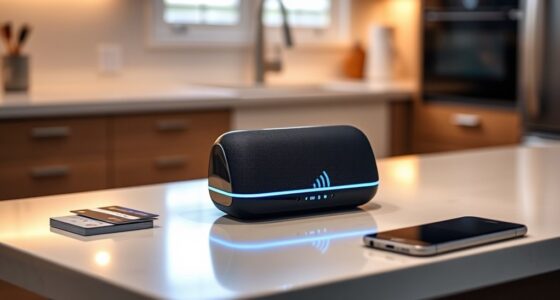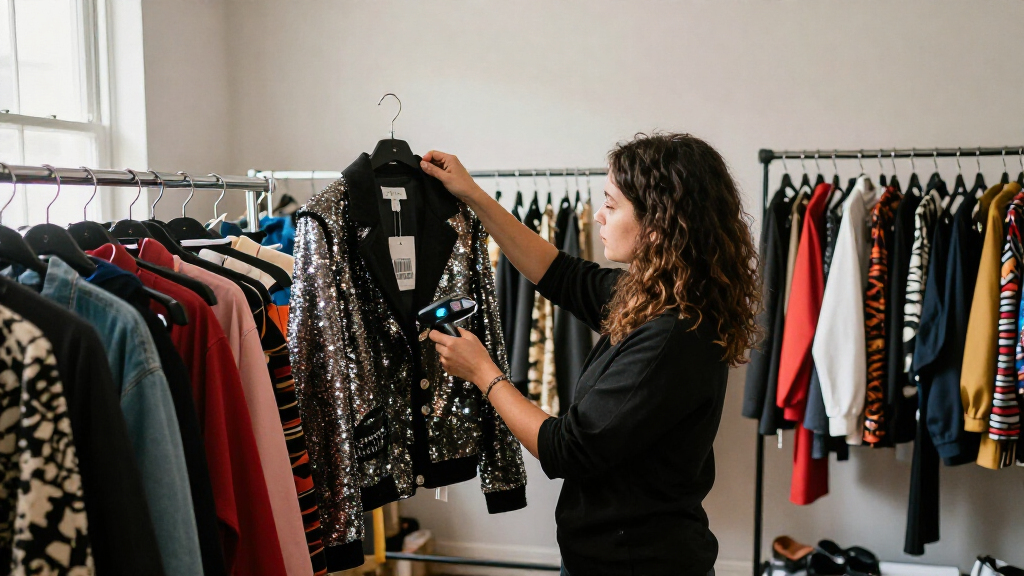

For most costume shops, my best overall pick is the Farset F7-WiFi Android 14 Handheld Barcode Scanner, which stands out for its Android platform and handheld workflow. The JRHC Wireless Barcode Scanner with Inventory Storage is a strong alternative when offline stock counts matter, while the Tera HW0009 Wireless Barcode Scanner with Screen and Charging Cradle suits teams that want an at-a-glance display and a dock for regular use. The main tradeoff is between simple, low-maintenance USB scanning and wireless models that offer more flexibility but may require more setup and charging. For costume inventory, also check whether your labels are 1D or 2D and whether you need to scan directly into your existing system. Read on for the full breakdown and my guide to choosing the right scanner for your workflow.

Get business pricing on office and shipping supplies
- Business-only prices and quantity discounts
- Tax-exempt purchasing
- Multiple users, one account, clear invoices
Key Takeaways
- Handheld workflow and platform flexibility set the Farset F7-WiFi apart from simpler scanners, making it my overall pick for teams that want more than basic scan-and-enter use.
- Offline data storage is a meaningful divider: the JRHC inventory-storage models can suit stock counts away from a workstation, while wired options such as the WoneNice WN3300 depend on a connected computer.
- Displays and data collection are not interchangeable. JRHC and Tera screen-equipped models offer on-device information, but buyers should check what data can be stored and exported before relying on them for full inventory management.
- Wired scanners reduce charging and pairing tasks but limit movement around racks, fitting rooms, and storage areas; wireless models trade that simplicity for mobility and battery upkeep.
- Stands and docks serve different work patterns: adjustable USB stands suit repeat scanning at a desk, while charging cradles and docks help keep mobile scanners ready between costume check-ins.
| JRHC Wireless Barcode Scanner with Inventory Storage |  | Best for Offline Costume Counts | Barcode formats: 1D and 2D, including QR, DataMatrix, PDF417, and Aztec | Connectivity: 2.4 GHz wireless and USB | Wireless range: Up to 200 m unobstructed; up to 50 m indoors or with obstacles | VIEW LATEST PRICE | See Our Full Breakdown |
| Symcode USB Wired 1D/2D Barcode Scanner with Stand |  | Best for a Fixed Sorting Station | Model: MJ-6709-4 | Connectivity: Wired USB | Power source: USB | VIEW LATEST PRICE | See Our Full Breakdown |
| Anyeast Barcode Scanner with Adjustable Stand, USB Wired 2D/1D Code Scanner |  | Best for Mixed-Platform Teams | Model: AT003 | Connectivity: USB cable | Power source: Corded electric, USB cable | VIEW LATEST PRICE | See Our Full Breakdown |
| Farset F7-WiFi Android 14 Handheld Barcode Scanner |  | Best Rugged Standalone Terminal | Operating system: Android 14 with GMS | Barcode scanner: FARSET SE6100; reads 1D, 2D, and QR codes | Display and keypad: 4-inch display and 22 physical keys | VIEW LATEST PRICE | See Our Full Breakdown |
| Tera D5100 2D Wireless Barcode Scanner with Battery Indicator, Orange |  | Best for Flexible Wireless Scanning | Model and color: D5100, orange | Connectivity: 2.4 GHz wireless and USB 2.0 wired | Battery: Included 2200mAh lithium-ion | VIEW LATEST PRICE | See Our Full Breakdown |
| JRHC 2D Wireless Barcode Scanner with 2.8-Inch LCD |  | Best for Standalone Inventory Counting | Model: S-6606T | Barcode formats: 1D and 2D, including QR, DataMatrix, PDF417, and Aztec | Connectivity: 2.4 GHz wireless USB receiver; USB cable | VIEW LATEST PRICE | See Our Full Breakdown |
| JRHC Portable 1D/2D Wireless Inventory Barcode Scanner with LCD |  | Best for Large Costume Catalogs | Barcode types: 1D and 2D | Wireless connectivity: 2.4G USB receiver | Transmission range: Up to 150 m outdoors; up to 50 m indoors or with obstacles | VIEW LATEST PRICE | See Our Full Breakdown |
| WoneNice WN3300 Wired USB Laser Barcode Scanner |  | Best Simple Wired Pick | Model: WN3300 | Connectivity: Wired USB | Scan rate: 200 scans per second | VIEW LATEST PRICE | See Our Full Breakdown |
| JRHC 2D Wireless Barcode Scanner with 2.0-Inch LCD and Data Collector |  | Best for Mixed-Platform Teams | Model: S-7106T | Barcode types: 1D and 2D | Display: 2.0-inch color LCD | VIEW LATEST PRICE | See Our Full Breakdown |
| Tera HW0009 Wireless Barcode Scanner with Screen and Charging Cradle |  | Best for Flexible Device Pairing | Connectivity: Bluetooth, 2.4G wireless, and USB | Compatible devices: Desktop, laptop, smartphone, and tablet | Barcode types: 1D and 2D, including QR code, Data Matrix, and PDF417 | VIEW LATEST PRICE | See Our Full Breakdown |
| Tera Wireless 1D Laser Barcode Scanner with Battery Indicator |  | Best Rugged 1D Pick | Barcode types: 1D | Connectivity: 2.4 GHz wireless, USB cable | Wireless range: Up to 328 ft in a barrier-free environment | VIEW LATEST PRICE | See Our Full Breakdown |
| Alacrity 2D Barcode Scanner with Wireless Charging Stand |  | Best for Damaged or Digital Labels | Scan type: 2D | Connectivity: Bluetooth | Compatible devices: Desktop, laptop, smartphone | VIEW LATEST PRICE | See Our Full Breakdown |
| NADAMOO 2D Wireless Barcode Scanner with Charging Dock |  | Best for Flexible Connectivity and Offline Counts | Barcode formats: 1D and 2D, including QR, PDF417, and Data Matrix | Connectivity: Bluetooth, 2.4 GHz wireless, wired USB | Wireless range: Up to 164 ft (50 m) in barrier-free environments | VIEW LATEST PRICE | See Our Full Breakdown |
| Wireless Barcode Scanner 1D/2D/PDF417 with 2.8″ LCD Screen |  | Best for High-Volume Standalone Counts | Barcode types: 1D, 2D, and PDF417 | Connectivity: 2.4G wireless dongle, USB cable | Storage: 16M; up to 400,000 data entries | VIEW LATEST PRICE | See Our Full Breakdown |
| ScanAvenger Wireless 1D/2D Barcode Scanner with Charging Stand |  | Best Everyday Multi-Device Pick | Barcode types: 1D and 2D, including UPC, EAN, Code128, PDF417, Aztec, Data Matrix, and QR Code | Connectivity: Bluetooth, wireless transmission through stand, USB cable | Compatible devices: Desktop, laptop, POS, smartphone, tablet | VIEW LATEST PRICE | See Our Full Breakdown |
| costume inventory barcode scanner | Connectivity | Battery | Dimensions | Wireless range |
|---|---|---|---|---|
| JRHC Wireless Barcode Scanner | 2.4 GHz wireless and USB | — | 1.34 × 2.36 × 6.22 in (D × W × H) | Up to 200 m unobstructed; up to 50 m indoors or with obstacles |
| Symcode USB Wired 1D/2D Barcod | Wired USB | — | 2.8 × 3.5 × 7 in | — |
| Anyeast Barcode Scanner with A | USB cable | — | 7 × 4.5 × 3.3 in (D × W × H) | — |
| Farset F7-WiFi Android 14 Hand | Wi-Fi, Bluetooth 5.0, GPS, and USB Type-C | Removable, rechargeable 5000mAh | — | — |
| Tera D5100 2D Wireless Barcode | 2.4 GHz wireless and USB 2.0 wired | Included 2200mAh lithium-ion | 2.5 × 3.9 × 6.6 in | Up to 328 ft in an unobstructed environment |
| JRHC 2D Wireless Barcode Scann | 2.4 GHz wireless USB receiver; USB cable | 1000 mAh lithium polymer; stated 20–40 hours of use | 6.5 × 2.56 × 1.5 in | Up to 150 m outdoors; up to 50 m indoors or with interference |
| JRHC Portable 1D/2D Wireless I | — | 1000 mAh lithium polymer; stated 20–40 hours of use | — | — |
| WoneNice WN3300 Wired USB Lase | Wired USB | — | 2.6 × 3.6 × 6.1 in | — |
| JRHC 2D Wireless Barcode Scann | USB and 2.4G wireless | 2000 mAh lithium-ion; stated 20–40 hours of use | — | Up to 150 m outdoors without obstacles; up to 50 m indoors with obstacles |
| Tera HW0009 Wireless Barcode S | Bluetooth, 2.4G wireless, and USB | 2500 mAh lithium-ion | 3.5 × 4.7 × 7.4 in | Up to 328 ft unobstructed; 114 ft with obstacles using 2.4G |
| Tera Wireless 1D Laser Barcode | 2.4 GHz wireless, USB cable | 1 included lithium polymer battery | 2.5 x 3.9 x 6.6 in (D x W x H) | Up to 328 ft in a barrier-free environment |
| Alacrity 2D Barcode Scanner wi | Bluetooth | 1 included lithium-ion battery | — | — |
| NADAMOO 2D Wireless Barcode Sc | Bluetooth, 2.4 GHz wireless, wired USB | 1 included lithium-ion battery | — | Up to 164 ft (50 m) in barrier-free environments |
| Wireless Barcode Scanner 1D/2D | 2.4G wireless dongle, USB cable | 2000mAh lithium polymer | — | Up to 150 m outdoors / 50 m indoors |
| ScanAvenger Wireless 1D/2D Bar | Bluetooth, wireless transmission through stand, USB cable | 1 included lithium-ion battery | 5.5 x 4.3 x 6.5 inches | — |
More Details on Our Top Picks
JRHC Wireless Barcode Scanner with Inventory Storage
For costume rooms where Wi-Fi coverage is unreliable or staff need to scan away from a desk, the JRHC Wireless Barcode Scanner with Inventory Storage offers an unusually useful buffer: it can hold scans offline, then transfer them when it reconnects. Its collection and inventory modes, along with room for multiple libraries, suit teams sorting costumes by show, size, or storage area. It reads both 1D and 2D codes, including codes on device screens, giving it more format flexibility than a basic wired unit such as the Symcode MJ-6709-4.
The tradeoff is that this is a handheld data-collection tool, not a rugged Android terminal with its own screen and keypad like the Farset F7-WiFi. Its stated long wireless range also falls indoors around obstacles, and compatibility may depend on the inventory software accepting its input. I’d choose it for offline batch counts, but skip it if staff need a standalone app-based workflow.
Pros:- Offline storage supports batch scanning away from a connected computer.
- Collection and inventory modes, with capacity for multiple libraries, help separate costumes by production or location.
- Reads 1D and 2D formats, including QR codes and codes displayed on screens.
- Offers both 2.4 GHz wireless and USB connections.
Cons:- Wireless performance can drop indoors or when walls and other obstacles block the signal.
- Windows compatibility is listed for XP, 7, 8, and 10, so newer-system support should be confirmed.
- May not work with POS systems that require proprietary hardware or direct integration.
Best for: Costume departments that scan garments across storage rooms and need to collect records offline before syncing to a Windows computer.
Not ideal for: Teams needing a rugged standalone Android inventory terminal, or POS users whose software requires proprietary scanner hardware or direct app integration.
- Barcode formats:1D and 2D, including QR, DataMatrix, PDF417, and Aztec
- Connectivity:2.4 GHz wireless and USB
- Wireless range:Up to 200 m unobstructed; up to 50 m indoors or with obstacles
- Offline storage:4 MB flash; supports up to 100,000 barcodes
- Storage capacity:Up to 180 libraries and 400,000 data entries
- Compatible systems:Windows XP/7/8/10
- Power:Battery powered; one lithium-polymer battery included
- Dimensions:1.34 × 2.36 × 6.22 in (D × W × H)
Our verdict“Choose the JRHC for offline costume counts and organized batch collection; choose the Farset F7-WiFi if you need a rugged device that runs inventory software on its own screen.”
Symcode USB Wired 1D/2D Barcode Scanner with Stand
The Symcode MJ-6709-4 makes the most sense when costume returns pass through one desk or sorting table. Its included stand allows hands-free scanning, so staff can present tagged items without repeatedly picking up the scanner. USB power and plug-and-play computer connection keep the setup simple, while adjustable prefixes, suffixes, and character deletion can help match scans to the fields used by an inventory spreadsheet or compatible system. It also reads 1D and 2D codes, including QR, Data Matrix, and PDF417.
Unlike the wireless JRHC Wireless Barcode Scanner with Inventory Storage, this Symcode cannot follow staff through racks or dressing rooms, and its cable fixes the station’s location. It is a more practical fit than the handheld JRHC when scans happen at a central check-in point, but Square users should skip it: the supplied compatibility information explicitly excludes Square. The listed scan rate is 900, with no unit provided, so I would not use that figure to compare speed.
Pros:- Included stand supports hands-free scanning at a fixed counter.
- Reads 1D and 2D formats, including QR, Data Matrix, and PDF417.
- Customizable prefix, suffix, and character-deletion settings can fit different inventory data-entry workflows.
- USB connection provides power and a direct computer link.
Cons:- Wired operation restricts scanning to the cable’s working area.
- Not compatible with Square.
- The scan-rate figure is listed without a unit, making speed comparisons difficult.
Best for: Costume checkout desks and return stations where garments are scanned at a computer and hands-free operation helps process a steady queue.
Not ideal for: Teams scanning across multiple rooms or using Square, since the wired cable limits movement and the scanner is not Square-compatible.
- Model:MJ-6709-4
- Connectivity:Wired USB
- Power source:USB
- Barcode formats:1D, 2D, QR, Data Matrix, and PDF417
- Scan rate:900 (unit not specified)
- Compatible devices:Computer, Mac, and POS systems; not compatible with Square
- Operating voltage:5 V
- Dimensions:2.8 × 3.5 × 7 in
- Warranty:2 years
Our verdict“Pick the Symcode for a stationary, computer-based costume intake desk; choose the wireless JRHC if scans need to happen among racks or in storage rooms.”
Anyeast Barcode Scanner with Adjustable Stand, USB Wired 2D/1D Code Scanner
The Anyeast stands out for costume organizations that use more than one kind of computer: its listed compatibility includes Windows, macOS, Linux, and Android. That flexibility can simplify a shared scanning station where staff use different devices, while the adjustable stand and auto-sensing mode support hands-free scanning during tagging or returns. Customizable prefixes, suffixes, and key output settings offer another way to make scans fit an existing inventory workflow. Compared with the Symcode MJ-6709-4, the Anyeast has broader stated operating-system coverage, while both are wired stand-based options.
That breadth does not make it a mobile scanner. USB power and its cable keep work near the host device, unlike the wireless JRHC Wireless Barcode Scanner with Inventory Storage, which can collect data away from a computer. The stand may also need repositioning for different label placement. I’d favor the Anyeast for a fixed station shared across platforms, but not for Square users or teams that need to count costumes while moving through storage.
Pros:- Listed support for Windows, macOS, Linux, and Android broadens device options.
- Adjustable stand and auto-sensing mode support hands-free scanning.
- Customizable prefixes, suffixes, and key output can suit different inventory workflows.
- Reads a wide range of 1D and 2D barcode formats.
Cons:- USB-only operation limits scanning to the host device’s location.
- Not compatible with Square.
- The stand may need manual adjustment to suit label position and scanning angle.
Best for: Costume shops, schools, and theatre departments sharing a fixed scanning station across Windows, Mac, Linux, or Android devices.
Not ideal for: Mobile inventory teams or Square users; it is wired, and the supplied information says it is not compatible with Square.
- Model:AT003
- Connectivity:USB cable
- Power source:Corded electric, USB cable
- Compatible systems:Windows, Linux, and Android; description also lists macOS
- Barcode formats:1D and 2D formats
- Stand:Adjustable, with auto-sensing hands-free scanning
- Operating voltage:5 V
- Real angle of view:70 degrees
- Dimensions:7 × 4.5 × 3.3 in (D × W × H)
Our verdict“Choose the Anyeast for a shared, fixed costume-scanning station across varied operating systems; choose the JRHC for mobile scans and offline collection.”
Farset F7-WiFi Android 14 Handheld Barcode Scanner
The Farset F7-WiFi is the most self-contained choice here for a costume warehouse that wants scanning and data entry in one handheld device. Android 14 with GMS, a 4-inch display, and a 22-key physical keypad give staff a way to work with compatible inventory apps without relying on a nearby desktop scanner. Its IP67 dust and water resistance and stated 2-meter drop protection suit busy back rooms better than the desktop-focused Symcode MJ-6709-4 or Anyeast AT003. The removable 5000mAh battery also allows a spare to be swapped in during long shifts.
This added durability and standalone capability come with a different setup burden: buyers need suitable Android inventory software, not just a computer accepting keyboard input. The Farset connects by Wi-Fi, Bluetooth, and USB, but has no 4G or 5G cellular service, so it cannot rely on mobile networks away from Wi-Fi. I’d pick it for demanding warehouse rounds, not simple barcode entry at one costume counter.
Pros:- Android 14, a display, and a physical keypad support standalone app-based work and on-device data entry.
- IP67 protection and stated 2-meter drop resistance suit tougher back-room conditions.
- Removable 5000mAh battery allows a charged spare to replace a depleted one.
- Reads 1D, 2D, and QR codes, including damaged, faded, and on-screen codes.
Cons:- No 4G or 5G cellular support; network-based workflows depend on Wi-Fi.
- Requires compatible Android inventory software rather than acting only as a basic USB scanner.
- More device capability than a fixed costume checkout station may need.
Best for: Costume warehouses and production teams using compatible Android inventory software for mobile counts in dusty, damp, or high-traffic work areas.
Not ideal for: Small costume desks that only need a simple computer-connected scanner, or teams that require inventory access over cellular networks.
- Operating system:Android 14 with GMS
- Barcode scanner:FARSET SE6100; reads 1D, 2D, and QR codes
- Display and keypad:4-inch display and 22 physical keys
- Battery:Removable, rechargeable 5000mAh
- Durability:IP67 dust and water resistance; 2-meter drop protection
- Connectivity:Wi-Fi, Bluetooth 5.0, GPS, and USB Type-C
- Cellular support:No 4G or 5G
- Expandable storage:Up to 512GB
- Warranty:2 years
Our verdict“Choose the Farset when costume counts need a rugged Android terminal and keypad; choose a wired Symcode or Anyeast for a simpler desk-based setup.”
Tera D5100 2D Wireless Barcode Scanner with Battery Indicator, Orange
The Tera D5100 is a straightforward fit for costume teams that want to move between wireless rack-side scanning and a wired desk setup. Its 2.4 GHz connection supports mobile work around a storage area, while USB offers a fallback when a computer is close by. A battery indicator helps staff spot a low charge before a long counting session, and the 2200mAh battery avoids making every break a guessing game. Compared with the offline-storage JRHC Wireless Barcode Scanner with Inventory Storage, the Tera emphasizes connection flexibility and a protective exterior rather than organized onboard batch collection.
Its IP54 rating and silicone cover rated for drops up to 6.56 feet add useful protection for a busy costume room, though this is not the rugged Android terminal that the Farset F7-WiFi is. The stated wireless range applies to unobstructed conditions, and the listed scan-rate value of “200 seconds” is unclear. Square users should also look elsewhere. I’d choose it for general wireless scanning, not for a Square workflow or a benchmark-sensitive purchase.
Pros:- Switches between 2.4 GHz wireless and USB wired use.
- Battery indicator and included 2200mAh battery help staff monitor charge during inventory work.
- Reads a broad range of 1D and 2D formats, including QR, DataMatrix, Aztec, and PDF417.
- IP54 protection and a silicone cover rated for drops up to 6.56 feet add practical protection.
Cons:- Not compatible with Square.
- The listed scan-rate specification of 200 seconds is unclear.
- The stated wireless range is for unobstructed conditions and may be lower around racks, walls, or other obstacles.
Best for: Costume teams that need a handheld scanner for rack-side counts, with USB available for a nearby computer station.
Not ideal for: Square users, buyers who need offline inventory storage, or teams choosing based on scan speed since the listed rate is unclear.
- Model and color:D5100, orange
- Connectivity:2.4 GHz wireless and USB 2.0 wired
- Battery:Included 2200mAh lithium-ion
- Barcode formats:1D and 2D, including QR, DataMatrix, Aztec, and PDF417
- Wireless range:Up to 328 ft in an unobstructed environment
- Protection:IP54; silicone cover rated for drops up to 6.56 ft
- Scan rate:200 seconds as listed; meaning is unclear
- Dimensions:2.5 × 3.9 × 6.6 in
- Warranty:1 year
Our verdict“Pick the Tera D5100 for flexible wireless and USB costume scanning with added drop protection; choose the JRHC if offline batch storage matters more.”
JRHC 2D Wireless Barcode Scanner with 2.8-Inch LCD
For a costume room that needs to scan and count away from a desk, this JRHC combines 1D/2D scanning, data collection, and inventory counting in one handheld unit. Its 2.8-inch LCD and 26-button layout give staff a way to work with collected inventory on the scanner, while the stated 20–40-hour battery life suits long sorting sessions. Compared with the WoneNice WN3300, it trades the simplicity of a wired USB connection for wireless mobility and onboard functions. The tradeoff is that its receiver compatibility is listed for older Windows versions only, so I would check the host computer before choosing it. The advertised 150 m range applies outdoors without obstacles; indoor range is stated as up to 50 m, making that long-distance figure less useful in a crowded costume warehouse.
Pros:- Combines barcode scanning, data collection, and inventory counting in one device
- Reads 1D and 2D formats, including codes displayed on smart devices
- 2.8-inch LCD and 26 buttons support handheld operation
- Stated battery life of 20–40 hours suits extended inventory sessions
Cons:- Receiver compatibility is specified for Windows XP, 7, 8, and 10 only
- The 150 m range is an unobstructed outdoor figure; indoor range is stated as up to 50 m
- The wireless receiver requirement limits setup flexibility
Best for: Costume departments that want a handheld scanner for inventory counts in spaces without a nearby computer and use a supported Windows PC for receiver-based work.
Not ideal for: Teams using Mac, Linux, tablets, or newer operating systems that are not listed as compatible, or those who need dependable long-range wireless coverage indoors.
- Model:S-6606T
- Barcode formats:1D and 2D, including QR, DataMatrix, PDF417, and Aztec
- Connectivity:2.4 GHz wireless USB receiver; USB cable
- Display:2.8-inch LCD
- Wireless range:Up to 150 m outdoors; up to 50 m indoors or with interference
- Battery:1000 mAh lithium polymer; stated 20–40 hours of use
- Supported operating systems:Windows XP, 7, 8, and 10
- Dimensions:6.5 × 2.56 × 1.5 in
Our verdict“Choose this JRHC if you want a screen-equipped scanner for mobile costume counts and your computer matches its listed Windows compatibility.”
JRHC Portable 1D/2D Wireless Inventory Barcode Scanner with LCD
The standout here is storage for up to 400,000 records, which gives a costume department room to collect scans during a large count before syncing through the USB receiver. Like the JRHC S-6606T, it pairs scanning with data collection and inventory counting and has a 2.8-inch color LCD. Its listed record capacity makes this a stronger fit for a broad wardrobe catalog, while the S-7106T is the more flexible choice for teams that need stated Windows, Linux, and Mac compatibility. The S-7106T also lists up to 100,000 stored barcodes, so this model’s main distinction is capacity rather than host-system range. Its limits are practical: wireless use depends on the included receiver, and compatibility information names Windows XP, 7, 8, and 10 only. I would verify the software workflow before relying on it for a mixed-device team.
Pros:- Stores up to 400,000 records for large inventory collections
- Combines scanning, data collection, and counting
- 2.8-inch color LCD supports on-device work
- Reads 1D and 2D codes, including codes displayed on screens
Cons:- Wireless connection requires the included 2.4G USB receiver
- Compatibility information lists Windows XP, 7, 8, and 10 only
- The stated 150 m range is outdoors; indoor or obstructed range is up to 50 m
Best for: Costume warehouses with a large barcode catalog that want to collect scans on the device and use a supported Windows computer for receiver-based work.
Not ideal for: Mixed-platform teams that need Mac or Linux compatibility, or crews seeking Bluetooth pairing without a USB receiver.
- Barcode types:1D and 2D
- Wireless connectivity:2.4G USB receiver
- Transmission range:Up to 150 m outdoors; up to 50 m indoors or with obstacles
- Storage capacity:Up to 400,000 records
- Display:2.8-inch TFT color LCD
- Battery:1000 mAh lithium polymer; stated 20–40 hours of use
- Charging time:About 2 hours
- Compatible systems:Windows XP, 7, 8, and 10
Our verdict“Pick this JRHC over the S-7106T when record capacity matters more than broader listed operating-system compatibility.”
WoneNice WN3300 Wired USB Laser Barcode Scanner
When costume checkout happens at a fixed desk, the WN3300 is the uncomplicated option: plug it into USB and scan, without charging, pairing, or managing stored inventory. Its 200 scans per second and compatibility with Windows, Mac, and Linux suit a shared workstation better than the receiver-dependent JRHC models, whose appeal is mobile data collection. The WoneNice also works with common software such as Word and Excel, which can keep a basic costume checkout list simple. The tradeoff is that it is a wired 1D laser scanner, not an onboard inventory-counting tool; staff remain tethered to the computer, and the supplied details do not list 2D support. That makes it less versatile for QR-labeled garments or aisle-by-aisle stocktakes. Its 6-foot cable is useful at a counter but does not replace a mobile workflow.
Pros:- Plug-and-play USB connection avoids wireless pairing and receiver setup
- Compatible with Windows, Mac, and Linux
- Scans at a stated rate of 200 codes per second
- Six-foot cable and stated 1.5 m drop resistance suit a fixed work area
Cons:- Wired connection limits movement around costume racks and storage rooms
- Product data specifies a visible laser scanner, not 2D barcode support
- No display or onboard inventory storage is listed
Best for: Costume checkout desks that scan supported barcodes directly into a computer and need a straightforward USB setup across Windows, Mac, or Linux.
Not ideal for: Teams doing mobile stocktakes, scanning QR or other 2D labels, or collecting inventory without a computer at hand.
- Model:WN3300
- Connectivity:Wired USB
- Scan rate:200 scans per second
- Light source:Visible laser, 650–670 nm
- Cable length:6 ft (2 m)
- Compatibility:Windows, Mac, and Linux
- Drop resistance:1.5 m onto concrete
- Dimensions:2.6 × 3.6 × 6.1 in
Our verdict“Choose the WN3300 for a fixed costume desk with compatible labels; choose a JRHC model for mobile counting or onboard collection.”
JRHC 2D Wireless Barcode Scanner with 2.0-Inch LCD and Data Collector
This JRHC is the most adaptable data-collection option here for costume teams working across Windows, Linux, and Mac. It scans 1D and 2D codes from paper or screens, supports wired and 2.4G wireless use, and stores up to 100,000 barcodes for offline collection. Compared with the JRHC 2.8-inch models, its display is smaller, but its listed operating-system support is broader than theirs. The 2,000 mAh battery is also larger than the 1000 mAh batteries specified for those models, while both claim 20–40 hours of use. There is a workflow catch: exporting offline data requires a tool from customer service, so I would confirm how that tool fits the department’s process before a large count. The product data also excludes iPads, tablets, and smartphones.
Pros:- Listed compatibility includes Windows, Linux, and Mac
- Reads 1D and 2D barcodes from paper and screens
- Stores up to 100,000 barcodes for offline use
- Supports wired USB and 2.4G wireless operation
Cons:- Offline data export requires a tool from customer service
- Not suitable for iPads, tablets, or smartphones
- Its 2.0-inch display is smaller than the 2.8-inch screens on the other JRHC inventory models
Best for: Costume departments using Windows, Linux, and Mac computers that need offline barcode collection across multiple storage areas.
Not ideal for: Teams that plan to export offline counts without additional support, or need a scanner that works directly with phones, tablets, or iPads.
- Model:S-7106T
- Barcode types:1D and 2D
- Display:2.0-inch color LCD
- Connectivity:USB and 2.4G wireless
- Storage:16 MB; up to 100,000 barcodes
- Battery:2000 mAh lithium-ion; stated 20–40 hours of use
- Wireless range:Up to 150 m outdoors without obstacles; up to 50 m indoors with obstacles
- Compatibility:Windows, Linux, and Mac; not suitable for iPads, tablets, or smartphones
Our verdict“Choose this model for cross-platform computer use and offline collection if the customer-service export tool fits your workflow.”
Tera HW0009 Wireless Barcode Scanner with Screen and Charging Cradle
The HW0009 suits costume operations that move between a desk, laptop, and mobile device: it supports Bluetooth, 2.4G wireless, and USB, a broader connection mix than the receiver-focused JRHC S-6606T. Its charging cradle houses the 2.4G receiver, giving the scanner a defined home between costume checkout shifts, while the screen offers customizable settings for language, volume, and connection options. It reads 1D and 2D formats including QR, Data Matrix, and PDF417. Unlike the JRHC data collectors, the supplied information does not state a record-storage capacity or battery runtime, so I would not choose it on the assumption that it can manage a long offline stocktake. The stated 2.4G range reaches 328 ft without obstacles and 114 ft with obstacles; real costume rooms may limit that coverage.
Pros:- Supports Bluetooth, 2.4G wireless, and wired USB connections
- Works with desktop, laptop, smartphone, and tablet devices
- Reads 1D and 2D formats including QR, Data Matrix, and PDF417
- Charging cradle includes the 2.4G receiver
Cons:- No battery runtime or offline record capacity is stated in the supplied product data
- The listed scan-rate figure, “650 seconds,” is unclear
- Maximum wireless range depends on an unobstructed environment
Best for: Costume teams that need to switch among desktop, laptop, smartphone, or tablet connections and want a cradle-based charging setup.
Not ideal for: Departments that require a stated offline inventory capacity or battery runtime, or depend on a clear, verified scan-speed specification.
- Connectivity:Bluetooth, 2.4G wireless, and USB
- Compatible devices:Desktop, laptop, smartphone, and tablet
- Barcode types:1D and 2D, including QR code, Data Matrix, and PDF417
- Battery:2500 mAh lithium-ion
- Wireless range:Up to 328 ft unobstructed; 114 ft with obstacles using 2.4G
- Package includes:Barcode scanner, charging cradle, charging cable, and user manual
- Dimensions:3.5 × 4.7 × 7.4 in
- Scan rate:Listed as 650 seconds; meaning is unclear
Our verdict“Choose the HW0009 if flexible device pairing and a charging cradle matter more than documented offline storage or runtime.”
Tera Wireless 1D Laser Barcode Scanner with Battery Indicator
For a costume room that labels racks, bins, and garment bags with standard 1D codes, this Tera is a practical cordless workhorse. Its 2.4 GHz wireless or USB connection gives staff a choice between moving around the stockroom and scanning at a fixed desk, while the battery indicator helps avoid a dead scanner during a busy checkout. The silicone cover and IP54 dust protection suit spaces where equipment gets handled among boxes and fabric. Compared with the Alacrity 2D Barcode Scanner, though, this model cannot read 2D codes or screen-displayed labels, so it is a narrower fit if your inventory uses QR codes. Its stated wireless range also assumes a barrier-free space, making walls and crowded racks a possible constraint.
Pros:- Reads a wide range of common 1D barcode types
- Offers both 2.4 GHz wireless and USB connectivity
- Battery indicator makes charge status easy to check
- Silicone cover and IP54 dust protection add practical protection for stockroom use
Cons:- Cannot read 2D codes or barcodes displayed on screens
- The stated wireless range depends on a barrier-free environment
Best for: Costume departments using printed 1D labels that want a cordless scanner with added drop and dust protection.
Not ideal for: Teams using QR codes, other 2D labels, or digital barcodes on staff phones.
- Barcode types:1D
- Connectivity:2.4 GHz wireless, USB cable
- Wireless range:Up to 328 ft in a barrier-free environment
- Battery:1 included lithium polymer battery
- Drop protection:Up to 6.56 ft
- Dust protection:IP54
- Dimensions:2.5 x 3.9 x 6.6 in (D x W x H)
- Warranty:1 year
Our verdict“Choose this Tera for durable-feeling, cordless 1D scanning, but pick the Alacrity or NADAMOO if your costume labels include 2D codes.”
Alacrity 2D Barcode Scanner with Wireless Charging Stand
Costume tags get scuffed, folded, or photographed onto a phone for quick lookup; the Alacrity is aimed at that less-than-perfect labeling reality. It reads printed and on-screen 2D barcodes, including labels described as dirty, partly damaged, or poorly printed, which can reduce relabeling interruptions during a rack count. Its Bluetooth connection and wireless charging stand make it a tidy choice for a desk-based check-in point. Compared with the Tera Wireless 1D Laser Scanner, it covers 2D and digital codes, but the Tera offers a stated long wireless range and protective drop cover. Alacrity’s own guidance says it is not designed for long-distance scanning, so I’d keep it near the workstation rather than expect it to cover a sprawling storage area.
Pros:- Reads printed and screen-displayed barcodes
- Handles dirty, partly damaged, or poorly printed labels
- Works with desktops, laptops, and smartphones
- Includes a wireless charging stand
Cons:- Not designed for long-distance barcode reading
- Bluetooth is the only listed connection method
- The supplied data does not specify a wireless range or battery runtime
Best for: Rental counters and costume teams that scan QR or other 2D labels from paper and phone screens at a nearby workstation.
Not ideal for: Large stockrooms where staff need long-distance wireless scanning across separated rooms or aisles.
- Scan type:2D
- Connectivity:Bluetooth
- Compatible devices:Desktop, laptop, smartphone
- Power source:Battery powered
- Battery:1 included lithium-ion battery
- Included feature:Wireless charging stand
- Color:Green
Our verdict“Pick the Alacrity for challenging 2D labels near a desk, and choose the NADAMOO when offline storage and multiple connection modes matter more.”
NADAMOO 2D Wireless Barcode Scanner with Charging Dock
The NADAMOO makes sense when costume inventory work moves between a computer station, mobile device, and areas with unreliable wireless coverage. It reads 1D and 2D codes from paper and screens, and its Bluetooth, 2.4 GHz receiver, and USB options provide more setup flexibility than the Bluetooth-only Alacrity scanner. The standout for a stocktake is offline storage for up to 100,000 barcodes: staff can collect scans away from the host device and upload them later. That convenience comes with a workflow cost, since stored scans need batch uploading after reconnection rather than appearing immediately in the inventory system. The stated 164-foot range is also for unobstructed conditions, so walls and packed costume racks can reduce the practical reach.
Pros:- Reads 1D and 2D codes, including QR, PDF417, and Data Matrix
- Connects by Bluetooth, 2.4 GHz wireless, or USB
- Stores up to 100,000 barcodes offline
- Includes a charging dock and supports paper and screen scanning
Cons:- Offline scans require batch uploading after reconnecting
- The stated 164 ft wireless range applies to barrier-free conditions
- Multiple connection modes may require choosing and managing the right setup for each workstation
Best for: Costume shops and theater departments that need to scan 1D and 2D labels across different devices and record counts where connections are intermittent.
Not ideal for: Teams that need every scan to update a connected inventory system immediately or depend on a guaranteed range through walls.
- Barcode formats:1D and 2D, including QR, PDF417, and Data Matrix
- Connectivity:Bluetooth, 2.4 GHz wireless, wired USB
- Wireless range:Up to 164 ft (50 m) in barrier-free environments
- Offline storage:Up to 100,000 barcodes
- Compatible devices:Desktop, laptop, smartphone, tablet, POS
- Compatible operating systems:Windows, Mac OS, Windows Mobile, Android, iOS
- Battery:1 included lithium-ion battery
- Included accessory:Charging dock
Our verdict“Choose the NADAMOO for mixed-device stocktakes and offline batches; the ScanAvenger is a simpler alternative when a charging stand and broad code support matter more than large offline storage.”
Wireless Barcode Scanner 1D/2D/PDF417 with 2.8″ LCD Screen
For a large costume collection, this scanner is geared toward gathering a substantial count before sending data back to a computer. Its 2.8-inch LCD and storage for up to 400,000 entries let staff work as a data collector, scanner, and inventory counter rather than relying on a live connection for every item. That capacity is a step beyond the NADAMOO’s 100,000-code offline storage, while its listed outdoor wireless range is also longer. The tradeoff is a narrower setup: the product data lists Windows XP/7/8/10 compatibility, and the data tool requires a separate download. It is a poor match for teams using Mac, phones, or Square, and the supplied scan-rate figure is described as 480 pixels rather than a time-based speed.
Pros:- Stores up to 400,000 data entries
- Combines scanning, data collection, and inventory counting
- Includes a 2.8-inch LCD screen
- Offers USB and 2.4G wireless connectivity
Cons:- Listed compatibility is limited to Windows XP/7/8/10
- The data tool requires a separate download
- Not compatible with Square
Best for: Windows-based costume warehouses that run large counts and want an LCD data collector with substantial onboard storage.
Not ideal for: Mac, iOS, Android, or Square users, and teams that need a scanner that works across mixed operating systems without a separate data tool.
- Barcode types:1D, 2D, and PDF417
- Connectivity:2.4G wireless dongle, USB cable
- Storage:16M; up to 400,000 data entries
- Battery:2000mAh lithium polymer
- Wireless range:Up to 150 m outdoors / 50 m indoors
- Display:2.8-inch LCD
- Compatibility:Windows XP/7/8/10
- Operating voltage:5 volts
Our verdict“Choose this model for large Windows-based costume counts where onboard storage is the priority, but use the NADAMOO for broader device compatibility and three connection modes.”
ScanAvenger Wireless 1D/2D Barcode Scanner with Charging Stand
The ScanAvenger is the most adaptable desk-to-stockroom option in this group for teams that want to scan common costume labels without installing dedicated software. Its 1D and 2D code support, plus Bluetooth, wireless transmission through the stand, and USB, make it easier to share across computers, phones, tablets, and many POS systems. The stand does more than store the scanner: it also charges the battery and provides a wireless link, while manual and auto-sense modes suit both deliberate item checks and hands-free counter use. Compared with the NADAMOO, it does not list large offline storage, so it is less suited to disconnected bulk counts. It also cannot read MaxiCode and may not work with POS systems that require proprietary hardware or direct app integration.
Pros:- Reads a broad range of 1D and 2D formats, including QR and Data Matrix
- Connects through Bluetooth, wireless transmission via its stand, or USB
- Stand holds and charges the scanner while providing wireless transmission
- Offers manual and auto-sense scanning modes with vibration feedback
Cons:- Does not support MaxiCode
- May not work with POS systems that require proprietary hardware or direct app integration
- Does not list the large offline storage capacity offered by the NADAMOO and LCD data collector
Best for: Costume rental counters and small wardrobe teams that scan varied 1D and 2D labels across computers, mobile devices, and compatible POS systems.
Not ideal for: Operations that need MaxiCode support, large offline batch storage, or guaranteed compatibility with a proprietary POS setup.
- Barcode types:1D and 2D, including UPC, EAN, Code128, PDF417, Aztec, Data Matrix, and QR Code
- Connectivity:Bluetooth, wireless transmission through stand, USB cable
- Compatible devices:Desktop, laptop, POS, smartphone, tablet
- Scanning modes:Manual, auto-sense
- Battery:1 included lithium-ion battery
- Dimensions:5.5 x 4.3 x 6.5 inches
- Weight:1.1 pounds
- Compatibility limitation:Does not work with MaxiCode or POS systems requiring proprietary hardware or direct app-level integration
Our verdict“Pick the ScanAvenger for everyday multi-device costume checkout and inventory work, but choose the LCD data collector for large offline counts or the NADAMOO for wider operating-system support and batch storage.”
How We Picked
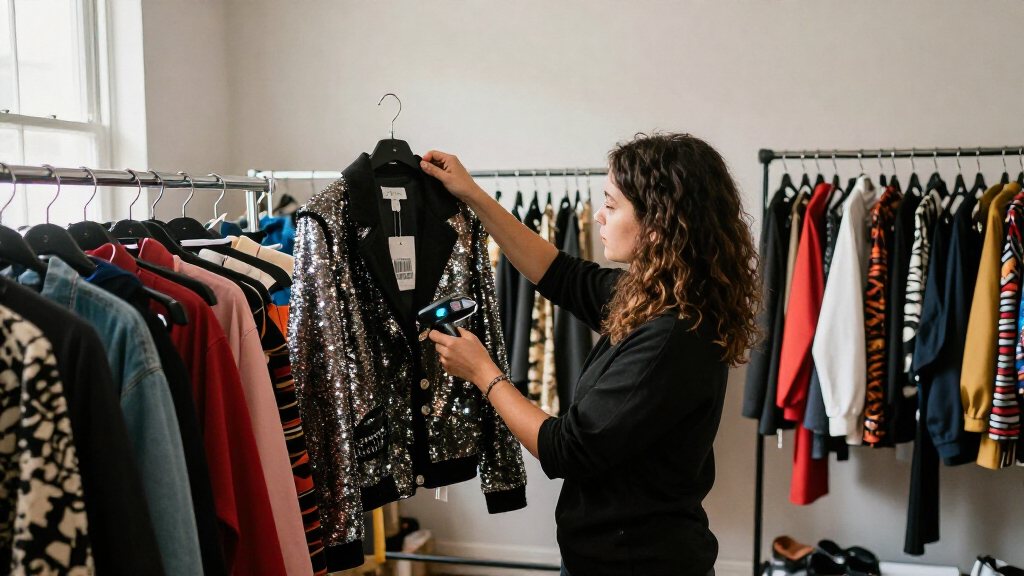
I ranked these costume inventory barcode scanners around the tasks a costume team actually needs to handle: receiving garments, counting stock, checking items in and out, and scanning labels from racks or a counter. I gave weight to supported barcode types, connection options, mobility, display or storage features, charging arrangements, and how much setup the listed design appears to call for. Because costume operations often combine a central desk with off-site or back-room counting, I favored scanners that fit a clear workflow rather than treating every wireless model as an automatic upgrade.
The order reflects versatility and likely usefulness across different costume workflows, balanced against tradeoffs such as reliance on a host device, battery management, or limited on-device data handling. The Farset ranks first for its Android handheld approach; JRHC storage and screen models follow for inventory-focused functions. Wired USB scanners remain sensible picks for fixed stations, while the Tera, Alacrity, NADAMOO, and ScanAvenger dock or stand options are ranked for buyers whose routine benefits from a dedicated charging or presentation setup. Product names alone do not establish software compatibility, scan range, or data export behavior, so buyers should verify those details against their labels and inventory system.
Factors to Consider When Choosing Costume Inventory Barcode Scanners
Choosing a scanner starts with the way costumes move through your operation, not with the longest feature list. I would map the handoffs—from receiving and tagging to fittings, rentals, returns, and repairs—before deciding whether a basic reader or a data-collection device makes sense.
Match the scanner to your inventory software
A scanner usually sends barcode data to another system; it does not automatically provide costume inventory management. Before buying, check how your software accepts scans: keyboard input, a mobile app, a browser form, or an import file can call for different connection steps. A USB model may be the simplest choice at a fixed workstation, while a wireless or Android device can fit a mobile workflow if the software supports it. Ask whether the scanner can add a line break or other required suffix after each scan, since small input mismatches can slow check-in. Avoid assuming that a screen or data collector will sync with your database without confirming the export format. A quick compatibility test with one garment label can prevent a purchase that scans correctly but leaves you with unusable records.
Choose 1D, 2D, or both based on your labels
Look at the codes already printed on your tags before selecting a scanner. One-dimensional barcodes are common for straightforward item IDs, while 2D codes can carry more information in a compact mark and may suit smaller labels. A 1D laser option such as the WoneNice or Tera laser models is not the same fit as a 2D-capable scanner when your system uses QR or other two-dimensional codes. Supporting more code types can leave room to change labels later, but it does not fix a poorly printed, damaged, or covered tag. Test codes at their actual label size and location, including tags attached to dark, textured, or delicate garments. For a mixed collection, broad code support may be worth more than choosing solely for a single current label format.
Decide whether scans must work away from a computer
Costume counts often happen in storage rooms, dressing areas, or event venues where a desk computer is inconvenient. Wireless scanners add movement, but their connection method and operating distance need to fit the rooms and obstacles in your building. Devices with inventory storage can record scans away from a host, yet you should verify capacity, transfer method, and how duplicate or mistaken scans are handled. A handheld Android scanner may serve a broader mobile workflow, but it can involve more software and device management than a basic reader. Wired USB models keep the connection straightforward and avoid battery charging, though staff must bring items to the scanning point. Choose mobility only where it saves enough walking or handling to offset charging and setup tasks.
Treat displays and data collection as workflow tools
An LCD can help staff review a scan or stored count without looking back at a computer, which is useful when garments are spread across racks. That screen does not necessarily mean the scanner can search a full inventory, edit garment records, or show rental availability. Ask what information appears, whether it can be customized, and how collected scans reach your main system. Data collection can help with periodic counts, but it may create extra reconciliation work if multiple staff members scan the same items. For a small team that scans one item at a time into an open record, a screen may add little value. Pay for on-device features when they replace a real step in your process, not just because they appear more advanced.
Plan for charging, docks, and shared use
A charging stand or cradle can give a scanner a predictable home and reduce the chance that it is left uncharged between shifts. That matters when several people share one device or when check-ins happen in short bursts throughout the day. A dock also occupies counter space, so compare its footprint with the room available at your intake station. For a scanner used only occasionally, a simpler wired model can avoid battery upkeep altogether. If you choose wireless, decide who checks charge status and where the device is stored after use. The right setup is the one staff can maintain consistently, rather than the one with the most elaborate charging accessory.
Budget for labels and handling, not just the scanner
The scanner is only one part of a reliable costume tracking setup. Labels need to stay readable through handling, storage, laundering, and repairs, and their placement should not damage or distract from the garment. Decide whether each barcode identifies a unique costume piece, a matching set, or a broader style; the wrong level of identification can cause checkout errors even when every scan works. Test label materials and attachment methods on representative fabrics before tagging an entire collection. Keep a process for replacing labels and updating records when garments are altered, retired, or split from a set. A modest scanner paired with consistent tagging rules can support cleaner records than a feature-rich device paired with inconsistent identifiers.
Frequently Asked Questions
Can a barcode scanner track costumes without inventory software?
A scanner reads a code and sends or stores its data; by itself, it generally does not maintain a full costume catalog. Some models include offline data collection, but you still need a way to associate each code with garment details and bring scans into usable records. A spreadsheet may work for a small collection, while rental operations often need software that handles availability, sets, and returns. Before choosing a scanner, confirm how its output reaches the tool you plan to use. If you need search, reservation, or repair tracking, treat those as software requirements rather than scanner features.
Should I choose a wireless scanner or a USB model for a costume shop?
Choose based on where staff scan most often. A USB scanner is a practical fit for a fixed checkout desk or receiving station, with no wireless pairing or routine battery charging. Wireless models make more sense when staff count garments on racks, move between rooms, or scan at event locations. Their convenience depends on reliable connection behavior, sufficient battery life for your shift, and a clear charging routine. If your workflow includes both a central desk and mobile counts, consider whether one device can serve both tasks or whether separate fixed and mobile stations would cause fewer interruptions.
Do I need a scanner with a screen or offline storage?
Those features help when scanning away from a computer or when staff need to check a count before returning to a workstation. They are less useful if every scan goes straight into an open inventory record and the team rarely works offline. Before buying, ask how many scans the device can retain, how staff review them, and whether transfer is compatible with your inventory process. A screen may show scan feedback without providing item lookup or availability information. Choose offline storage when it removes a real bottleneck, and confirm how the team will resolve duplicates and corrections.
Will a 2D barcode scanner read the labels already on my costumes?
Many 2D-capable scanners also read common 1D codes, but you should confirm the exact formats listed for the model and test your labels. Code type is only one factor: print quality, size, contrast, damage, and placement can affect successful reads. If your tags use only 1D codes, a 1D scanner may be enough; 2D support can add flexibility if you plan to use QR codes or compact labels later. Test a sample from the actual garment materials and storage conditions before outfitting the whole collection. Do not assume that scanning a code means your inventory software can interpret the data it contains.
What should I verify before using a scanner for rentals and returns?
Check that the scanner connects to the device and software used at both checkout and return, and confirm that scans enter the right fields in the right order. Test how your workflow handles matching sets, multiple pieces of the same costume, late returns, and items sent for repair. A scanner cannot resolve ambiguous item IDs or prevent staff from scanning the wrong garment, so labels and procedures matter just as much. Confirm whether wireless models reconnect reliably after being moved between stations and whether stored scans can be corrected before upload. A short trial with actual rental transactions can reveal process gaps that a feature list will not show.
Conclusion
My best overall choice is the Farset F7-WiFi Android 14 Handheld Barcode Scanner for teams seeking a mobile, Android-based workflow. For best value in a fixed station, I would start with the Symcode USB Wired 1D/2D Scanner with Stand: its wired setup and included stand suit repeat counter scanning without adding wireless charging routines. The best premium-style workflow pick is the Tera HW0009, whose screen and charging cradle may suit shared, frequent use; verify that its data handling matches your system before relying on it. For beginners, a USB scanner such as the Anyeast with adjustable stand offers a straightforward starting point, assuming its code support fits your labels. For off-computer counts, compare the JRHC inventory-storage and LCD data-collector models, while choosing Tera, Alacrity, NADAMOO, or ScanAvenger dock options when a dedicated charging home matters most. My final choice would depend on a sample-label test and confirmation that the scanner’s output works with the costume inventory system you already use.
Halloween Picks

9 ft Halloween Inflatable Haunted Castle with Dragon and Ghost

HOPOCO Halloween Pumpkin Fog Machine with 12 LED Colors & Remote Control

Max Fun 10-Foot Halloween Dragon and Pumpkin Inflatable Archway with LED Lights
As an affiliate, we earn on qualifying purchases.