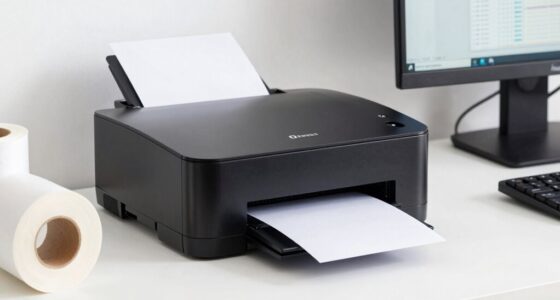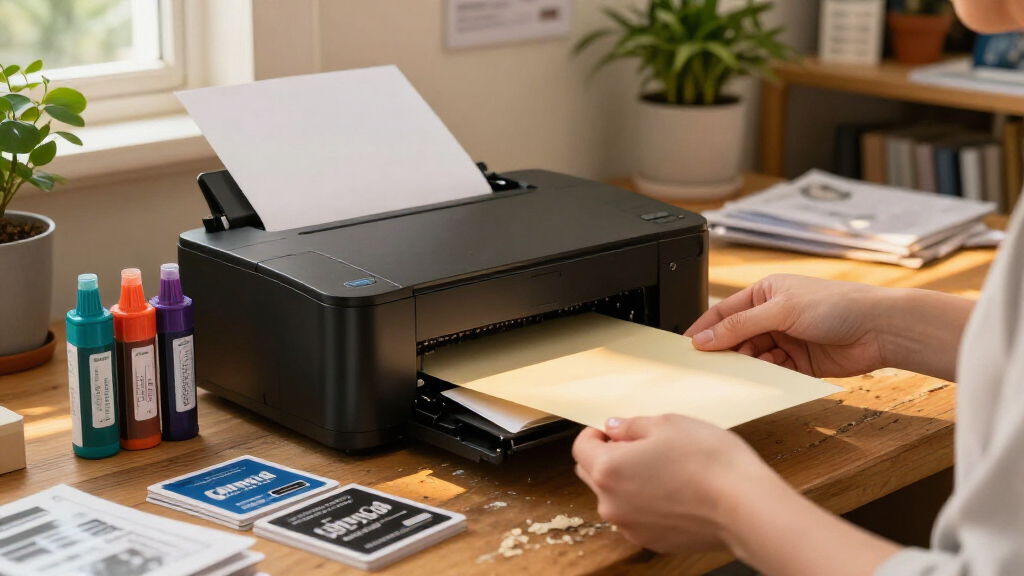

Choosing between a DIY business card printing kit and a professional print service comes down to how often you need cards, how polished they must look, and whether you value control over convenience. A kit lets you print a few cards at home and revise them as details change; a print service handles production and typically offers more paper and finish options. For occasional, fast updates, DIY can be practical. For client-facing cards or larger orders, professional printing is usually the stronger choice.

Get business pricing on office and shipping supplies
- Business-only prices and quantity discounts
- Tax-exempt purchasing
- Multiple users, one account, clear invoices
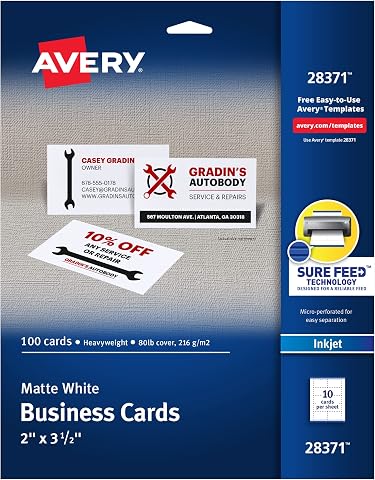
Avery Business Cards, 2" x 3.5", Matte White, 100 Cards
- ✔ Card size: 2 x 3.5 inches
- ✔ Material: Cardstock
- ✔ Weight: 80 lb (216 gsm)

Avery Clean Edge Business Cards, 2" x 3.5", Matte White, 90 Cards
- ✔ Card size: 2 x 3.5 inches
- ✔ Material: Heavyweight paper
- ✔ Color and finish: Matte white

250 Piece Blank Printable Business Cards 3.5 x 2, Perforated Card Stock Paper for Inkjet and Laser Printers (White)
- ✔ Card size: 3.5 x 2 inches
- ✔ Material: Acid-free offset paper
- ✔ Weight: 170 gsm
At a Glance
| Criteria | DIY business card printing kits | Professional business card printing services | Winner |
|---|---|---|---|
| Upfront and ongoing cost | Requires a compatible printer, kit supplies, and setup; economical mainly when equipment is already available. | Usually has a higher minimum order, but unit cost tends to fall with quantity; no printer investment required. | Depends |
| Small-batch convenience | Print only the cards you need, when you need them. | Ordering and delivery take planning, especially for small quantities. | A |
| Print quality and consistency | Results depend on the printer, paper, settings, and alignment; home consistency can vary. | Professional equipment and finishing generally produce more even color, trimming, and stock quality. | B |
| Design and finish options | Limited to compatible card stock and the printer’s capabilities. | Broad range of paper weights, coatings, shapes, and finishes, depending on provider. | B |
| Speed and revisions | Can print locally on demand and adjust the file before each batch. | Requires order and production time; changes after approval may mean a new order. | A |
| Waste and inventory | Small batches reduce leftover stock, though setup errors and misprints consume materials. | Larger batches can leave outdated cards unused if contact details or branding change. | Depends |
Avery Business Cards, 2" x 3.5", Matte White, 100 Cards
Avery Business Cards are the most balanced choice in this group for people who want their home-printed cards to feel more like finished business stationery. The 80 lb (216 gsm) matte cardstock is heavier than the 170 gsm stock in the 250-card pack, which matters when cards will be handed out frequently and should feel firm in the hand. Sure Feed technology is another practical advantage: it is designed to reduce misalignment and jams, so the sheets are better suited to a printer workflow where consistent positioning matters.Compared with Avery Clean Edge, this kit offers a slightly larger stated yield of 100 cards and emphasizes reliable feeding alongside easy separation. Both Avery options support double-sided printing and use templates, but Clean Edge puts its signature emphasis on smooth card release. That makes this product the better general-purpose pick, while the Clean Edge alternative is more targeted at finishing. The main limitation is printer fit: this kit is intended primarily for inkjet printers, and laser compatibility is not guaranteed. Its 100-card pack also may not be enough for frequent networking or a larger event.
Pros:
- 80 lb (216 gsm) cardstock gives the cards a substantial feel.
- Sure Feed technology is designed to reduce misalignment and paper jams.
- Clean edges make the cards easier to separate.
- Supports double-sided inkjet printing and Avery templates.
Cons:
- The pack yields only 100 cards, which may mean replenishing it more often.
- Matte white is the only listed color and finish.
- Laser printer compatibility is not guaranteed.
Best for: Inkjet printer owners who want a substantial matte card, double-sided printing, and features intended to support consistent sheet feeding.
Not ideal for: High-volume users who need a large batch, buyers seeking colored or textured stock, and anyone who needs confirmed laser printer compatibility.
Bottom line: Choose this Avery kit for the strongest balance of substantial cardstock, guided feeding, and straightforward double-sided inkjet printing.
“Choose this Avery kit for the strongest balance of substantial cardstock, guided feeding, and straightforward double-sided inkjet printing.”
Avery Clean Edge Business Cards, 2" x 3.5", Matte White, 90 Cards
When the finished edge matters as much as the printed design, Avery Clean Edge is the specialized choice in this lineup. Its separation technology is designed to release cards with smooth edges, avoiding the rough appearance that can undermine an otherwise polished layout. The heavyweight matte stock also aims for a premium feel, and double-sided printing makes it useful for cards with a logo or contact details on one side and a short service list or QR code on the other.Against the 100-card Avery kit, Clean Edge offers a clearer finishing focus but yields 10 fewer cards. The 250-piece option supplies more cards and supports laser printers, yet it uses lighter 170 gsm paper and relies on perforations. Clean Edge therefore suits a buyer who prioritizes tidy separation and already has an inkjet printer. Its constraints are clear: it is optimized for inkjet use, and the product description gives no paper weight figure to compare directly with Avery’s 80 lb option. As with the other Avery kit, the only listed finish is matte white.
Pros:
- Clean Edge technology is designed for smooth, easy separation.
- Heavyweight matte stock supports a premium card feel.
- Supports double-sided printing.
- Avery templates offer a starting point for custom layouts.
Cons:
- The 90-card yield is the smallest in this comparison.
- Best results require an inkjet printer.
- Only matte white is listed, and no specific stock weight is provided.
Best for: Small businesses and solo professionals with inkjet printers who want cleanly separated cards and the option to print both sides.
Not ideal for: Laser printer owners, buyers who need the largest batch in this comparison, or shoppers choosing strictly by a stated paper weight.
Bottom line: Pick Clean Edge when neat separation is your priority and an inkjet printer is already part of your setup.
“Pick Clean Edge when neat separation is your priority and an inkjet printer is already part of your setup.”
250 Piece Blank Printable Business Cards 3.5 x 2, Perforated Card Stock Paper for Inkjet and Laser Printers (White)
This perforated 250-card pack is the practical pick when batch size and printer choice outweigh a premium cardstock feel. Its 25 letter-size sheets each yield ten standard cards, and stated compatibility includes both inkjet and laser printers. That wider compatibility makes it a more flexible fit for offices that use a laser printer or may switch between printer types. The 170 gsm, acid-free offset paper also serves uses beyond contact exchange, including membership cards, coupons, tags, and craft projects.Compared with either Avery kit, this option provides more cards in one pack and does not center its use around inkjet printing. But the tradeoff is material: 170 gsm is lighter than the 80 lb (216 gsm) stock specified for Avery Business Cards, so buyers seeking a notably weighty card may prefer Avery. Its pre-scored perforations are intended to make separation quick, though the product description does not make the same clean-edge promise as Avery Clean Edge. The kit comes only in white and in standard dimensions, so it is not a route to custom-sized cards or a distinctive stock color.
Pros:
- Provides 250 cards across 25 sheets.
- Listed as compatible with both inkjet and laser printers.
- Pre-scored perforations support quick separation.
- Acid-free paper can also serve coupons, tags, and membership cards.
Cons:
- The 170 gsm paper may feel lighter than the Avery cardstock options.
- Only standard 3.5 x 2-inch cards are offered.
- The white stock has no listed color or finish alternatives.
Best for: Small offices or event organizers who need a larger supply of standard cards and want a kit listed for both inkjet and laser printers.
Not ideal for: People who want a heavyweight card feel, the most explicitly polished separation, or custom card dimensions.
Bottom line: Choose this pack for a larger run and broader printer compatibility, provided a lighter paper feel works for your cards.
“Choose this pack for a larger run and broader printer compatibility, provided a lighter paper feel works for your cards.”
As an Amazon Associate we earn from qualifying purchases.
Key Differences
The biggest difference is the balance between control and production quality. A DIY kit makes sense when you need a handful of cards quickly or expect to change your details soon. It avoids waiting for delivery and lets you print a fresh batch after an edit. That flexibility comes with more hands-on work: you supply the printer, check alignment, and accept the limits of your paper and equipment.
A professional service is better suited to cards that represent an established business or need a consistent, refined finish. It offers more choice in materials and typically handles trimming and color production more evenly. The tradeoff is that you need to plan ahead, order a minimum quantity, and may have cards left over after a rebrand or staff change. For most people ordering cards for regular business use, professional printing is the safer value; DIY is most compelling for short runs and frequent updates.
Detailed Comparison
Upfront and ongoing cost (moderate difference)
Winner: Depends; the difference is moderate. A kit can cost less for a tiny batch if you already own a suitable printer and can use the leftover stock. Buying a printer just for cards changes the calculation, since supplies and setup add cost. Professional services often charge more upfront, but their per-card price usually improves with larger orders. Compare the full kit and printer cost with the quantity you will actually use.
Small-batch convenience (DIY business card printing kits wins — moderate)
Winner: DIY kits; the difference is moderate. A home kit lets you print a few cards without meeting a service’s order minimum or waiting for delivery. That is useful for a new business, a temporary event, or a last-minute change. Printing still takes setup and careful feeding, so it is convenient when the printer is ready and working, rather than effortless in every situation.
Print quality and consistency (Professional business card printing services wins — major)
Winner: Professional services; the difference is major for customer-facing use. A print provider can produce consistent trimming and may offer richer color and thicker stocks than a standard home setup. DIY quality varies with printer capability, calibration, and alignment; slight shifts can make a stack look uneven. If cards are part of a premium brand impression or used in volume, the professional result is generally worth paying for.
Design and finish options (Professional business card printing services wins — moderate)
Winner: Professional services; the difference is moderate. Kits are constrained by the card sheets and printer they support, which often means standard sizes and finishes. Print services may offer a wider range of paper, coatings, and formats, though availability varies by provider. For a simple, conventional card, the extra choice may not matter. If texture, thickness, or a distinctive finish is part of the design, a service has the advantage.
Speed and revisions (DIY business card printing kits wins — moderate)
Winner: DIY kits for urgent changes; the difference is moderate. Once the layout is ready, a kit can turn a corrected phone number or new job title into a fresh batch the same day. A service requires ordering and production time, and a mistake caught after approval can mean paying for another run. For planned, stable designs, that delay is manageable; for details that change often, home printing offers useful control.
Waste and inventory (minor difference)
Winner: Depends; the difference is minor to moderate. DIY printing can avoid a large stack of obsolete cards because you make small batches. However, misfeeds and alignment errors waste sheets, and frequent small runs may cost more per card. A professional bulk order reduces unit cost but can leave unused cards when contact details or branding change. Choose batch size based on how stable your information is and how quickly you distribute cards.
DIY business card printing kits: Pros and Cons
Pros:
- Print small quantities on demand.
- Make last-minute edits without placing a new order.
- Avoid delivery delays when a compatible printer is available.
Cons:
- Quality depends on printer capability, settings, and alignment.
- Printer and supply costs can outweigh savings for infrequent use.
- Fewer paper and finish choices than many print services.
Professional business card printing services: Pros and Cons
Pros:
- More consistent trimming and print quality for polished business use.
- Typically offers more paper, coating, and format choices.
- Per-card cost can be attractive when ordering a quantity you will use.
Cons:
- Requires planning for production and delivery.
- Minimum quantities can leave excess cards after details change.
- A post-approval correction may require a new order.
Who Should Choose What
Choose DIY business card printing kits if:
- You need only a small batch for a launch, event, or trial.
- You already own a suitable printer and want to update card details often.
- Same-day availability matters more than premium paper or finishing.
Choose Professional business card printing services if:
- Your cards are a regular part of client meetings, sales, or networking.
- A polished, consistent finish will reflect on your brand.
- You can order a practical quantity and value broad material choices.
Skip both if: You need only a few cards once and have no printer; consider digital contact sharing or a small local print order instead.
Value for Money
Paying more for professional printing is worthwhile when card quality influences how clients perceive your business or when you will use enough cards to benefit from a lower unit price. It is also a sensible choice if you do not already own a printer. A DIY kit offers better value when the batch is small, revisions are frequent, and the equipment is already on hand. Avoid comparing only the price of a kit with the price of a finished order: include printer access, consumables, setup time, likely misprints, and unused cards.
Final Verdict
For most established businesses, choose a professional print service: it delivers more dependable quality and a broader range of finishes, making the extra upfront spend worthwhile for cards handed to clients and prospects. Choose a DIY kit when you need a few cards quickly, expect details to change, and already have a capable printer. The deciding factor is whether flexibility matters more than a polished, consistent result. If neither option fits because you need only a handful once, use a digital card or a small local print run.
Frequently Asked Questions
Are DIY business card printing kits cheaper?
They can be cheaper for small batches when you already own a suitable printer. If you need to buy equipment or print frequently, compare the full supply cost with a professional order’s per-card price.
Do home-printed business cards look professional?
They can work for simple, informal use, but appearance depends on printer quality, paper, and alignment. Professional printing is more dependable when consistent trimming and finish matter to your brand.
Which option is better for a new business?
A kit can suit a new business while contact details and branding are still changing, provided a printer is available. Once the design is stable and cards are used regularly, a professional order often makes more sense.
Is professional printing worth the extra cost?
Usually, when cards are a frequent part of client-facing work or you want specialty paper and finishes. For a one-off event or a few temporary cards, the flexibility of a kit may be worth more than the finish.