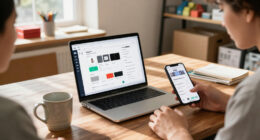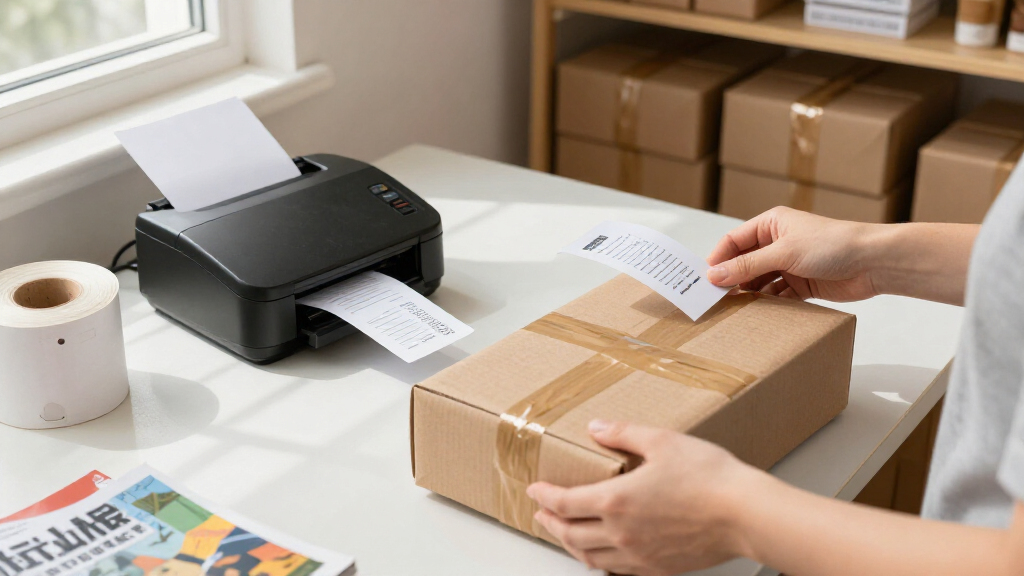
For a small business that ships regularly, the Rollo USB Thermal Shipping Label Printer is my best overall pick for a straightforward, wired shipping-label workflow. The labelhive Bluetooth 4×6 and Rongta RP425 Wireless stand out for businesses that want wireless printing, while the D450BT adds a built-in label bin for a tidier setup. The main tradeoff is choosing between a simple USB connection and the flexibility of Bluetooth, alongside the space and label-handling needs of your operation. Compatibility with your devices and shipping platform matters just as much as printer features. Read on for all 14 picks and a guide to matching a printer to your business.

Get business pricing on office and shipping supplies
- Business-only prices and quantity discounts
- Tax-exempt purchasing
- Multiple users, one account, clear invoices
Key Takeaways
- The lineup splits between USB simplicity and Bluetooth flexibility: the Rollo USB suits a fixed workstation, while several labelhive, Rongta, KNAON, and other models offer wireless workflows.
- Most options are built around 4×6 shipping labels: this helps narrow the choice, but buyers should still confirm label dimensions and feed style against their shipping platform.
- The D450BT stands apart on workspace organization: its built-in label bin may matter more to a compact packing station than another connection option.
- Brand and model variations can be easy to confuse: the list includes two Rongta RP425 models and two KNAON printers, so check the exact connection and package details before ordering.
- Portable and bundle-focused choices serve narrower needs: KNAON Portable suits a mobile setup, while the Phomemo 241BT package includes labels; neither feature alone settles long-term workflow fit.
| labelhive Bluetooth Thermal Shipping Label Printer, 4×6 Wireless |  | Best Overall for Flexible Workflows | Printer type: Direct thermal | Print resolution: 203 × 203 DPI | Supported label width: 1.57–4.41 inches | VIEW LATEST PRICE | See Our Full Breakdown |
| Rollo USB Thermal Shipping Label Printer, 4.1-Inch |  | Best for Fast, Desktop-Only Shipping | Model: X1038 | Printer type: Thermal, monochrome | Print resolution: 203 × 203 DPI | VIEW LATEST PRICE | See Our Full Breakdown |
| Rongta RP425 Wireless Thermal Shipping Label Printer, 4 x 6 Inch, White |  | Best for Simple 4 × 6 Mobile Shipping | Model: RP425-WH | Printer type: Thermal, monochrome | Print resolution: 203 × 203 DPI | VIEW LATEST PRICE | See Our Full Breakdown |
| KNAON Portable Bluetooth Thermal Shipping Label Printer, White |  | Best for Label-Format Flexibility | Printer type: Thermal, monochrome | Print resolution: Up to 203 DPI | Supported paper width: 1.38–4.41 inches | VIEW LATEST PRICE | See Our Full Breakdown |
| NULLTONEX 4×6 Thermal Shipping Label Printer with Bluetooth and USB |  | Best Starter Bundle | Printer type: Direct thermal | Print resolution: 203 DPI | Print speed: Up to 150 mm/s | VIEW LATEST PRICE | See Our Full Breakdown |
| Gloryang 668BT Bluetooth Thermal Shipping Label Printer, 4 × 6, Black |  | Best for a Compact Bluetooth Setup | Printer type: Direct thermal | Resolution: 203 × 203 dpi | Label width: 1.57–4.1 inches | VIEW LATEST PRICE | See Our Full Breakdown |
| D450BT Bluetooth Thermal Shipping Label Printer with Built-In Label Bin |  | Best for High-Volume Label Feeding | Printer type: Thermal | Resolution: 203 × 203 dpi | Print speed: Up to 72 labels per minute | VIEW LATEST PRICE | See Our Full Breakdown |
| Rongta RP425 Bluetooth 4×6 Thermal Shipping Label Printer |  | Best for Lightweight Mobile Printing | Printer type: Thermal | Resolution: 203 dpi | Print speed: Up to 150 mm/s | VIEW LATEST PRICE | See Our Full Breakdown |
| KNAON Bluetooth Thermal Shipping Label Printer, 4 x 6, White |  | Best for Custom Label Design | Printer type: Thermal | Resolution: 200 × 200 dpi | Print speed: Up to 180 mm/s | VIEW LATEST PRICE | See Our Full Breakdown |
| Phomemo 241BT Bluetooth Thermal Label Printer with 20 Labels |  | Best for Cross-Device Flexibility | Printer type: Direct thermal | Resolution: 203 × 203 dpi | Print speed: Up to 150 mm/s | VIEW LATEST PRICE | See Our Full Breakdown |
| Nelko Bluetooth Thermal Shipping Label Printer, 4 x 6 in | 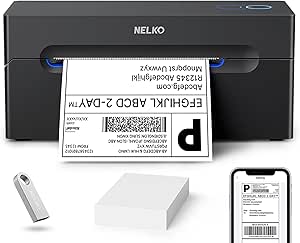 | Best for Mixed Label Work | Printing technology: Direct thermal | Resolution: 203 × 203 DPI | Maximum print speed: 150 mm/s; up to 72 4 × 6 labels per minute | VIEW LATEST PRICE | See Our Full Breakdown |
| MUNBYN RW403B Bluetooth Thermal Label Printer |  | Best for Cross-Device Workflows | Model: RW403B | Connectivity: Bluetooth and USB | Compatible devices: Android, iPhone, Windows, Mac, Chromebook | VIEW LATEST PRICE | See Our Full Breakdown |
| SVANTTO Bluetooth 4×6 Thermal Shipping Label Printer |  | Best Compact Pick | Model: 4B-2063C | Print technology: Direct thermal | Resolution: 203 DPI | VIEW LATEST PRICE | See Our Full Breakdown |
| Rongta RP425-PK 4×6 Bluetooth Thermal Shipping Label Printer, Pink |  | Best for Simple 4 × 6 Setup | Model: RP425-PK | Printing: Monochrome, simplex | Resolution: 203 × 203 DPI | VIEW LATEST PRICE | See Our Full Breakdown |
| thermal label printers for small businesse | Connectivity | Printer type | Compatible operating systems | Print speed |
|---|---|---|---|---|
| labelhive Bluetooth Thermal Sh | Bluetooth and USB 2.0 | Direct thermal | Windows, macOS, ChromeOS, Linux, iOS, and Android | — |
| Rollo USB Thermal Shipping Lab | Wired USB 2.0 | Thermal, monochrome | Windows XP and newer; macOS 10.9 and newer | Up to 150 mm/s; up to one 4 × 6-inch label per second |
| Rongta RP425 Wireless Thermal | Bluetooth and USB | Thermal, monochrome | Windows, macOS, Android, and iOS | — |
| KNAON Portable Bluetooth Therm | Bluetooth via FlashLabel Pro app and USB | Thermal, monochrome | Windows 7 or later, macOS, ChromeOS, and Linux | Up to 180 mm/s; listed as 60 pages per minute |
| NULLTONEX 4×6 Thermal Shipping | Bluetooth and USB | Direct thermal | — | Up to 150 mm/s |
| Gloryang 668BT Bluetooth Therm | Bluetooth | Direct thermal | iOS, Android, macOS, Windows | — |
| D450BT Bluetooth Thermal Shipp | Bluetooth, USB | Thermal | — | Up to 72 labels per minute |
| Rongta RP425 Bluetooth 4×6 The | Bluetooth | Thermal | Windows 7 or newer, macOS 10.11 or newer, ChromeOS, Android, iOS | Up to 150 mm/s |
| KNAON Bluetooth Thermal Shippi | Bluetooth, USB 2.0 | Thermal | Windows 7 or later, macOS, ChromeOS, Linux | Up to 180 mm/s |
| Phomemo 241BT Bluetooth Therma | Bluetooth, USB | Direct thermal | iOS, Android, macOS, Windows, ChromeOS, Linux | Up to 150 mm/s |
| Nelko Bluetooth Thermal Shippi | Bluetooth through the NELKO app; USB | — | iOS, Android, Windows 7 or later, macOS via USB, Chrome OS via USB | — |
| MUNBYN RW403B Bluetooth Therma | Bluetooth and USB | — | — | — |
| SVANTTO Bluetooth 4×6 Thermal | Bluetooth and USB | — | — | Up to 150 mm/s; approximately 70 4 × 6 labels per minute |
| Rongta RP425-PK 4×6 Bluetooth | Bluetooth through RONGTA app; USB | — | — | — |
More Details on Our Top Picks
labelhive Bluetooth Thermal Shipping Label Printer, 4×6 Wireless
For a small business that ships from both a phone and a computer, the labelhive offers the most balanced setup in this group. Bluetooth and USB cover mobile and wired workflows, while support for roll and fanfold labels gives it more media flexibility than the USB-only Rollo X1038. Its 1.57–4.41-inch range also accommodates narrower labels and slightly wider media than the Rollo. Automatic calibration and paper-out and jam detection can reduce interruptions when switching jobs or replenishing labels. The tradeoff is that mobile printing depends on the FlashLabel Pro app, so it is not a direct Bluetooth workflow, and its 203 DPI output is monochrome rather than suited to color branding. I’d choose it for a mixed-device packing desk, but not for teams that want a strictly wired, app-free setup.
Pros:- Bluetooth and USB support mobile and computer-based printing.
- Accepts both roll and fanfold thermal labels.
- Wide supported media range of 1.57–4.41 inches.
- Automatic calibration and paper-out and jam detection help manage print jobs.
Cons:- Mobile printing requires the FlashLabel Pro app.
- 203 DPI monochrome output does not support color labels.
Best for: Small sellers who alternate between phone-based order handling and desktop shipping, and who need both roll and fanfold label support.
Not ideal for: Businesses seeking direct mobile printing without a dedicated app or label widths beyond 4.41 inches.
- Printer type:Direct thermal
- Print resolution:203 × 203 DPI
- Supported label width:1.57–4.41 inches
- Connectivity:Bluetooth and USB 2.0
- Compatible operating systems:Windows, macOS, ChromeOS, Linux, iOS, and Android
- Media:Roll and fanfold thermal labels
- Dimensions:7.2 × 2.4 × 3.15 inches
- Warranty:1-year limited warranty
Our verdict“Choose the labelhive if your small business needs one printer for varied devices and label formats, and you are comfortable using its app for mobile jobs.”
Rollo USB Thermal Shipping Label Printer, 4.1-Inch
The Rollo X1038 is the straightforward pick for a business that prints from a computer and values a quick, predictable shipping workflow over wireless convenience. Its listed speed of up to 150 mm/s and automatic label detection suit repeat batches, while compatibility with major shipping services and ecommerce platforms makes it practical for routine fulfillment. Unlike the Bluetooth-equipped labelhive and NULLTONEX, the Rollo connects by USB only; that simplifies the connection path but rules out phone-based printing. Its 4.1-inch maximum width is also narrower than the labelhive’s 4.41-inch limit, and it is designed for Windows and macOS rather than the broader range of systems listed for some alternatives. I’d rank it for a fixed packing station, not a mobile or multi-device operation.
Pros:- Prints at up to 150 mm/s for efficient batch label production.
- Automatic label detection supports a simpler loading workflow.
- Works with major shipping services and ecommerce platforms.
- Direct thermal printing avoids ink and toner.
Cons:- USB-only connectivity excludes wireless and mobile printing.
- Listed operating-system compatibility is limited to Windows and macOS.
- Maximum label width is 4.1 inches.
Best for: Small ecommerce sellers who prepare labels in batches on a Windows or Mac computer at a dedicated packing station.
Not ideal for: Businesses that need phone printing, Bluetooth flexibility, or compatibility with ChromeOS, Linux, Android, or iOS.
- Model:X1038
- Printer type:Thermal, monochrome
- Print resolution:203 × 203 DPI
- Print speed:Up to 150 mm/s; up to one 4 × 6-inch label per second
- Label width:1.57–4.1 inches
- Connectivity:Wired USB 2.0
- Compatible operating systems:Windows XP and newer; macOS 10.9 and newer
- Warranty:Limited 1-year warranty
Our verdict“Pick the Rollo X1038 if speed and a computer-based shipping station matter more to your business than wireless printing.”
Rongta RP425 Wireless Thermal Shipping Label Printer, 4 x 6 Inch, White
The Rongta RP425 is a focused option for sellers whose work centers on standard 4 × 6 shipping labels and who want to print from either a phone or a computer. Bluetooth through the RONGTA app and a USB connection give it more flexibility than the wired-only Rollo X1038, while its listed 16-ounce weight makes it the lightest choice among these five. That simplicity comes with a narrower job description: unlike the labelhive and KNAON, the supplied specs do not give a range of label widths, only a maximum media size of 4 × 6 inches. Mobile printing also depends on the RONGTA app, and the stated speed is less clearly tied to individual label throughput than the Rollo’s. It suits standard parcel labels better than varied in-house labeling.
Pros:- Bluetooth and USB allow mobile or computer-based printing.
- Compatible with Windows, macOS, Android, and iOS.
- Lightweight at 16 ounces.
- Inkless monochrome printing avoids ink and toner supplies.
Cons:- Maximum listed media size is 4 × 6 inches, limiting format flexibility.
- Phone printing relies on the RONGTA app.
- Monochrome printing does not support color label designs.
Best for: Solo online sellers who print standard 4 × 6 shipping labels and want both phone and computer connectivity.
Not ideal for: Businesses that print many label formats or need a clearly specified media-width range beyond standard shipping labels.
- Model:RP425-WH
- Printer type:Thermal, monochrome
- Print resolution:203 × 203 DPI
- Maximum media size:4 × 6 inches
- Connectivity:Bluetooth and USB
- Compatible operating systems:Windows, macOS, Android, and iOS
- Weight:16 ounces
- Warranty:1-year manufacturer warranty
Our verdict“Choose the RP425 if your operation mainly prints standard 4 × 6 parcels and you want a lightweight printer that can connect to phones or computers.”
KNAON Portable Bluetooth Thermal Shipping Label Printer, White
The KNAON makes the most sense for small businesses that print more than shipping labels: its 1.38–4.41-inch media range is the broadest stated lower-to-upper range in this group, and its listed platforms include marketplaces and carriers as well as Etsy and PayPal. Compared with the Rongta RP425, which is specified around a maximum 4 × 6-inch format, KNAON gives a buyer clearer support for narrower label jobs. It also includes 20 test sheets and design templates, which can help a new operator check layouts before using regular stock. The catch is its software dependence: Bluetooth printing goes through FlashLabel Pro, and ChromeOS requires a separate extension. The listed print-speed figures are not as useful for judging small-business throughput as the Rollo’s label-per-second claim.
Pros:- Supports label widths from 1.38 to 4.41 inches.
- Bluetooth app printing and USB provide two connection options.
- Includes 20 test printing papers and design templates.
- Listed support spans multiple operating systems and shipping platforms.
Cons:- Bluetooth printing requires the FlashLabel Pro app rather than a direct device connection.
- ChromeOS printing requires the FlashLabel extension.
- Listed speed claims do not clearly establish practical label throughput.
Best for: Small shops that use shipping labels alongside narrower product, barcode, or address labels and want templates for basic design work.
Not ideal for: Teams that need direct Bluetooth printing without an app or want a simple ChromeOS setup without an extension.
- Printer type:Thermal, monochrome
- Print resolution:Up to 203 DPI
- Supported paper width:1.38–4.41 inches
- Print speed:Up to 180 mm/s; listed as 60 pages per minute
- Connectivity:Bluetooth via FlashLabel Pro app and USB
- Compatible operating systems:Windows 7 or later, macOS, ChromeOS, and Linux
- Included media:20 test printing papers
- Dimensions:7.3 × 2.56 × 3.15 inches
Our verdict“Pick the KNAON if your shop needs a broad range of label widths and accepts app-based wireless printing and extra setup for ChromeOS.”
NULLTONEX 4×6 Thermal Shipping Label Printer with Bluetooth and USB
For a seller setting up a first packing station, the NULLTONEX has a practical advantage: the box includes a USB cable, power cord, and 25 sheets of 4 × 6 labels, so there is stock for initial setup and test runs. Its Bluetooth and USB options make it more adaptable than the USB-only Rollo, and the listed 150 mm/s speed is a useful fit for routine shipping batches. The supported 1.57–4.3-inch width handles standard parcel labels and some narrower tasks, though it falls short of the labelhive and KNAON at 4.41 inches. It is also a compact, 1.2-pound model with printhead overheat protection. The main limitation is that its 203 DPI monochrome output and 4.3-inch ceiling keep it focused on functional labels, not color presentation or wider formats.
Pros:- Includes power and USB cables plus 25 sheets of 4 × 6 labels.
- Bluetooth and USB support wireless and wired workflows.
- Prints at up to 150 mm/s.
- Compact 1.2-pound design includes printhead overheat protection.
Cons:- Monochrome output cannot produce color branding.
- Maximum supported width of 4.3 inches is narrower than the labelhive and KNAON limits.
- Included media and platform compatibility are centered on shipping-label use.
Best for: New or small-volume online sellers who want a wireless-or-USB printer with starter 4 × 6 label sheets included.
Not ideal for: Businesses that need color printing, label widths over 4.3 inches, or a more extensive stated range of media formats.
- Printer type:Direct thermal
- Print resolution:203 DPI
- Print speed:Up to 150 mm/s
- Supported label width:1.57–4.3 inches
- Standard label size:4 × 6 inches
- Connectivity:Bluetooth and USB
- Compatible platforms:Amazon, Shopify, Etsy, USPS, UPS, FedEx, and DHL
- Included accessories:Power cord, USB cable, and 25 sheets of 4 × 6 thermal labels
- Weight:1.2 pounds
Our verdict“Choose the NULLTONEX if you want a ready-to-start shipping setup with both Bluetooth and USB, but do not need color or wider labels.”
Gloryang 668BT Bluetooth Thermal Shipping Label Printer, 4 × 6, Black
The Gloryang 668BT suits small sellers who want a compact printer they can run from a phone, tablet, or computer without adding ink or toner to their supplies. Its 1.57–4.1-inch label range covers standard 4 × 6 shipping labels as well as narrower labels for other business tasks. Compared with the D450BT, it has a smaller stated maximum width and no built-in label bin, but its broad device and operating-system compatibility makes it a flexible fit for a mixed-device workspace. The tradeoff is a relatively straightforward feature set: printing is monochrome and simplex, and Bluetooth is the listed connection, so buyers who need USB as a backup should look at the D450BT or Phomemo 241BT instead.
Pros:- Compact dimensions help it fit on a crowded home-office desk.
- Direct thermal printing avoids ink and toner purchases.
- Supports standard 4 × 6 labels and narrower label widths.
- Bluetooth compatibility spans phones, tablets, laptops, and computers.
Cons:- Bluetooth is the only listed connection, with no USB fallback.
- Monochrome output cannot produce color labels.
- Simplex printing offers no two-sided output.
Best for: Home-based sellers who print standard shipping labels from phones or computers and have limited desk space.
Not ideal for: Businesses that want USB connectivity, a built-in label supply compartment, or color printing.
- Printer type:Direct thermal
- Resolution:203 × 203 dpi
- Label width:1.57–4.1 inches
- Connectivity:Bluetooth
- Compatible operating systems:iOS, Android, macOS, Windows
- Output:Monochrome, simplex
- Dimensions:8.43 × 6.5 × 5.12 inches
- Weight:1.11 kg
Our verdict“Choose the Gloryang 668BT if compact size and Bluetooth printing matter more than USB backup or a built-in label bin.”
D450BT Bluetooth Thermal Shipping Label Printer with Built-In Label Bin
The D450BT is the strongest fit here for a small business that wants a ready supply of labels close at hand: its built-in bin holds up to 250 and accepts rolls or fanfold media. That design can reduce the interruptions of reloading compared with the Gloryang 668BT, which has no listed storage compartment. It also adds USB alongside Bluetooth, useful when a computer connection is preferable to mobile printing, and its stated speed reaches 72 labels per minute. The 4.6-inch maximum width is the widest in this batch, though most shipping sellers will rarely need more than a standard 4 × 6 format. This remains a monochrome printer, and the included 30 labels are only a small starter supply relative to its full capacity.
Pros:- Built-in bin holds up to 250 labels and supports roll or fanfold media.
- Bluetooth and USB provide two connection routes.
- Supports a broad range of operating systems, including Linux and ChromeOS.
- Auto detection and alignment can reduce feeding errors and wasted labels.
Cons:- Monochrome output limits labels to black-and-white printing.
- Its 4.6-inch maximum width may be unnecessary for sellers using standard shipping labels.
- Only 30 labels are included, despite the larger built-in capacity.
Best for: Small shipping operations that print batches of labels and want a built-in supply compartment plus Bluetooth and USB options.
Not ideal for: Sellers who need color output, a very small travel-friendly printer, or a larger included label supply.
- Printer type:Thermal
- Resolution:203 × 203 dpi
- Print speed:Up to 72 labels per minute
- Label width:1–4.6 inches
- Label capacity:Up to 250 labels
- Connectivity:Bluetooth, USB
- Compatible systems:Android, iOS, Windows, macOS, Linux, ChromeOS
- Dimensions and weight:7.3 × 6.3 × 5.35 inches; 0.97 kg
Our verdict“Pick the D450BT if frequent batch printing and built-in label storage are more useful than a minimal, travel-oriented setup.”
Rongta RP425 Bluetooth 4×6 Thermal Shipping Label Printer
At 0.65 kg, the Rongta RP425 is the lightest option in this group, making it appealing to sellers who move a printer between a home office, packing table, or market setup. Its width range starts at 0.98 inches, giving it more room for narrow product or barcode labels than the Gloryang 668BT. The printer connects to iOS and Android through the RONGTA app, while Windows, macOS, and ChromeOS are also supported. Its stated speed of up to 150 mm/s is a practical advantage for short batches, but mobile printing depends on the brand’s app; the Phomemo 241BT also offers Bluetooth and adds USB for computer connections. The RP425 is monochrome and direct thermal, so it is not suited to color work or labels that need ink-based printing.
Pros:- Light 0.65 kg design is easier to move than the other printers in this batch.
- Supports label widths from 0.98 inches, including narrow formats.
- Prints at up to 150 mm/s for quicker short-run work.
- Compatible with major desktop systems as well as iOS and Android.
Cons:- iOS and Android printing requires the RONGTA app.
- Bluetooth is the only listed connection, with no USB option.
- Direct thermal monochrome output does not support color printing.
Best for: Small sellers who carry their printer between work areas and want both narrow-label flexibility and phone printing.
Not ideal for: Businesses that prefer USB connections or want mobile printing without a dedicated manufacturer app.
- Printer type:Thermal
- Resolution:203 dpi
- Print speed:Up to 150 mm/s
- Label width:0.98–4.37 inches
- Connectivity:Bluetooth
- Compatible operating systems:Windows 7 or newer, macOS 10.11 or newer, ChromeOS, Android, iOS
- Output:Monochrome
- Dimensions and weight:10.2 × 7.4 × 5.3 inches; 0.65 kg
- Warranty:1 year
Our verdict“Choose the RP425 if portability and narrow-label support outweigh the convenience of a USB connection.”
KNAON Bluetooth Thermal Shipping Label Printer, 4 x 6, White
The KNAON stands apart from the more straightforward Gloryang 668BT with its FlashLabel Pro app, which includes templates, icons, and fonts for businesses that make product, organization, or shipping labels beyond standard carrier formats. Its Bluetooth and USB connections give it more flexibility than Bluetooth-only options, and it supports Windows, macOS, ChromeOS, and Linux. The compromise is a less direct workflow for shipping-platform labels: those labels must be saved as PDFs and imported into the app, and mobile Bluetooth printing also relies on FlashLabel Pro. The Rongta RP425 is a simpler alternative for phone-based shipping-label printing, while the KNAON makes more sense when customization tools are part of the daily task. Its monochrome output still rules out color branding.
Pros:- FlashLabel Pro offers templates, icons, and fonts for customized labels.
- Bluetooth and USB support both mobile and computer workflows.
- Compatible with Windows, macOS, ChromeOS, and Linux.
- Compact body and included test papers support a small-workspace setup.
Cons:- Bluetooth printing and mobile use require the FlashLabel Pro app.
- Shipping-platform labels must be saved as PDFs and imported.
- Monochrome output cannot reproduce color logos or graphics.
Best for: Small shops that create customized product or organization labels and are comfortable using an app-based workflow.
Not ideal for: Sellers who want to send shipping-platform labels directly to a printer without exporting PDFs or using a dedicated app.
- Printer type:Thermal
- Resolution:200 × 200 dpi
- Print speed:Up to 180 mm/s
- Label width:1.5–4.2 inches
- Connectivity:Bluetooth, USB 2.0
- Compatible operating systems:Windows 7 or later, macOS, ChromeOS, Linux
- Mobile app:FlashLabel Pro
- Included media:10 test printing papers
Our verdict“Pick the KNAON if custom label design matters more than a direct, low-friction shipping-label workflow.”
Phomemo 241BT Bluetooth Thermal Label Printer with 20 Labels
The Phomemo 241BT balances mobile and computer use better than the Bluetooth-only Gloryang 668BT: it pairs Bluetooth with USB, supports six operating systems, and accepts labels from 1 to 4.6 inches wide. That mix suits a small shop where staff may print from phones one day and a desktop the next. Its stated speed of up to 150 mm/s and 203 dpi resolution cover routine shipping work, while the included 20 labels provide a small starting supply. Setup on a computer can take extra steps because a driver or browser extension is required; the D450BT may be a better fit for businesses prioritizing a built-in label bin and batch handling. Like the other printers here, the Phomemo produces monochrome direct-thermal output.
Pros:- Bluetooth and USB cover phone, tablet, and computer workflows.
- Supports iOS, Android, macOS, Windows, ChromeOS, and Linux.
- Accepts label widths from 1 to 4.6 inches, including 4 × 6 shipping labels.
- Direct thermal printing avoids ink and toner, with 20 labels included.
Cons:- Computer setup requires a driver or browser extension.
- Monochrome output does not support color labels.
- No built-in label bin is listed for holding a larger supply.
Best for: Small businesses that switch between mobile devices and computers and need both Bluetooth and USB.
Not ideal for: Sellers who want a built-in label compartment or prefer computer setup without installing a driver or browser extension.
- Printer type:Direct thermal
- Resolution:203 × 203 dpi
- Print speed:Up to 150 mm/s
- Label width:1–4.6 inches
- Maximum media size:4 × 6 inches
- Connectivity:Bluetooth, USB
- Compatible operating systems:iOS, Android, macOS, Windows, ChromeOS, Linux
- Dimensions and weight:6.3 × 8.66 × 4.41 inches; 720 g
- Included labels:20
Our verdict“Choose the Phomemo 241BT if your business needs both wireless mobile printing and USB computer access across several operating systems.”
Nelko Bluetooth Thermal Shipping Label Printer, 4 x 6 in
The Nelko PL70E suits small shops that need one printer for shipping labels plus narrower inventory or product labels. Its 1.54–4.1-inch media range accommodates more formats than the fixed 4 × 6-inch setup listed for the Rongta RP425-PK, while fanfold and roll support gives businesses flexibility in how they load supplies. Bluetooth printing runs through the NELKO app, and USB offers a straightforward computer connection; the 203 DPI resolution and speed up to 150 mm/s fit routine monochrome shipping work.
The tradeoff is that Bluetooth is not a direct device-to-printer connection, and Mac users generally need USB. That makes it less convenient for a phone-led Mac workflow than its wireless label might suggest. I’d choose it over the compact SVANTTO when label-width flexibility matters more than a particularly small footprint.
Pros:- Supports fanfold and roll labels from 1.54 to 4.1 inches wide.
- Offers both Bluetooth printing through the NELKO app and USB connectivity.
- 203 DPI resolution and speeds up to 150 mm/s suit routine shipping labels.
- Direct thermal printing avoids ink and toner replenishment.
Cons:- Bluetooth printing requires the NELKO app rather than a direct device connection.
- Mac computers generally require USB; Bluetooth app support is limited to M1 and M2 users.
- Monochrome output is not suitable for color product labels.
Best for: Small online sellers who print both 4 × 6 shipping labels and narrower product or inventory labels, and can use the app or USB connection.
Not ideal for: Mac-based sellers who want uncomplicated Bluetooth printing, since Mac support is generally USB-only, or teams that need direct Bluetooth connections without the NELKO app.
- Printing technology:Direct thermal
- Resolution:203 × 203 DPI
- Maximum print speed:150 mm/s; up to 72 4 × 6 labels per minute
- Supported label width:1.54–4.1 inches (40–104 mm)
- Label types:Fanfold and roll labels
- Connectivity:Bluetooth through the NELKO app; USB
- Compatible operating systems:iOS, Android, Windows 7 or later, macOS via USB, Chrome OS via USB
- Dimensions and weight:9 × 5 × 6 inches; 1.4 kg
Our verdict“Choose the Nelko if your small business needs flexible label widths and can work with app-based Bluetooth or USB printing.”
MUNBYN RW403B Bluetooth Thermal Label Printer
The MUNBYN RW403B is a strong fit for a small team that prints from a mix of phones, computers, and Chromebooks. Its stated compatibility spans Android, iPhone, Windows, Mac, and Chromebook, with Bluetooth and USB available, reducing the need to standardize every workstation around one connection type. It handles labels from 1.57 to 4.25 inches wide, a slightly broader maximum than the Nelko PL70E, and its DAC-assisted alignment is intended to reduce wasted labels from crooked feeds.
The product data lists a speed of 150 pages per minute, a unit that does not directly match the labels-per-minute figures supplied for the Nelko and SVANTTO, so I would not use it as a clean speed comparison. It remains monochrome and tied to direct-thermal media. The pink finish is distinctive, but the SVANTTO is the more compact option for a crowded desk.
Pros:- Supports Bluetooth and USB connections across a broad range of listed devices.
- Accepts labels from 1.57 to 4.25 inches wide, including 4 × 6 shipping labels.
- DAC-assisted alignment is designed to help reduce misfed or crooked labels.
- Listed operating noise is 60 dB.
Cons:- Monochrome printing cannot produce color branding or product labels.
- Direct thermal printing requires compatible thermal media.
- The listed speed uses pages per minute, making comparison with label-per-minute figures difficult.
Best for: Small businesses with staff printing from a mix of iPhones, Android devices, Macs, Windows PCs, and Chromebooks who value flexible connections and label alignment.
Not ideal for: Businesses that need color labels, or buyers who want a clearly comparable shipping-label speed figure before choosing a printer.
- Model:RW403B
- Connectivity:Bluetooth and USB
- Compatible devices:Android, iPhone, Windows, Mac, Chromebook
- Supported label width:1.57–4.25 inches
- Maximum media size:4 × 6 inches
- Listed print speed:Up to 150 pages per minute
- Noise level:60 dB
- Dimensions:4.9 × 9.67 × 6.49 inches (D × W × H)
- Warranty:2-year manufacturer warranty
Our verdict“Pick the MUNBYN RW403B for a mixed-device small business that wants broad compatibility and alignment help more than a compact footprint.”
SVANTTO Bluetooth 4×6 Thermal Shipping Label Printer
For a small business working from a narrow packing table or a home office, the SVANTTO 4B-2063C stands out for its compact, lightweight design: it measures 3.35 × 7 × 3.26 inches and weighs 1.5 pounds. It still offers the core shipping setup—4 × 6 labels, 203 DPI, and up to 150 mm/s—without ink, toner, or ribbon. Compared with the Nelko PL70E, it takes up less listed space, though the Nelko supports a wider range of label widths and both fanfold and roll media.
Phone printing uses the MUNBYN app, while Windows Bluetooth and Mac USB connections create different workflows depending on the device. That split is less seamless for teams using multiple computer platforms. The SVANTTO is best for straightforward parcel labels and compatible barcodes; buyers needing broader media flexibility should look at the Nelko instead.
Pros:- Compact dimensions and 1.5-pound weight suit crowded workspaces.
- Prints 4 × 6 shipping labels and compatible barcodes at 203 DPI.
- Direct thermal operation requires no ink, toner, or ribbon.
- Supports mobile printing through an app plus Bluetooth and USB connections.
Cons:- Mac printing requires USB rather than Bluetooth.
- Phone printing depends on the MUNBYN app.
- Monochrome output limits use to black-and-white labels.
Best for: Home-based sellers and small parcel shippers with limited desk space who mainly print 4 × 6 labels from a phone or compatible Windows computer.
Not ideal for: Mac users seeking wireless printing, or businesses that need several label widths and explicit support for both fanfold and roll media.
- Model:4B-2063C
- Print technology:Direct thermal
- Resolution:203 DPI
- Print speed:Up to 150 mm/s; approximately 70 4 × 6 labels per minute
- Maximum media size:4.1 × 9.5 inches
- Connectivity:Bluetooth and USB
- Mobile and computer compatibility:iPhone and Android via MUNBYN app; Windows via Bluetooth; Mac via USB
- Dimensions and weight:3.35 × 7 × 3.26 inches (D × W × H); 1.5 pounds
Our verdict“Choose the SVANTTO when desk space is tight and your small business mainly needs compact, monochrome 4 × 6 shipping-label printing.”
Rongta RP425-PK 4×6 Bluetooth Thermal Shipping Label Printer, Pink
The Rongta RP425-PK is aimed at small businesses that want a simple route to routine 4 × 6 shipping labels from a phone or computer. It prints over Bluetooth through the RONGTA app or over USB, and its 203 × 203 DPI monochrome output fits standard shipping information without ink. The listed weight is just 0.4 kg, making it easier to move or tuck away than the larger Nelko PL70E.
Its focus is narrower, though: the supported paper size is 4 × 6 inches, while the Nelko accepts a wider range of label widths and lists both fanfold and roll media. The RP425-PK’s stated maximum media size is 4.1 × 9.5 inches, so it offers some length beyond a standard shipping label but not the same stated width flexibility. The one-year warranty is also shorter than the lifetime warranties listed for Nelko and SVANTTO.
Pros:- Supports Bluetooth printing through the RONGTA app and USB computer connections.
- Lightweight 0.4 kg design is easy to move or store.
- 203 × 203 DPI monochrome printing suits routine shipping labels.
- Includes labels, power cord, USB cable, and quick start guide.
Cons:- Listed paper size is centered on 4 × 6 labels rather than a broad range of widths.
- Monochrome printing cannot support color product or branding labels.
- One-year warranty is shorter than the listed warranties for the Nelko PL70E and SVANTTO.
Best for: Small online sellers who mainly print standard 4 × 6 shipping labels from phones or computers and want a lightweight printer.
Not ideal for: Businesses that need multiple label widths, color output, or a longer listed warranty than one year.
- Model:RP425-PK
- Printing:Monochrome, simplex
- Resolution:203 × 203 DPI
- Supported paper size:4 × 6 inches
- Maximum media size:4.1 × 9.5 inches
- Connectivity:Bluetooth through RONGTA app; USB
- Compatible devices:iPhone, Android devices, iPad, macOS and Windows computers
- Weight:0.4 kg
- Warranty:1 year
Our verdict“Choose the Rongta RP425-PK if your small business mostly prints 4 × 6 shipping labels and values a lightweight, app-and-USB setup over media flexibility.”
How We Picked
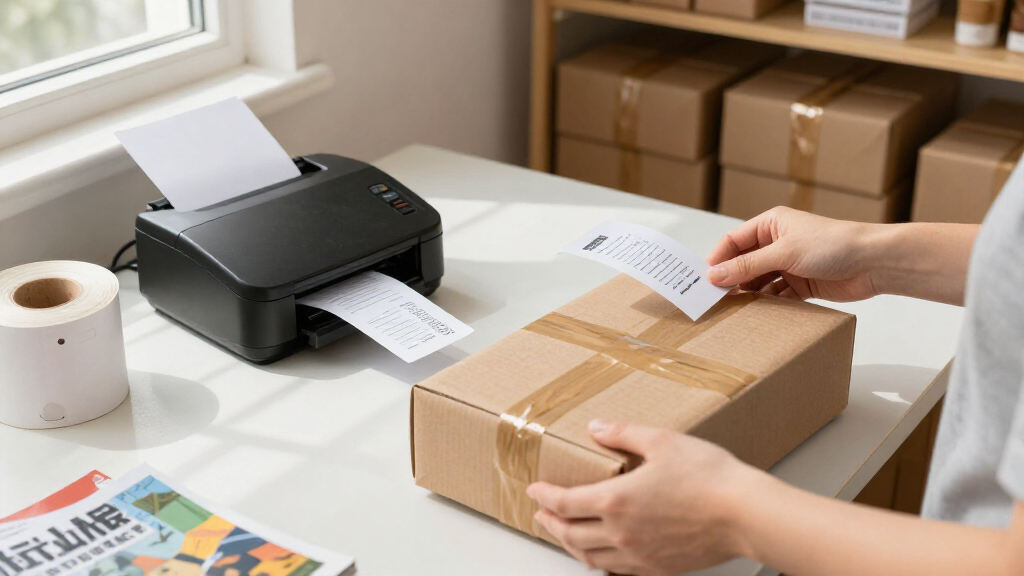
I ranked these thermal label printers for small businesses by how clearly their stated features support common shipping workflows: printing 4×6 labels, connecting to a computer or mobile device, and fitting into a small packing area. I gave preference to models with a distinct practical advantage, such as USB for a fixed station, Bluetooth for flexible placement, portability, or built-in label storage. I also treated included labels and color as secondary conveniences rather than substitutes for reliable device and platform compatibility.
The ranking reflects the information available in the product names and listed features, not claims of hands-on testing or verified performance differences. Similar models are kept separate where the lineup identifies different connectivity, portability, or package details, but buyers should check current specifications for supported operating systems, label sizes, and app requirements. I placed broadly useful workflow options ahead of more specialized picks, while giving each product a role based on the buyer it appears best suited to serve.
| thermal label printers for small businesse | Printer type | Print speed |
|---|---|---|
| labelhive Bluetooth Thermal Sh | Direct thermal | — |
| Rollo USB Thermal Shipping Lab | Thermal, monochrome | Up to 150 mm/s; up to one 4 × 6-inch label per second |
| Rongta RP425 Wireless Thermal | Thermal, monochrome | — |
| KNAON Portable Bluetooth Therm | Thermal, monochrome | Up to 180 mm/s; listed as 60 pages per minute |
| NULLTONEX 4×6 Thermal Shipping | Direct thermal | Up to 150 mm/s |
| Gloryang 668BT Bluetooth Therm | Direct thermal | — |
| D450BT Bluetooth Thermal Shipp | Thermal | Up to 72 labels per minute |
| Rongta RP425 Bluetooth 4×6 The | Thermal | Up to 150 mm/s |
| KNAON Bluetooth Thermal Shippi | Thermal | Up to 180 mm/s |
| Phomemo 241BT Bluetooth Therma | Direct thermal | Up to 150 mm/s |
| Nelko Bluetooth Thermal Shippi | — | — |
| MUNBYN RW403B Bluetooth Therma | — | — |
| SVANTTO Bluetooth 4×6 Thermal | — | Up to 150 mm/s; approximately 70 4 × 6 labels per minute |
| Rongta RP425-PK 4×6 Bluetooth | — | — |
Factors to Consider When Choosing Thermal Label Printers For Small Businesses
Before choosing a printer, I would map it to the way orders move through your business: where labels are created, what device staff use, and how much room the packing station has. A printer that fits that routine can be more useful than one with a longer feature list.
Match Connectivity to Your Order Workflow
Choose USB if the printer will stay beside one computer and you want a direct, fixed connection. Bluetooth can make it easier to place a printer away from a computer or print from a compatible mobile device, but the exact app and device support matter. A common mistake is treating the word “Bluetooth” as proof that a printer works with every phone, tablet, or shipping service. Before buying, check the manufacturer’s supported systems and the label-printing workflow used by your sales channels. If several staff members share one packing station, think through who will pair devices and how the printer will be managed. The right connection is the one that removes steps from your existing process, not simply the one with more flexibility.
Confirm Label Size, Feed Style, and Supply Availability
A 4×6 format is a common fit for shipping labels, but the printer still needs to accept the label stock you plan to buy. Check whether your preferred labels come on rolls or fanfold stacks and whether the printer can feed them directly or needs an external holder. Some listings focus on 4×6 output without making every handling detail equally clear, so verify the specifications before committing. Also check whether your shipping software outputs labels at the expected dimensions; resizing can create clipped barcodes or wasted stock. Look beyond the first pack of labels and confirm that compatible supplies are easy for your business to restock. This avoids selecting a printer around a bundle that does not suit your ongoing volume.
Plan for Your Actual Printing Volume
Estimate how many labels you print on a typical day and during your busiest periods, rather than choosing only by average weekly order count. A low-volume seller may value a compact or portable unit, while a growing operation may benefit more from a printer that stays ready at a dedicated station. Ask how often staff will need to reload labels and whether that interruption matters during packing rushes. Do not assume that all models with the same 4×6 format have identical speed, duty capacity, or durability; look for those specifications from the manufacturer. Paying for features your business will not use can be wasteful, but choosing a unit that slows a busy workflow can create a recurring labor cost. Match the machine to peak demand without overbuying on guesswork.
Check Setup and Compatibility Before You Commit
Small businesses often use a mix of laptops, desktop computers, and phones, so list the devices that need to print before choosing a connection type. Confirm operating-system support, driver or app requirements, and whether your shipping platform can send labels to that printer. A quick compatibility check can prevent a printer from becoming an extra step in an otherwise simple order process. If multiple employees will use it, consider whether setup instructions and device pairing are manageable for the whole team. A model that works smoothly from one computer may not fit a mobile-first business. Keep the product page and manufacturer support information handy when comparing similar model names.
Choose Features That Improve the Packing Station
Workspace details can matter more than small differences in headline features. A built-in label bin, as offered by the D450BT, may help keep stock contained, while a portable design can suit a seller who packs in different locations. Think about where labels will sit, how the printer will connect, and whether cables or external supplies will crowd the work surface. Included labels are convenient for setup, but they should not outweigh recurring supply cost, compatibility, or the number of labels you need to print. Color choices are personal and do not usually change shipping workflow. Pay extra attention to a feature only when it solves a real constraint in your workspace.
Frequently Asked Questions
Should I choose Bluetooth or USB for a small shipping station?
I would choose USB when one computer stays at the packing station and a direct connection is all the workflow needs. Bluetooth makes more sense when you want to print from a compatible mobile device or place the printer away from the computer. The tradeoff is that wireless setup depends on supported devices, apps, and shipping software. Check those requirements before deciding, rather than assuming a Bluetooth model will pair with every device. If you are unsure and your setup is fixed, a wired option such as the Rollo USB is the simpler starting point.
Are these printers suitable for printing labels from a phone?
Some listed models advertise Bluetooth, but that alone does not confirm phone compatibility for every operating system or shipping platform. Check the exact printer’s supported devices and required app, then confirm that your sales or shipping service can print through that route. This matters especially if your business handles orders mainly on a phone or tablet. If you need both mobile and computer printing, verify support for both before purchase. A wired USB printer may fit a computer-based workflow better, but it is not automatically the right choice for mobile order handling.
Do I need a printer with a built-in label bin?
A built-in bin is useful when your packing station is tight or you want label stock contained beside the printer. The D450BT is the standout in this lineup for that feature. If you use fanfold labels or already have a holder, the bin may not solve a problem you have. Check how your preferred label stock feeds and where it will sit before paying attention to storage features. For a small business, a tidy setup can save space, but label compatibility and device support should come first.
Can one 4×6 thermal printer handle labels from different shipping platforms?
Often the deciding issue is not the platform name but whether it can produce a compatible label file and send it to the printer through a supported driver or app. Confirm the printer’s operating-system support and the platform’s printing instructions for your device. Also check that labels are formatted at 4×6 and that your chosen stock feeds correctly. If you sell through several channels, test the workflow for each one before relying on the printer for daily fulfillment. A shared label size does not guarantee identical setup across services.
What should I check when two listings have similar model names?
Compare the exact model number, connection options, included accessories, supported devices, and label-feeding method. This roundup includes duplicate model families, including Rongta RP425 and KNAON listings, with naming differences that may signal different bundles or configurations. Do not assume two listings are interchangeable because the brand and core name match. Read the current manufacturer specifications and confirm what comes in the package. That small check can prevent choosing a version that lacks the connection or accessory your workflow needs.
Conclusion
For the broadest fixed-workstation fit, I recommend the Rollo USB Thermal Shipping Label Printer as best overall. The best value depends on your setup: choose a straightforward 4×6 model such as the Rongta RP425 Wireless if Bluetooth is useful, or favor a wired option if it is not. For a premium-style workflow focused on a more organized packing area, the D450BT is the specific pick for its built-in label bin, though the lineup does not establish a clear performance tier. Beginners with a computer-based station may find the Rollo USB easier to match to a simple wired routine; mobile-first beginners should verify app support before choosing Bluetooth. For portable packing, consider the KNAON Portable, and for a starter package that includes labels, look at the Phomemo 241BT. My final choice would come down to device compatibility, label feeding, and where the printer will live—not the longest feature list.