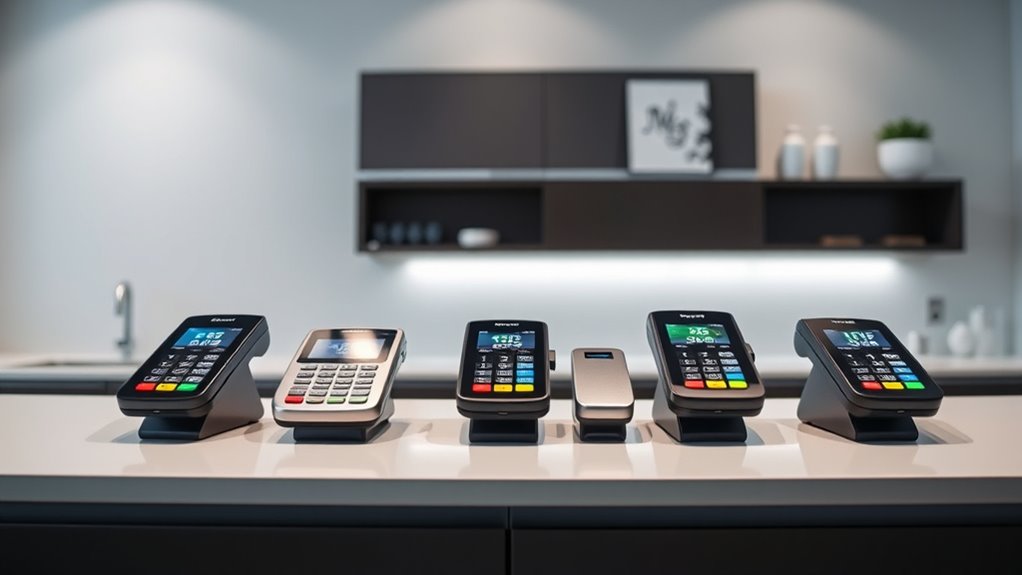

For a dental office that needs a flexible front-desk checkout, I’d choose the Square Terminal as the best overall pick: it combines card acceptance and receipt printing in one unit. The Square Reader is a simpler choice for practices that already have a compatible phone or tablet, while the Square Register suits offices that want a dedicated counter system. The main tradeoffs are portability versus a fixed, staffed checkout, and a compact reader versus a device with a screen or printer. Payment processing terms, practice software compatibility, and patient data handling also matter as much as the hardware. Read on for how the ten options compare and which fits different dental office workflows.

Get business pricing on office and shipping supplies
- Business-only prices and quantity discounts
- Tax-exempt purchasing
- Multiple users, one account, clear invoices
Key Takeaways
- Square Terminal stands out for a self-contained front desk setup, while the less costly-in-complexity Square Reader depends on a separate compatible device.
- Square Register is the strongest fit for a fixed checkout station, but its larger dedicated setup is more than a small practice needs for occasional payments.
- Square Handheld, SumUp Solo, and the refurbished Ingenico Move/5000 emphasize mobility; confirm connectivity and workflow fit before relying on them across operatories.
- POS STORE H10 and the 8 Seconds Processing P1 combine touchscreen workflows with receipt printing, but their usefulness depends on software, processor, and support compatibility.
- The Clover Compact and First Data FD150 are tied to specific processing arrangements, so their account requirements may outweigh their hardware appeal.
| Square Reader for Contactless and Chip (2nd Generation) |  | Best for Mobile Check-In | Compatible devices: Android, iPhone | Connectivity: Bluetooth | Power: Battery powered | VIEW ON AMAZON | See Our Full Breakdown |
| Clover Compact Payment Terminal (Requires New Merchant Processing Account Through Powering POS) |  | Best for Existing Clover Counter Setups | Power source: Plug-in; no battery or mobile power | Connectivity: Cloud-based sync via Clover Dashboard | Compatible hardware: Clover Mini, Clover Station | VIEW ON AMAZON | See Our Full Breakdown |
| First Data FD150 EMV Contactless Credit Card Terminal |  | Best for Chip and Contactless Counter Payments | Model: FD150 | Memory: 128MB | Flash storage: 256MB | VIEW ON AMAZON | See Our Full Breakdown |
| POS STORE H10 Handheld POS Terminal with 58mm Thermal Printer (Android 13, 5.5 Inch) |  | Best for Mobile Receipts and Custom Workflows | Operating system: Android 13 | Processor: 2.0GHz MTK quad-core | Memory and storage: 3GB RAM, 32GB storage | VIEW ON AMAZON | See Our Full Breakdown |
| Square Register (2nd Generation) – Powered POS System |  | Best Overall for Fixed Reception Checkout | Generation: 2nd Generation | Touchscreens: Dual responsive touchscreens | POS software: Built-in | VIEW ON AMAZON | See Our Full Breakdown |
| Square Handheld Portable POS Payment Terminal |  | Best for Mobile Check-In | Device type: Portable POS payment terminal | Functions: Payment processing, tableside ordering, and barcode scanning | Battery: Long-lasting; runtime not specified | VIEW ON AMAZON | See Our Full Breakdown |
| Ingenico Move/5000 Bluetooth & WiFi Payment Terminal (Refurbished) |  | Best for Connectivity Options | Model: Ingenico Move/5000 | Condition: Refurbished | Connectivity: Wi-Fi, Bluetooth, and 4G/LTE | VIEW ON AMAZON | See Our Full Breakdown |
| SumUp Solo Credit Card Reader with Charging Station | 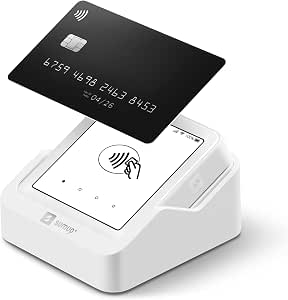 | Best for Simple Wireless Checkout | Display: OLED touchscreen | Connectivity: Wi-Fi and mobile data via included SIM card | Charging: Charging station included | VIEW ON AMAZON | See Our Full Breakdown |
| 8 Seconds Processing P1 Touchscreen POS Terminal with Built-In Receipt Printer |  | Best for a Fixed Reception Counter | Display: 5-inch HD touchscreen | Operating system: Android | Payment methods: Tap, EMV chip, magnetic stripe, and mobile wallets | VIEW ON AMAZON | See Our Full Breakdown |
| Square Terminal Credit Card Payment and Receipt Printer |  | Best All-in-One Square Checkout | Functions: Payment processing, sales checkout, and receipt printing | Accepted payments: Major credit and debit cards | Battery: Built-in; designed to last all day | VIEW ON AMAZON | See Our Full Breakdown |
| dental office payment terminal | Connectivity |
|---|---|
| Square Reader for Contactless | Bluetooth |
| Clover Compact Payment Termina | Cloud-based sync via Clover Dashboard |
| First Data FD150 EMV Contactle | — |
| POS STORE H10 Handheld POS Ter | Dual-band Wi-Fi, 4G LTE with SIM slot, Bluetooth, USB-C |
| Square Register | — |
| Square Handheld Portable POS P | — |
| Ingenico Move/5000 Bluetooth & | Wi-Fi, Bluetooth, and 4G/LTE |
| SumUp Solo Credit Card Reader | Wi-Fi and mobile data via included SIM card |
| 8 Seconds Processing P1 Touchs | Ethernet, Wi-Fi, 4G LTE, Bluetooth, and USB |
| Square Terminal Credit Card Pa | — |
More Details on Our Top Picks
Square Reader for Contactless and Chip (2nd Generation)
For a dental office that takes payment at reception or chairside, this Bluetooth reader pairs with an iPhone or Android phone and accepts chip and contactless cards, including Apple Pay and Google Pay. Its up to 24 hours of offline payments can help keep checkout moving through a temporary internet outage, though the product information does not describe when offline transactions sync or any limits. Compared with the Square Register (2nd Generation), this reader takes far less counter space and can move between rooms, but it depends on a compatible phone rather than providing its own screen and POS system. I would choose it for a practice that already uses Square and wants flexible payment collection; offices seeking a fixed, all-in-one station should look at the Register instead.
Pros:- Accepts chip and contactless payments, including Apple Pay and Google Pay
- Bluetooth connection supports mobile payment collection with an Android phone or iPhone
- Offline payments are supported for up to 24 hours
- Battery-powered design is more movable than a countertop terminal
Cons:- Requires a compatible Android phone or iPhone to operate
- Does not include a built-in display or receipt printer
- Offline transaction syncing details and limits are not specified
Best for: Dental practices already using Square that want staff to take card or wallet payments at reception and in treatment rooms with a compatible phone.
Not ideal for: Practices that need a standalone terminal, a built-in display, or a payment setup that does not depend on staff phones.
- Compatible devices:Android, iPhone
- Connectivity:Bluetooth
- Power:Battery powered
- Battery included:1 lithium-ion battery
- Offline payments:Up to 24 hours
- Accepted payments:Contactless, chip cards, Apple Pay, Google Pay
Our verdict“Choose this reader if your Square-equipped practice wants phone-based payments at reception or chairside and can work without a standalone screen.”
Clover Compact Payment Terminal (Requires New Merchant Processing Account Through Powering POS)
This plug-in terminal is a focused fit for offices already running Clover Mini or Clover Station: it syncs through the Clover Dashboard, giving staff a shared view of transactions, sales tracking, and business data across devices. That ecosystem link is its chief advantage over the First Data FD150, which is described as a standalone terminal with EMV and NFC support but not Clover dashboard syncing. The tradeoff is unusually consequential for a dental practice: this model requires a new merchant processing account through Powering POS, serves only the US, Puerto Rico, and US Virgin Islands, and cannot work with another processor. It also has no battery, so checkout stays at a powered counter. I would shortlist it only if the practice is comfortable with the required processor and already relies on Clover hardware.
Pros:- Syncs with Clover Mini and Clover Station through Clover Dashboard
- Supports centralized transaction management and sales tracking across devices
- Designed to add to an existing Clover counter setup
Cons:- Requires a new merchant processing account through Powering POS
- Cannot be used with a different payment processor
- Plug-in only, with no battery or mobile power option
Best for: US, Puerto Rico, or US Virgin Islands dental offices using a Clover Mini or Station that want transaction management synced through Clover Dashboard.
Not ideal for: Practices committed to another processor, outside the supported regions, or needing a mobile terminal for collecting payment chairside.
- Power source:Plug-in; no battery or mobile power
- Connectivity:Cloud-based sync via Clover Dashboard
- Compatible hardware:Clover Mini, Clover Station
- Processor requirement:New merchant processing account through Powering POS only
- Supported regions:US, Puerto Rico, US Virgin Islands
- Data management:Transaction management and sales tracking across devices
Our verdict“Choose it only if your practice already uses Clover hardware and accepts the required Powering POS processing account.”
First Data FD150 EMV Contactless Credit Card Terminal
The FD150 is the straightforward counter-terminal choice for a dental office prioritizing chip and NFC contactless transactions. Its PCI 5.0 compliance and support for traditional card transactions give it a more conventional payment-terminal profile than the phone-dependent Square Reader, which is easier to move but relies on a separate compatible device. The FD150 also shares the look and feel of the FD130, so an office familiar with that model may find the interface easier to adopt. Its listed hardware—128MB memory, 256MB flash, and a 500MHz Cortex A5 processor—does not establish how it handles modern practice-management workflows, and the supplied information does not specify connectivity, receipt printing, or processor compatibility. I would consider it for a fixed checkout station after confirming those operational details with the seller.
Pros:- Supports EMV chip and NFC contactless payments
- PCI 5.0 compliance is specified
- Familiar look and feel for users of the FD130
Cons:- Connectivity and processor compatibility are not specified in the supplied product data
- Receipt printing and practice-management integration details are not provided
- No reliability review data was supplied
Best for: Dental offices seeking a fixed terminal for EMV chip and NFC contactless payments, especially staff familiar with the FD130 interface.
Not ideal for: Practices needing verified mobile connectivity, a documented practice-management integration, or a compact reader that works with a phone.
- Model:FD150
- Memory:128MB
- Flash storage:256MB
- Processor:Cortex A5, 500MHz
- PCI compliance:PCI 5.0
- Payment types:EMV chip, NFC contactless, traditional card transactions
Our verdict“Consider the FD150 for a fixed chip-and-contactless checkout station if the seller confirms compatibility with your processor and office workflow.”
POS STORE H10 Handheld POS Terminal with 58mm Thermal Printer (Android 13, 5.5 Inch)
The H10 combines a handheld screen with an onboard thermal printer, which could suit a dental practice that needs portable checkout and printed receipts without carrying a separate printer. Its Wi-Fi, 4G LTE, Bluetooth, and USB-C options give it more connection choices than the phone-paired Square Reader; the reader, by comparison, is a simpler payment accessory with explicit support for chip, contactless, and digital wallets. The H10’s Android 13 platform, camera-based barcode scanner, and included SDK point toward customizable POS workflows, but the supplied information does not confirm which payment processors, card methods, or dental software it supports. Its 345 g weight and 6000mAh battery support movement between rooms, while the monochrome printer and 32GB storage put limits on output and local capacity. I would verify payment compatibility before choosing it for patient billing.
Pros:- Integrated 58mm thermal printer needs no ink or toner
- Portable 345 g design with a 6000mAh rechargeable battery
- Wi-Fi, 4G LTE, Bluetooth, and USB-C connectivity
- Android 13, camera-based 1D/2D scanning, and included SDK support custom workflows
Cons:- Supported card types and payment processor compatibility are not specified
- Monochrome printing only
- 32GB storage may constrain apps and locally stored data
Best for: Dental practices with a confirmed compatible POS app that want a portable Android terminal, printed receipts, and multiple connectivity options.
Not ideal for: Offices that need a clearly documented card-payment setup or verified integration with their dental practice-management software.
- Operating system:Android 13
- Processor:2.0GHz MTK quad-core
- Memory and storage:3GB RAM, 32GB storage
- Display:5.5-inch HD+ OLED capacitive touchscreen
- Printer:58mm monochrome thermal, up to 80mm/s
- Scanner:Camera-based 1D/2D barcode scanner
- Connectivity:Dual-band Wi-Fi, 4G LTE with SIM slot, Bluetooth, USB-C
- Battery and weight:6000mAh lithium-polymer; 345 g
- Warranty availability:Limited warranty; 1 year EU spare parts availability
Our verdict“Pick the H10 for a mobile receipt-and-POS workflow only after confirming that its software supports your processor and dental systems.”
Square Register (2nd Generation) – Powered POS System
For a busy dental reception desk, the Square Register offers the most complete fixed checkout setup in this group: built-in POS software and dual touchscreens give staff and patients their own views during payment. Its IP54-rated design is specified to resist spills, dust, and everyday wear, a practical advantage in a high-traffic front office. Compared with the Square Reader for Contactless and Chip, the Register does not depend on staff supplying a separate phone, but it gives up the reader’s portability for room-to-room payment collection. The product data also lists support for all major cards and funds availability as soon as the next business day, while its no-long-term-contract terms may suit practices that value flexibility. I would choose it for a permanent reception station, provided a countertop footprint fits the office.
Pros:- Dual touchscreens provide separate staff and patient-facing views
- Built-in POS software supports a self-contained checkout setup
- IP54-rated design resists spills, dust, and everyday wear
- Accepts all major cards and has no long-term contracts
Cons:- Countertop design is not portable for chairside payment collection
- Requires dedicated reception counter space
- The supplied product data does not specify connectivity or dental software integrations
Best for: Dental practices with a busy, permanent reception desk that want built-in POS software and separate staff and patient touchscreens.
Not ideal for: Small practices that need a handheld terminal for chairside billing or want to avoid a fixed countertop setup.
- Generation:2nd Generation
- Touchscreens:Dual responsive touchscreens
- POS software:Built-in
- Payment types:All major cards
- Contract:No long-term contracts
- Funds availability:Next business day
- Ingress protection:IP54-rated
Our verdict“Choose the Register for a fixed, high-traffic reception checkout where dual screens and built-in POS matter more than portability.”
Square Handheld Portable POS Payment Terminal
The Square Handheld Portable POS Payment Terminal suits dental offices that collect payment away from the front desk, such as during a mobile clinic or at a patient’s chair. Its lightweight build and support for offline payments give it more flexibility during movement or a network interruption than the fixed-counter 8 Seconds Processing P1. The built-in barcode scanner may also help offices that track supplies or scan items during checkout. Splash and dust resistance offer some protection in daily handling, but the description does not claim drop protection, and the protective case is optional. Battery runtime is also unspecified, so I would not choose it for long shifts away from a charger without checking that detail. It makes most sense when mobility matters more than a built-in receipt printer.
Pros:- Slim, lightweight design supports payments around the office
- Offline payment capability can help during network interruptions
- Built-in barcode scanner adds utility for scanning items
- Designed to resist water splashes and dust
Cons:- Protective case for accidental drops is optional
- Battery runtime is not specified
- No built-in receipt printer is listed
Best for: Dental teams running mobile clinics or collecting payments away from the reception counter
Not ideal for: Practices that need a built-in receipt printer or documented battery runtime for a full day of mobile use
- Device type:Portable POS payment terminal
- Functions:Payment processing, tableside ordering, and barcode scanning
- Battery:Long-lasting; runtime not specified
- Offline payments:Supported
- Accepted payments:Major credit and debit cards
- Durability:Designed to withstand water splashes and dust
- Protective case:Optional
Our verdict“Choose this handheld Square terminal if your dental team needs to take payments away from the desk and can work around its unspecified battery life and lack of a listed printer.”
Ingenico Move/5000 Bluetooth & WiFi Payment Terminal (Refurbished)
The refurbished Ingenico Move/5000 is the most connectivity-focused option in this group: Wi-Fi, Bluetooth, and 4G/LTE give a dental office several ways to connect, while EMV, magstripe, and NFC/contactless support cover a broad mix of patient cards. Compared with the SumUp Solo, it lists more payment methods and connection types, which may suit a practice that needs to fit an existing payment setup. The tradeoff is the refurbished condition, which gives buyers less certainty about wear than a new device, and the encryption type must be specified when ordering. PCI-PTS 5.x certification is listed, but offices should confirm processor compatibility and the exact security configuration before choosing it. This is a capable option when flexibility outweighs a simpler purchase.
Pros:- Wi-Fi, Bluetooth, and 4G/LTE connectivity options
- Accepts EMV chip, magstripe, and NFC/contactless payments
- Supports chip-and-PIN, chip-and-sign, and signature capture
- PCI-PTS 5.x certified
Cons:- Refurbished condition may mean more wear than a new unit
- Encryption type must be specified when ordering
- Processor compatibility is not stated in the provided product details
Best for: Dental practices with an established processor that need a wireless terminal supporting varied payment methods
Not ideal for: Offices that prefer a new device, a simple ordering process, or a ready-to-use terminal without configuration questions
- Model:Ingenico Move/5000
- Condition:Refurbished
- Connectivity:Wi-Fi, Bluetooth, and 4G/LTE
- Certification:PCI-PTS 5.x certified
- Payment methods:EMV chip and PIN, chip and signature, magstripe, signature capture, and NFC/contactless
- Encryption:Type must be specified at time of ordering
Our verdict“Pick the Move/5000 if your processor supports it and multiple payment and connection options matter more than buying a new, simpler terminal.”
SumUp Solo Credit Card Reader with Charging Station
The SumUp Solo keeps its setup focused: an OLED touchscreen, Wi-Fi, mobile data through the included SIM, and a charging station make it a straightforward portable reader for taking payment around a dental office. Compared with the refurbished Ingenico Move/5000, it presents a simpler package, though the Ingenico lists a wider range of payment methods and connectivity options. SumUp’s website or mobile app handles setup, which may appeal to a small practice without a dedicated payments administrator. The product details do not specify battery life, accepted payment types, or a receipt printer, so I would confirm those needs before relying on it as the office’s only terminal. It fits best as a compact payment device where mobile data and a charging dock matter more than detailed hardware specifications.
Pros:- Portable design supports taking payments away from reception
- Includes a SIM card with mobile data
- Wi-Fi connectivity is also provided
- Charging station is included and setup uses the website or mobile app
Cons:- Battery life is not specified
- Accepted payment types are not detailed in the provided information
- No receipt printer is listed
Best for: Small dental offices seeking a portable touchscreen reader with included mobile data and a charging dock
Not ideal for: Practices that require documented battery runtime, a built-in printer, or confirmation of specific accepted payment types before purchase
- Display:OLED touchscreen
- Connectivity:Wi-Fi and mobile data via included SIM card
- Charging:Charging station included
- Portability:Portable
- Setup:Through the SumUp website or mobile app
- Processor count:1
Our verdict“Choose the SumUp Solo for a simple portable setup with mobile data and a charging station, after confirming it supports your office’s payment and receipt needs.”
8 Seconds Processing P1 Touchscreen POS Terminal with Built-In Receipt Printer
For a dental office that wants receipts printed at checkout, the 8 Seconds Processing P1 combines a thermal printer, touchscreen, and physical keypad in a countertop terminal. It accepts tap, chip, magnetic stripe, and mobile wallet payments, giving it a more complete listed checkout setup than the portable SumUp Solo, whose product details do not mention a printer or specific payment methods. Ethernet, Wi-Fi, and 4G connectivity offer some flexibility if the office’s network setup changes. Its 408 g body and 10-inch length make it less suited to carrying from room to room, though it can anchor a reception desk. The product information lists a one-year warranty, but it does not identify processor compatibility, so verify that before buying.
Pros:- Built-in thermal receipt printer
- Accepts tap, EMV chip, magnetic stripe, and mobile wallet payments
- Touchscreen is paired with a physical keypad
- Ethernet, Wi-Fi, and 4G LTE connectivity are listed
Cons:- Designed for fixed countertop checkout locations
- Processor compatibility is not specified in the provided details
- Warranty is limited to one year
Best for: Dental practices with a dedicated reception checkout that want card acceptance and printed receipts in one device
Not ideal for: Mobile dental teams or offices that need a compact reader to carry between treatment rooms
- Display:5-inch HD touchscreen
- Operating system:Android
- Payment methods:Tap, EMV chip, magnetic stripe, and mobile wallets
- Printer:Built-in thermal receipt printer
- Connectivity:Ethernet, Wi-Fi, 4G LTE, Bluetooth, and USB
- Weight:408 g
- Dimensions:2 x 4 x 10 inches
- Warranty:1 year
Our verdict“Choose the P1 if your reception desk needs a printer-equipped terminal with broad payment acceptance and you have confirmed processor compatibility.”
Square Terminal Credit Card Payment and Receipt Printer
The Square Terminal brings payment acceptance, sales checkout, and receipt printing into one cordless device, making it a practical fit for a dental reception area that sometimes needs to move the terminal. Its built-in battery supports use away from an outlet, while chip processing is listed at about two seconds. Compared with the countertop 8 Seconds Processing P1, the Square is described for use both at a counter and around a store, though the P1 specifies a broader set of payment methods and connection types. Square’s product details list major credit and debit cards but give less hardware detail, including no printer type or connectivity options. The all-in-one format simplifies the checkout footprint, but practices should confirm compatibility with their payment workflow before choosing it.
Pros:- Combines payment processing, sales checkout, and receipt printing
- Built-in battery supports cordless use
- Can be used at a counter or around the office
- Chip card processing is listed at about two seconds
Cons:- Accepted payments are described only as major credit and debit cards
- Connectivity options are not specified in the provided details
- Printer type and battery runtime are not specified
Best for: Dental practices already using Square that want one battery-powered device for checkout and printed receipts
Not ideal for: Offices needing detailed connectivity specifications or a specifically documented range of contactless and mobile wallet support
- Functions:Payment processing, sales checkout, and receipt printing
- Accepted payments:Major credit and debit cards
- Battery:Built-in; designed to last all day
- Chip processing:About 2 seconds
- Payout timing:As soon as the next business day
Our verdict“Choose the Square Terminal if you want a cordless Square checkout device with receipt printing and can confirm it fits your office’s payment workflow.”
How We Picked
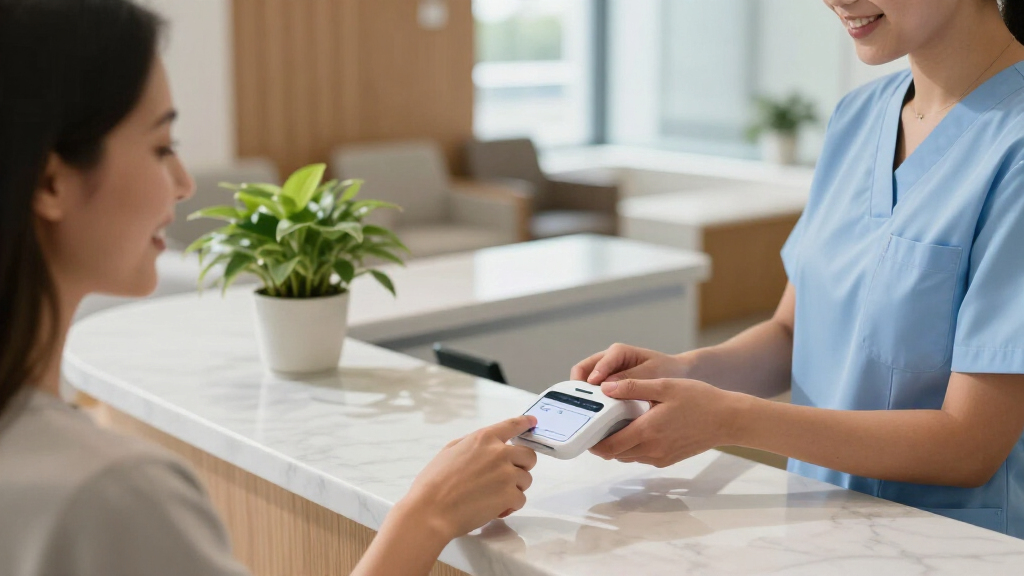
I ranked these terminals for the practical demands of a dental office: taking payment at a reception desk, keeping checkout straightforward, and choosing between fixed and mobile use. I weighed device independence, payment methods, screen and printer features, portability, and how much extra equipment a practice would need. A self-contained unit such as the Square Terminal ranks ahead of a basic reader for offices seeking a ready front-desk station; the Square Reader ranks well for practices that already have a compatible device and want less hardware.
I also considered tradeoffs that can change the decision: processor or merchant-account requirements, refurbished condition, and the need to confirm compatibility with practice management and payment workflows. Products with dedicated displays or printers can simplify checkout, but those features do not guarantee integration or lower processing costs. Since these details vary by seller, processor, and software setup, I treat compatibility and account terms as items buyers should verify before choosing.
| dental office payment terminal | Connectivity |
|---|---|
| Square Reader for Contactless | Bluetooth |
| Clover Compact Payment Termina | Cloud-based sync via Clover Dashboard |
| First Data FD150 EMV Contactle | — |
| POS STORE H10 Handheld POS Ter | Dual-band Wi-Fi, 4G LTE with SIM slot, Bluetooth, USB-C |
| Square Register | — |
| Square Handheld Portable POS P | — |
| Ingenico Move/5000 Bluetooth & | Wi-Fi, Bluetooth, and 4G/LTE |
| SumUp Solo Credit Card Reader | Wi-Fi and mobile data via included SIM card |
| 8 Seconds Processing P1 Touchs | Ethernet, Wi-Fi, 4G LTE, Bluetooth, and USB |
| Square Terminal Credit Card Pa | — |
Factors to Consider When Choosing Dental Office Payment Terminal
Dental offices should choose a terminal around the patient checkout workflow, not just the device shape. I’d map where payment happens, what software handles the transaction, and who supports the hardware before comparing convenience features.
Match the terminal to where patients pay
Start by identifying whether most patients pay at a staffed reception desk, at a second checkout point, or in an operatory. A fixed counter device can keep cables, receipts, and staff routines in one place, while a handheld option may help when checkout happens away from reception. Buying for a rare use case can add hardware that sits idle and complicates charging or inventory. If staff move a terminal between rooms, decide who is responsible for returning and charging it. I’d also check whether the device stays connected throughout the office, since weak wireless coverage can disrupt a mobile workflow. Choose based on the routine you expect most often, with a plan for exceptions.
Check practice software and payment workflow compatibility
A terminal that accepts cards may still fail to fit the office’s daily billing process. Ask the practice management software vendor and payment processor whether the exact model and transaction workflow are supported. Clarify whether staff must enter amounts twice, reconcile batches manually, or switch between screens to complete a payment. Those steps can create delays and increase the chance of an incorrect charge. Confirm how refunds, deposits, split payments, and payment plans are handled if the office uses them. Get compatibility details in writing before replacing equipment, especially when a product is sold through a particular processor.
Compare the full processing arrangement
The terminal is only one part of the cost and commitment; merchant account terms and processing rules can shape the long-term fit. Before choosing hardware, ask about transaction fees, monthly charges, contract length, settlement timing, and any fees for cancellation or replacement. A low-complexity reader may still require an account or service plan that does not suit the practice. Conversely, a dedicated terminal may be convenient but tie the office to a processor it would not otherwise select. Compare the total arrangement using the practice’s transaction mix, including card-present and remote payments. Avoid choosing solely on the device’s listing or advertised setup simplicity.
Decide whether receipts need to print on site
A built-in printer can make checkout more self-contained, but not every office needs paper receipts for every transaction. Consider patient preferences, recordkeeping policies, and whether digital receipts are supported in the actual payment workflow. Printing adds paper supply, occasional jams, and another part that may need service. If the practice handles frequent in-person payments or wants a paper copy available immediately, integrated printing may save steps. If staff can send receipts digitally, a reader without a printer may keep the counter less cluttered. Verify receipt customization and reprint procedures before relying on them for office records.
Plan for privacy, security, and staff access
Payment devices sit in a patient-facing environment, so placement and staff habits matter alongside technical protections. Ask the processor how the terminal handles card data and what security responsibilities remain with the practice. Set a routine for device updates, access controls, and reporting a lost or damaged handheld unit. Keep checkout screens positioned so other patients cannot casually view personal or payment details. Include temporary staff in basic procedures for refunds and end-of-day closeout. A portable device offers flexibility, but it also needs a clear custody and charging routine.
Buy for support and replacement, not just initial setup
Payment interruptions can slow the front desk, so confirm how the seller and processor handle troubleshooting, warranty claims, and replacement units. This matters especially for refurbished hardware, which may have different warranty coverage or accessory availability. Ask how quickly a replacement can arrive and whether transactions can continue through another approved device. Check that charging docks, cables, receipt rolls, and other required accessories are easy to source. A familiar device with clear support can be a better fit than a feature-rich terminal with uncertain service. Keep a written record of model numbers and support contacts where staff can find them.
Frequently Asked Questions
Can I use a payment terminal with my dental practice management software?
Possibly, but card acceptance alone does not mean the terminal integrates with your software. Ask both the software vendor and payment processor about the exact model, supported transaction flow, and whether payments post automatically to patient accounts. Confirm how refunds, deposits, and split transactions work in that setup. If there is no direct integration, ask staff to map the manual reconciliation steps before buying. A short workflow demonstration can reveal extra steps that a product listing will not show.
Should my office choose a handheld terminal or a front-desk device?
Choose based on where patients usually complete checkout and whether staff need to take payment away from reception. A counter device is easier to keep charged and available at a fixed station, while a handheld unit offers more flexibility across rooms. Mobile use depends on reliable wireless coverage and a clear routine for device custody. If only a small share of patients pay outside reception, a handheld terminal may add more upkeep than value. Consider whether the office can keep a backup checkout method ready if a mobile device loses connectivity.
Do dental offices need a terminal with a receipt printer?
No; the right choice depends on the practice’s receipt policy and patient preferences. A built-in printer makes paper copies available at checkout without a separate printer, but it adds supplies and maintenance. Digital receipts can reduce paper handling if the payment system supports sending them reliably. Check whether the office needs printed copies for its own workflow, not just whether patients sometimes request them. Also confirm that staff can reprint receipts when a patient returns with a question.
What should I verify before buying a terminal that requires a merchant account?
Confirm the account provider, processing fees, contract term, settlement timing, and any cancellation or equipment replacement charges. Ask whether the terminal can be used with your current processor or requires a new account. Verify that the account supports the transactions the practice takes, including refunds and any remote payment needs. Request the terms and model compatibility details before ordering hardware. The device may be a good operational fit while the required account is not a good fit for the office.
Is a refurbished payment terminal a sensible choice for a dental office?
It can be, provided the seller clearly states the device’s condition, warranty, included accessories, and return process. Confirm that the processor still supports the exact model and that it can receive required software or security updates. Ask who handles technical support if the device fails, since refurbished coverage can differ from new equipment. Consider the cost of downtime and whether the practice has a backup payment method. If support and replacement are uncertain, a new device may make more sense for a busy checkout desk.
Conclusion
For most practices seeking one ready-to-use checkout device, I’d start with the Square Terminal as the best overall fit. The Square Reader is my best value direction for a practice that already has a compatible phone or tablet and wants minimal dedicated hardware; the Square Register is the premium choice for a fixed, staffed counter with a dedicated POS setup. Beginners may find the all-in-one Terminal easier to place into a basic checkout routine than a reader that depends on another device. For mobile collections, compare the Square Handheld, SumUp Solo, and Ingenico Move/5000, checking connectivity, processor terms, and support first. If you need a specific account arrangement or integrated receipt workflow, review the Clover, First Data, POS STORE, and 8 Seconds options against your software and service requirements before committing.
Fall Picks
fall essentials
As an affiliate, we earn on qualifying purchases.