🔍 Read the full analysis: 11 AI Transcription Tools To Explore For Your 2027 Projects on ThorstenMeyerAI.com

Get business pricing on office and shipping supplies
- Business-only prices and quantity discounts
- Tax-exempt purchasing
- Multiple users, one account, clear invoices
TL;DR
A ThorstenMeyerAI.com guide compares 11 transcription tools across software, hardware-integrated recording, editing workflows and industry needs. Its recommendations are product assessments, not independently verified performance results; pricing, language quality, security and 2027 availability need checking before purchase.
ThorstenMeyerAI.com has published a guide to 11 AI transcription tools for projects planned in 2027, comparing desktop software and dedicated recording devices. The article recommends matching a product to the work—such as manual transcript correction, regulated-industry use or field recording—rather than choosing on an accuracy claim alone.
The guide identifies Express Scribe Pro as its preferred option for human-reviewed transcription, citing playback controls, hotkeys and support for correction workflows. It describes Philips SpeechExec as a strong fit for medical and legal environments because of its ecosystem and security options. These are the guide’s assessments; the supplied material does not include independent benchmark results or supporting test data.
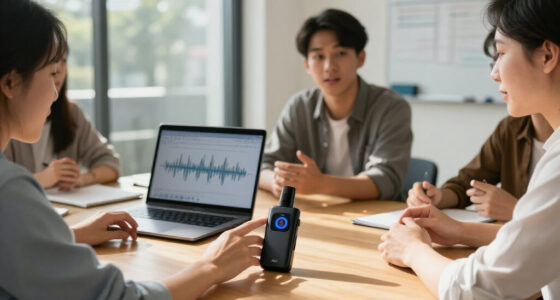
Its 11 named options are Express Scribe Pro, Philips SpeechExec, Vobot, OLZO, OM SYSTEM AS-2700, Dragon NaturallySpeaking, Otter.ai, Trint, Descript, Sonix and Rev. The source gives more detail on some than others, so it does not support a like-for-like ranking across every product. It says hardware bundles can combine recording, processing and storage, while desktop software generally offers more editing flexibility.
The guide also flags input audio quality, subscription costs, privacy and language support as selection factors. It cautions that a stated language count—its example is 140-plus languages—does not establish equally strong transcription quality across all languages. Buyers handling sensitive records are urged to check where audio is processed and what security controls apply.
The 11 picks
- 1
 Philips SpeechExec Transcription Kit with USB Foot Switch and HeadphonesView on Amazon →
- 2
 OM SYSTEM AS-2700 Audio Transcription Kit with USB Foot Pedal, Stereo Headpho…View on Amazon →
- 3
 Express Scribe Professional Transcription Software with Infinity IN-USB-3 Foo…View on Amazon →
- 4
 Philips SpeechExec Transcribe Software, 2-Year Subscription, Version 11.5View on Amazon →
- 5
 AI Voice Recorder with Automatic Transcription and 140+ Language TranslationView on Amazon →
- 6
 AI Podcast Summaries from Transcripted.aiView on Amazon →
- 7
 Vobot AI Voice Recorder with Transcription, Summaries, and NFC Business CardView on Amazon →
- 8
 Express Scribe Software Pro Transcription Software (CD-ROM)View on Amazon →
- 9
 OLZO AI Voice Recorder with Transcription and SummaryView on Amazon →
- 10
 Express Scribe Transcription SoftwareView on Amazon →
- 11
 AI VoiceWriter Dictation and AI Writing Assistant with USB Dongle and Mobile AppView on Amazon →
Choosing Between Software and Recorders
The comparison matters because transcription tools can affect both the time spent correcting text and the way sensitive recordings are handled. A recorder with built-in processing may simplify field capture, while a desktop workflow may suit a transcriber who needs precise control over playback and edits. Neither approach is a universal fit.
For organizations, the decision can also shape recurring costs and data exposure. Subscription plans may bundle updates or cloud features, but require ongoing payments. Cloud processing can create compliance questions for medical or legal material. The guide raises these issues, but it does not document product-by-product security audits, total-cost calculations or accuracy tests.
Products Worth Considering

Logitech MX Master 4 Ergonomic Wireless Mouse with Haptic Feedback, Graphite

Logitech MX Master 4 for Mac

Apple iMac MK472LL/A 27‑Inch Retina 5K Desktop (3.2 GHz Intel Core i5, 8 GB DDR3, 1 TB, macOS)
As an affiliate, we earn on qualifying purchases.
How the Guide Assesses Tools
The source says its evaluation considered transcription accuracy, workflow efficiency and integration. For software, it looked at playback controls, hotkey customization and export formats; for hardware, it considered recording quality and whether users could correct the resulting transcript. The material supplied does not provide a scoring table, test conditions, sample recordings or numerical accuracy results.
That distinction is relevant: transcription quality depends on audio clarity, accents, overlapping speakers and technical vocabulary, among other factors. A product description or a broad language-support count is not the same as demonstrated accuracy for a particular user’s recordings. The guide’s recommendations are best read as a shortlist and workflow overview, not as a controlled product test.
“The main tradeoff lies between pure software flexibility and the convenience of hardware-software bundles.”
— ThorstenMeyerAI.com guide
What Buyers Still Need to Verify
The supplied source does not identify its publication date, disclose detailed testing methods or provide comparable accuracy scores for the 11 products. It also does not establish current prices, subscription terms, supported operating systems or whether every named product remains available for 2027 projects.
Several claims need product-specific checking. The guide says language counts can overstate performance outside a product’s strongest languages, but gives no named product-by-language test results. Its security discussion likewise does not document certifications, data-retention terms or processing locations for each service. Buyers should confirm those details directly with vendors before using a tool for confidential work.
Checks Before a 2027 Purchase
The guide presents no announced product launches or scheduled follow-up tests. For readers comparing options, the practical next step is to test representative recordings—including noisy audio, specialist vocabulary and multiple speakers—then measure correction time as well as transcript quality.
Before committing, buyers should also confirm current pricing, language performance, export options and privacy terms with each provider. Those checks will show whether a software subscription, a one-time license or a recorder bundle fits the intended workflow and data requirements.
Key Questions
Which tool does the guide favor for manual transcript correction?
The guide names Express Scribe Pro as its preferred option for human-reviewed workflows, citing playback controls and customization. This is the source’s assessment, not an independently verified ranking.
Which option does it recommend for medical or legal settings?
It points to Philips SpeechExec, citing ecosystem integration and security features. Organizations should independently verify compliance, data handling and deployment details for their own requirements.
Are dedicated AI recorders more accurate than desktop software?
The source does not provide comparative test results showing that they are. It says recorders such as Vobot and OLZO combine capture and transcription, while desktop tools may provide more editing flexibility.
Does support for many languages guarantee strong transcripts in each one?
No. The guide warns that a product may advertise 140-plus languages while delivering its strongest results in a smaller set. It does not supply product-specific language benchmarks.
What should buyers check before using a tool for confidential recordings?
Confirm where audio is processed, how long it is retained, who can access it and whether the service meets the organization’s applicable requirements. The source does not provide a complete security assessment of all 11 products.
Source: ThorstenMeyerAI.com