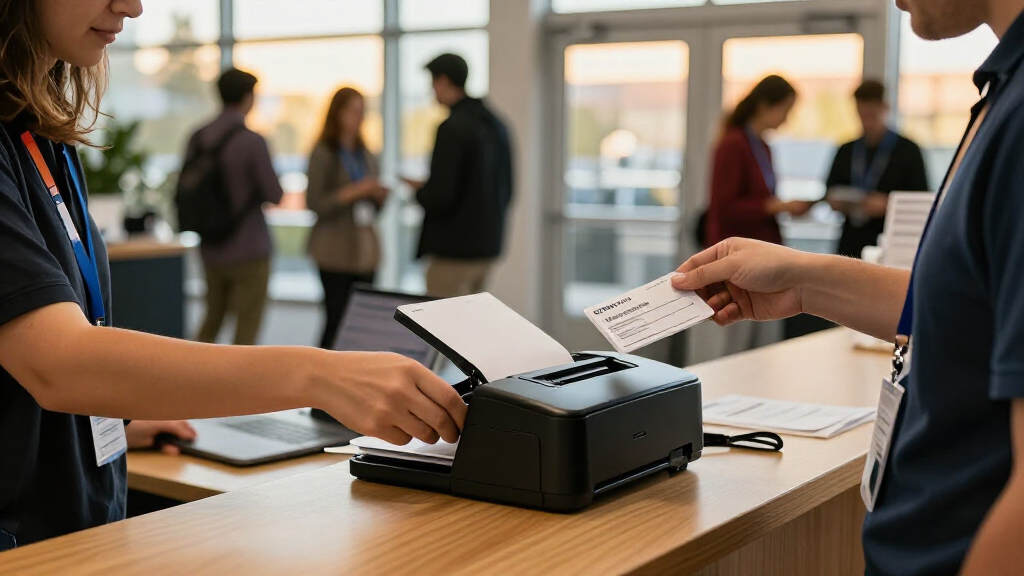

Event registration badge printers range from inexpensive write-on cards to dedicated plastic-card systems, and the right choice depends on how quickly you need to issue badges and how polished they must look. My best overall pick is the Bodno Seaory S25, a single-sided printer package that balances event-ready output with included software and supplies. For a compact, simpler setup, the Badgy100 stands out, while the Bodno Seaory R330 is the premium choice for buyers who prioritize retransfer printing and two-sided badges. The main tradeoffs are setup simplicity versus customization, single-sided speed versus richer layouts, and upfront equipment versus disposable card options. Keep reading for the full breakdown of all 14 picks and a guide to matching a printer to your attendee flow.

Get business pricing on office and shipping supplies
- Business-only prices and quantity discounts
- Tax-exempt purchasing
- Multiple users, one account, clear invoices
Key Takeaways
- Event scale changes the right answer: Avery’s self-laminating cards avoid printer setup, while dedicated card printers make more sense when badges need consistent personalization.
- Single-sided bundles form the practical middle: Models such as the Seaory S25 package suit many events that need printed names and branding without the added complexity of dual-sided output.
- Two-sided printing is a layout decision, not an automatic upgrade: The Magicard 400X, Matica MC320, Seaory R330, and Magicard 300 bundles suit badges that need extra information or a reverse-side design.
- Included software and supplies affect readiness: Bundles with design software and supplies can reduce sourcing work, but buyers should check what consumables are included and what must be replenished.
- Camera bundles and card printers solve different problems: A camera can support photo identification, while the printer choice still needs to match badge volume, layout, and event-day workflow.
| Avery Customizable Self-Laminating ID Cards, 2.25 x 3.5 in, 30 Count |  | Best for Small Events Without a Dedicated Badge Printer | Brand: Avery | Model: 5361 | Card size: 2.25 × 3.5 in | VIEW LATEST PRICE | See Our Full Breakdown |
| Badgy100 Plastic Card Printer with Badge Studio ID Design Software |  | Best for Compact, On-Demand Color Badges | Printer type: Dye sublimation, thermal | Print resolution: 300 × 300 dpi | Color print speed: 1.3 pages per minute | VIEW LATEST PRICE | See Our Full Breakdown |
| Bodno A10 Single-Sided ID Card Printer with Bronze Edition Software and Supplies |  | Best for Faster Desktop Badge Production | Printer type: Direct-to-card | Printing: Single-sided, full color | Resolution: 300 × 300 dpi | VIEW LATEST PRICE | See Our Full Breakdown |
| Bodno Seaory S25 Single-Sided ID Card Printer with Supplies and Bronze Edition Software |  | Best for Cross-Platform, Low-Volume Printing | Printer type: Direct-to-card | Printing: Single-sided, color | Print resolution: 300 × 300 dpi | VIEW LATEST PRICE | See Our Full Breakdown |
| Cardholdir IDP Solid 210 Single-Sided ID Badge Printer with Software and Supplies |  | Best Starter Bundle for PC and Mac | Printer type: Thermal, direct-to-card | Print sides: Single-sided | Resolution: 300 × 300 dpi | VIEW LATEST PRICE | See Our Full Breakdown |
| ID Zone 31S Badge Express ID Card Printer |  | Best Compact Pick | Printer type: Dye sublimation | Print resolution: 300 dpi | Duplex printing: Manual | VIEW LATEST PRICE | See Our Full Breakdown |
| Bodno Magicard Pronto ID Card Printer Bundle with Supplies and Bronze Software |  | Best Starter Bundle | Printer: Magicard Pronto | Included ribbon: MA100YMCKO color ribbon | Included cards: 100 white PVC cards | VIEW LATEST PRICE | See Our Full Breakdown |
| Bodno Seaory S26 Single-Sided ID Card Printer Package with Software and Camera, Bronze Edition |  | Best for Cross-Platform Teams | Printer type: Direct-to-card | Printing: Single-sided, color | Maximum color resolution: 300 × 1200 dpi | VIEW LATEST PRICE | See Our Full Breakdown |
| Bodno Magicard 400X Dual-Sided ID Card Printer with Bronze Edition Software and Supplies |  | Best for Automatic Two-Sided Badges | Printer type: Direct-to-card | Printing: Automatic dual-sided | Resolution: 300 × 300 dpi color; 300 dpi black and white | VIEW LATEST PRICE | See Our Full Breakdown |
| Bodno Matica MC320 Direct-to-Card Dual-Sided ID Card Printer with Complete Supplies Package – Bronze Edition Software |  | Best Connectivity and Setup Flexibility | Printer type: Thermal, direct-to-card | Output: Color | Resolution: 300 × 300 dpi color and black and white | VIEW LATEST PRICE | See Our Full Breakdown |
| IDP SMART-21S Single-Sided ID Card Printer Kit |  | Best Starter Kit for Desktop Event Badges | Printer type: Dye sublimation | Printing: Single-sided, color and monochrome | Resolution: 300 x 300 dpi | VIEW LATEST PRICE | See Our Full Breakdown |
| Bodno Seaory R330 Dual-Sided Retransfer ID Card Printer with Supplies, Software, and Camera |  | Best for High-Volume, Two-Sided Badges | Printer type: Dye-sublimation retransfer | Printing: Dual-sided | Resolution: 300 × 300 dpi | VIEW LATEST PRICE | See Our Full Breakdown |
| Bodno Magicard Pronto 100 ID Card Printer with Bronze Edition Software and Supplies |  | Best for Small, Detail-Focused Print Runs | Printer type: Thermal | Print output: Color | Print resolution: 1200 x 1200 dpi | VIEW LATEST PRICE | See Our Full Breakdown |
| Specialist ID Magicard 300 Dual-Sided ID Badge Printer Bundle |  | Best for Cross-Platform Event Teams | Printer type: Dye sublimation | Printing: Dual-sided, edge-to-edge | Resolution: 300 x 300 dpi | VIEW LATEST PRICE | See Our Full Breakdown |
| event registration badge printer | Printer type | Connectivity | Printing | Resolution |
|---|---|---|---|---|
| Avery Customizable Self-Lamina | — | — | — | — |
| Badgy100 Plastic Card Printer | Dye sublimation, thermal | USB 2.0 | — | — |
| Bodno A10 Single-Sided ID Card | Direct-to-card | — | Single-sided, full color | 300 × 300 dpi |
| Bodno Seaory S25 Single-Sided | Direct-to-card | USB 2.0 | Single-sided, color | — |
| Cardholdir IDP Solid 210 Singl | Thermal, direct-to-card | USB | — | 300 × 300 dpi |
| ID Zone 31S Badge Express ID C | Dye sublimation | USB | — | — |
| Bodno Magicard Pronto ID Card | — | — | — | — |
| Bodno Seaory S26 Single-Sided | Direct-to-card | — | Single-sided, color | — |
| Bodno Magicard 400X Dual-Sided | Direct-to-card | USB | Automatic dual-sided | 300 × 300 dpi color; 300 dpi black and white |
| Bodno Matica MC320 Direct-to-C | Thermal, direct-to-card | Ethernet and USB | — | 300 × 300 dpi color and black and white |
| IDP SMART-21S Single-Sided ID | Dye sublimation | USB | Single-sided, color and monochrome | 300 x 300 dpi |
| Bodno Seaory R330 Dual-Sided R | Dye-sublimation retransfer | USB | Dual-sided | 300 × 300 dpi |
| Bodno Magicard Pronto 100 ID C | Thermal | Ethernet, USB | — | — |
| Specialist ID Magicard 300 Dua | Dye sublimation | Ethernet, USB | Dual-sided, edge-to-edge | 300 x 300 dpi |
More Details on Our Top Picks
Avery Customizable Self-Laminating ID Cards, 2.25 x 3.5 in, 30 Count
The Avery cards suit organizers who already have a regular inkjet or laser printer and need a small batch of event name badges. Print the inserts, separate them from the sheets, then fold the adhesive laminate over each card; that avoids buying a specialty printer or laminator. Thirty cards per pack makes this a practical fit for a workshop, staff check-in, or occasional volunteer event, but it is a hands-on process rather than an on-demand badge station.
Compared with the Badgy100 or Bodno A10, Avery cannot produce plastic cards with a badge printer workflow, and each badge needs manual finishing. The payoff is simpler equipment and compatibility with common desktop printers. Choose it for prepared, low-volume badges; skip it if you need durable plastic credentials, rapid attendee-by-attendee printing, or larger batches.
Pros:- Works with common inkjet and laser printers
- Self-adhesive laminate needs no separate laminating machine
- Avery templates support customized layouts
- Useful for name tags, photo IDs, and small event badge batches
Cons:- Each badge must be punched out and laminated by hand
- Limited to 30 cards per pack
- Paper-based workflow is less suited to durable plastic credentials or busy check-in desks
Best for: Small event organizers who need up to 30 customized paper badges and already have an inkjet or laser printer.
Not ideal for: Registration teams printing badges on demand, or events that need durable plastic cards, high throughput, or larger quantities.
- Brand:Avery
- Model:5361
- Card size:2.25 × 3.5 in
- Quantity:30 cards
- Sheets:10 sheets, 3 cards per sheet
- Printer compatibility:Laser and inkjet
- Lamination:Self-adhesive
Our verdict“Choose Avery for a small, prepared run of customizable badges using a printer you already own, not for live plastic-card registration.”
Badgy100 Plastic Card Printer with Badge Studio ID Design Software
The Badgy100 is a compact route to printing full-color plastic badges at an event desk, with Badge Studio software and an online template library included. USB connection keeps setup straightforward for a PC-based registration station, while its 1.7 kg weight makes it easier to relocate than a larger, more involved card-printing setup. Unlike the Avery self-laminating cards, it prints directly onto plastic cards, which suits teams that want a finished credential rather than a manually assembled paper badge.
The tradeoff is pace: color output is listed at 1.3 pages per minute, and the maximum capacity is 25 cards. That makes it a better match for modest attendance or occasional personalization than a high-throughput check-in line. Compared with the Bodno A10, it has a slower stated color rate, but its bundled design tools and compact footprint keep the workflow approachable. Skip it if your queue moves quickly or you need large unattended batches.
Pros:- Prints full-color badges directly onto plastic cards
- Badge Studio software and online templates are included
- Compact, lightweight design suits portable registration setups
- Two-year manufacturer warranty
Cons:- Listed color speed of 1.3 pages per minute may slow busy check-in
- Maximum capacity is 25 cards
- USB 2.0 connection is the only listed connectivity option
Best for: Small event teams seeking a portable USB printer for personalized, full-color plastic badges at a modest-volume registration desk.
Not ideal for: Busy conferences that need fast, continuous badge production or large card batches without frequent reloading.
- Printer type:Dye sublimation, thermal
- Print resolution:300 × 300 dpi
- Color print speed:1.3 pages per minute
- Black-and-white print speed:1.5 pages per minute
- Card size:3.37 × 2.125 in
- Connectivity:USB 2.0
- Weight:1.7 kg
- Warranty:2-year manufacturer warranty
Our verdict“Pick the Badgy100 when compact size and an approachable color-badge workflow matter more than fast throughput.”
Bodno A10 Single-Sided ID Card Printer with Bronze Edition Software and Supplies
For event teams that need more pace than a compact entry-level printer, the Bodno A10 lists output of 4 color pages per minute and 12 black-and-white pages per minute. It prints single-sided cards with photos, text, logos, and barcodes, giving organizers room to create badges that serve as both visible IDs and scannable check-in credentials. The included Bronze Edition software, 100-print color ribbon, and starter cleaning kit provide a more complete desktop setup than the Badgy100’s smaller stated capacity.
Its limits are clear: the A10 prints only one side, and the included ribbon covers just 100 prints, so larger events may need supplies on hand. The Seaory S25 also prints single-sided color cards, but the A10’s stated color speed is a stronger fit when registration demand is less forgiving. Choose it for a compact, faster-moving desk workflow; look elsewhere if you need dual-sided credentials or long runs without supply changes.
Pros:- Listed color output of 4 pages per minute
- Supports photos, text, logos, and barcodes
- Includes Bronze Edition software and a 100-print color ribbon
- Three-year parts-and-labor warranty and lifetime software support
Cons:- Prints on one side only
- Included color ribbon is limited to 100 prints
- Card stock is the listed media, so buyers should confirm their card supply matches the printer
Best for: Event operations teams printing single-sided photo and barcode badges at a steady desktop registration station.
Not ideal for: Organizers who need information on both sides of each badge or plan a run substantially larger than the included 100-print ribbon supports.
- Printer type:Direct-to-card
- Printing:Single-sided, full color
- Resolution:300 × 300 dpi
- Print speed:4 color pages per minute; 12 black-and-white pages per minute
- Dimensions:9.6 × 6.29 × 8.18 in (D × W × H)
- Included ribbon:Bodno A5100 YMCKO, 100 prints
- Software:Bodno Bronze Edition, lifetime license
- Warranty:3 years on parts and labor
Our verdict“Choose the A10 for a compact single-sided setup with a faster stated color rate and useful barcode support.”
Bodno Seaory S25 Single-Sided ID Card Printer with Supplies and Bronze Edition Software
The Seaory S25 is a sensible fit for teams that print modest badge batches from a mixed-computer environment. It supports Windows, Mac, and Linux, a wider operating-system range than the PC-focused Badgy100 listing, and includes Bronze Edition design software with templates and drag-and-drop tools. A USB connection and included YMCKO ribbon for up to 100 prints give a small event team the basics for producing color badges without assembling every supply separately.
This is a manual-feed, single-sided printer, so it is built around short runs rather than a nonstop queue. The Bodno A10 is the more compelling option when its faster listed output matters; the S25’s advantage is platform flexibility, not throughput. Its two-year hardware warranty is shorter than the A10’s three-year coverage. Choose the S25 for occasional printing across different operating systems, but skip it for busy registration lines or double-sided badges.
Pros:- Compatible with Windows, Mac, and Linux
- Includes Bronze Edition design software with templates and drag-and-drop design
- Comes with a YMCKO ribbon rated for up to 100 prints
- Lifetime software support and a two-year hardware warranty
Cons:- Manual feeding is better suited to low-volume work
- Prints single-sided cards only
- Included ribbon supports up to 100 prints
Best for: Small organizations with Windows, Mac, and Linux workstations that print occasional batches of single-sided event badges.
Not ideal for: High-volume registration desks that need automatic feeding, fast batch production, or badges printed on both sides.
- Printer type:Direct-to-card
- Printing:Single-sided, color
- Print resolution:300 × 300 dpi
- Connectivity:USB 2.0
- Compatible operating systems:Windows, Mac, Linux
- Feed system:Manual
- Card size:3.375 × 2.125 in
- Warranty:2 years
Our verdict“Pick the S25 when broad operating-system compatibility and included design tools matter more than speed or automatic feeding.”
Cardholdir IDP Solid 210 Single-Sided ID Badge Printer with Software and Supplies
The Solid 210 makes a straightforward starter package for event organizers who want supplies and basic badge-design software included. The bundle lists 200 PVC cards and a full-color ribbon rated for 250 prints, so it arrives ready for a larger initial batch than the 100-print ribbon supplied with the Bodno A10 or Seaory S25. Its software supports badge templates and drag-and-drop images, while PC and Mac compatibility helps teams use an existing desktop setup.
Although its listed speed reaches 300 full-color cards per hour, cards are still fed manually, which can make sustained registration work more hands-on than the rate alone suggests. It prints single-sided CR80 cards or smaller, so this is not a solution for two-sided credentials. Compared with the Badgy100, the Solid 210 bundle supplies more cards and ribbon, but its workflow still suits an operator-led station. Choose it for a prepared, modest-volume rollout rather than unattended or dual-sided production.
Pros:- Includes 200 PVC cards and a color ribbon rated for 250 prints
- Works with PC and Mac over USB
- Software supports badge templates and drag-and-drop images
- Compact desktop dimensions
Cons:- Manual card feeding adds hands-on work during check-in
- Prints single-sided badges only
- Limited warranty details are specified, with EU spare parts available for two years
Best for: PC or Mac users setting up a small event badge station who want cards, ribbon, and beginner-friendly design software in one bundle.
Not ideal for: Large conferences needing automatic card feeding, dual-sided badges, or an unattended high-throughput printer.
- Printer type:Thermal, direct-to-card
- Print sides:Single-sided
- Resolution:300 × 300 dpi
- Print speed:Up to 300 full-color cards per hour
- Included supplies:250-print color ribbon and 200 PVC cards
- Supported card size:CR80 or smaller (85.60 × 53.98 mm)
- Connectivity:USB
- Compatibility:PC and Mac
Our verdict“Choose the Solid 210 for a ready-to-start PC or Mac badge station with a larger included supply bundle than the A10 or S25.”
ID Zone 31S Badge Express ID Card Printer
The ID Zone 31S suits event teams that need a portable printer for standard ID-sized badges rather than a high-volume registration station. Its 7.5-pound body and USB connection make it easier to move between check-in areas than the larger Bodno Magicard 400X. Dye-sublimation printing at 300 dpi supports color cards, and the 100-card capacity is useful for a modest event run. The main compromise is format: it accepts cards only, not paper badge inserts or larger media, so it cannot replace a general badge-label printer. It also offers manual duplex printing, which means staff must handle each card again to print the reverse. I’d choose it for occasional, portable ID-card production, not fast, unattended two-sided registration.
Pros:- Portable 7.5-pound design is easier to relocate than larger dual-sided models
- Dye-sublimation printing produces color ID cards
- Supports manual printing on both sides
- USB connection for PC-based operation
Cons:- Accepts only ID card-sized media
- Duplex printing requires manual card handling
- USB is the only listed connection
Best for: Small event teams that need to print color ID-card badges at different locations and can manage a modest run.
Not ideal for: Large conferences needing fast, automatic two-sided printing or badges larger than standard ID cards.
- Printer type:Dye sublimation
- Print resolution:300 dpi
- Duplex printing:Manual
- Connectivity:USB
- Compatible device:PC
- Maximum media size:3.37 × 2.13 inches
- Input and output capacity:100 cards each
- Weight:7.5 pounds
Our verdict“Choose the 31S for portable, small-batch color card printing, but pick the Magicard 400X if automatic duplexing matters more.”
Bodno Magicard Pronto ID Card Printer Bundle with Supplies and Bronze Software
This Magicard Pronto bundle is a practical entry point for an event organizer who wants the printer, starter cards, ribbon, and design software in one package. Bodno Bronze includes templates and drag-and-drop tools, reducing the setup work involved in creating a basic photo ID or membership card. The bundle also includes 100 PVC cards and a color ribbon, while its two-year hardware warranty and lifetime software support offer a defined support path. Compared with the Bodno Seaory S26 package, however, the supplied details here do not specify print resolution, speed, operating-system compatibility, or ribbon yield. That makes it harder to plan a busy check-in operation or compare ongoing capacity. I’d favor this bundle for a first, relatively small card-printing setup; teams that need published throughput details should look at a more fully specified option.
Pros:- Includes printer, color ribbon, and 100 white PVC cards
- Bodno Bronze offers templates and drag-and-drop design tools
- Two-year hardware warranty
- Lifetime software support
Cons:- Supplied product details do not state print speed or resolution
- Operating-system compatibility is not specified in the supplied details
- Included ribbon yield is not stated
Best for: First-time event organizers who want a bundled card printer, starter supplies, and guided badge-design software.
Not ideal for: High-volume event teams that need confirmed print speeds, platform compatibility, or clearly stated consumable yield before choosing equipment.
- Printer:Magicard Pronto
- Included ribbon:MA100YMCKO color ribbon
- Included cards:100 white PVC cards
- Software:Bodno Bronze
- Software tools:Templates and drag-and-drop design
- Hardware warranty:Two years
- Software support:Lifetime
Our verdict“Choose this bundle to get a straightforward starter kit with design software, but favor the Seaory S26 if documented speed and platform support are priorities.”
Bodno Seaory S26 Single-Sided ID Card Printer Package with Software and Camera, Bronze Edition
The Bodno Seaory S26 stands out for event teams that need a color-card package with broad computer compatibility: it supports Windows, Mac, and Linux, unlike the Magicard 400X, which lists Windows and Mac. Its included ribbon is rated for up to 300 prints, and the package adds a camera plus lifetime-licensed Bodno Bronze software for designing badges. The stated maximum color resolution of 300 × 1200 dpi gives organizers more detail to work with on photo IDs, though actual event throughput is shaped by its listed speed of 18 color pages per minute. The defining limitation is single-sided output; staff needing information on both sides will need another workflow or a dual-sided model. I’d pick it for flexible, one-sided event IDs, not two-sided credentialing.
Pros:- Works with Windows, Mac, and Linux
- Included color ribbon supports up to 300 prints
- Maximum color resolution of 300 × 1200 dpi
- Includes camera, lifetime software license, and lifetime software support
Cons:- Prints on one side only
- Two-year hardware warranty is shorter than the Magicard 400X’s four-year coverage
- Listed color speed may not suit teams seeking faster badge production
Best for: Event teams using a mix of Windows, Mac, and Linux computers that need color photo IDs and a substantial starter ribbon.
Not ideal for: Organizers who need attendee information, schedules, or access details printed automatically on both sides of each card.
- Printer type:Direct-to-card
- Printing:Single-sided, color
- Maximum color resolution:300 × 1200 dpi
- Print speed:18 color pages per minute; 5 black-and-white pages per minute
- Included ribbon yield:Up to 300 prints
- Operating systems:Windows, Mac, and Linux
- Software license and support:Lifetime
- Hardware warranty:Two years
Our verdict“Choose the S26 for cross-platform teams printing detailed, single-sided color IDs; choose the Magicard 400X for automatic two-sided cards.”
Bodno Magicard 400X Dual-Sided ID Card Printer with Bronze Edition Software and Supplies
For events where a badge needs a front-side identity and reverse-side instructions, the Magicard 400X is the clearest fit in this group. Its automatic dual-sided printing removes the manual reloading required by the ID Zone 31S, which is more convenient when staff are producing cards in batches. A 300-print YMCKO ribbon and Bodno Bronze software are included, and the four-year warranty is longer than the Seaory S26’s two-year coverage. The tradeoff is speed: color output is listed at three pages per minute, so a queue of last-minute registrations could take time. It also connects through USB and supports Windows and Mac, without the Linux compatibility listed for the S26. I’d choose it for planned production of two-sided credentials, not rapid walk-up printing.
Pros:- Automatic dual-sided printing avoids manual card flipping
- Includes a 300-print YMCKO ribbon
- Bodno Bronze includes templates and drag-and-drop design tools
- Four-year hardware warranty and lifetime software support
Cons:- Color speed is listed at three pages per minute
- USB is the only listed connection
- Does not list Linux compatibility
Best for: Event organizers producing two-sided ID badges in planned batches who want automatic duplexing and a longer hardware warranty.
Not ideal for: High-pressure check-in desks that need rapid color output, wireless connectivity, or Linux support.
- Printer type:Direct-to-card
- Printing:Automatic dual-sided
- Resolution:300 × 300 dpi color; 300 dpi black and white
- Print speed:3 color pages per minute; 10 black-and-white pages per minute
- Connectivity:USB
- Compatible operating systems:Windows and Mac
- Included ribbon:300-print YMCKO
- Warranty:Four years
Our verdict“Choose the 400X for automatic two-sided credential batches and extended warranty coverage, but not for fast color printing at a busy registration desk.”
Bodno Matica MC320 Direct-to-Card Dual-Sided ID Card Printer with Complete Supplies Package – Bronze Edition Software
The Bodno Matica MC320 is a strong fit for event teams that value connection choices and automatic two-sided cards. Unlike the USB-only Magicard 400X, the MC320 lists both Ethernet and USB, giving organizers another way to connect it within a registration setup. It also includes supplies and activation-code software, with Windows and Mac support, a 300 × 300 dpi resolution, and a three-year warranty. The product details describe the printer as thermal and list card stock as its media, so it is aimed at card-based credentials rather than paper badge stock. Its nearly 10 kg weight and 15.96-inch height make moving or fitting it into a compact check-in area less convenient than the 7.5-pound ID Zone 31S. I’d choose it for a stationary, connected badge station, while noting that the supplied information does not state print speed or ribbon yield.
Pros:- Automatic duplex printing produces two-sided cards without manual flipping
- Ethernet and USB provide more connection flexibility than USB-only models
- Package includes supplies and activation-code software
- Supports Windows and Mac with a three-year warranty
Cons:- Nearly 10 kg, making it less suitable for frequent relocation
- Single tray and stated maximum run of 100 copies
- Supplied product details do not specify print speed or ribbon yield
Best for: Event teams setting up a fixed Windows or Mac badge station that can benefit from Ethernet connectivity and automatic duplex printing.
Not ideal for: Mobile check-in teams that need a lightweight printer, or organizers who require confirmed print-speed and consumable-yield figures.
- Printer type:Thermal, direct-to-card
- Output:Color
- Resolution:300 × 300 dpi color and black and white
- Duplex printing:Automatic
- Connectivity:Ethernet and USB
- Compatible devices:Windows and Mac laptops
- Weight:9.98 kg
- Warranty:Three years
Our verdict“Choose the MC320 for a stationary event station that needs Ethernet and automatic duplexing, but pick the lighter ID Zone 31S for portable work.”
IDP SMART-21S Single-Sided ID Card Printer Kit
The SMART-21S is a practical entry point for organizers who need to make simple, single-sided event badges at a desk. The included software, 100-card ribbon, and 100 PVC cards let a small team start printing without sourcing the basics separately. Its stated output of up to 150 color or 600 monochrome cards per hour suits check-in needs where badges are prepared in batches rather than printed continuously under heavy demand.
Compared with the dual-sided Specialist ID Magicard 300, this kit takes less commitment in footprint and capability, but it cannot put event details on the reverse. It is also limited to Windows 10 and 11 and USB, while the Magicard 300 supports more operating systems and Ethernet. I would choose the SMART-21S for straightforward name-and-logo cards, not for teams needing Mac support, network placement, or two-sided credentials. The listed dimensions conflict, so check the unit’s actual footprint before allocating desk space.
Pros:- Includes PC software, a 100-print color ribbon, and 100 PVC cards
- Prints both color and monochrome badges
- Compact design suits a desktop setup
- Supports common ID badge and access-card uses
Cons:- Single-sided printing limits how much event or access information fits on each card
- Software compatibility is listed for Windows 10 and 11 only
- Conflicting listed dimensions make space planning less certain
Best for: Small event teams using Windows who want a ready-to-print kit for single-sided PVC name badges and can prepare cards in batches.
Not ideal for: Mac or Linux users, networked check-in teams, and events that need information on both sides of each badge.
- Printer type:Dye sublimation
- Printing:Single-sided, color and monochrome
- Resolution:300 x 300 dpi
- Print speed:Up to 150 color or 600 monochrome cards per hour
- Compatibility:Windows 10 and 11
- Connectivity:USB
- Media capacity:Up to 100 cards
- Included supplies:100-print YMCKO ribbon and 100 PVC cards
Our verdict“Choose the SMART-21S for a compact, supplies-included Windows setup when single-sided event badges are enough.”
Bodno Seaory R330 Dual-Sided Retransfer ID Card Printer with Supplies, Software, and Camera
The Seaory R330 is the batch-oriented choice here: its 200-card input and output hoppers reduce interruptions when an event team is preparing credentials for a large attendee list. It prints dual-sided, edge-to-edge cards, giving organizers room for a name and sponsor branding on the front, with schedules or access details on the back. The touchscreen and alerts also make it easier to spot a missing or defective card during a run.
Compared with the Specialist ID Magicard 300, the R330 offers larger stated hopper capacities and a bundled camera, but it is much heavier at 20.3 kg and lists USB as its only connection. Its dual-sided color speed can reach up to 38 seconds per card, so large jobs need advance planning rather than last-minute printing at check-in. I would favor it for centralized badge production, not a small registration desk where compact size and flexible network connections matter more.
Pros:- Dual-sided, edge-to-edge printing supports detailed event credentials
- 200-card input and output hoppers suit batch production
- 3.5-inch color touchscreen and alerts support printer monitoring
- Package includes supplies, ID software, and a camera
Cons:- Dual-sided color printing can take up to 38 seconds per card
- USB is the only listed connectivity option
- At 20.3 kg, it is less convenient to move between event locations
Best for: Conference operations teams producing large batches of two-sided CR80 credentials with room for attendee details, schedules, or access information.
Not ideal for: Small venues needing a lightweight printer at the registration desk, or teams that require Ethernet or other listed connectivity beyond USB.
- Printer type:Dye-sublimation retransfer
- Printing:Dual-sided
- Resolution:300 × 300 dpi
- Input hopper capacity:200 cards
- Output hopper capacity:200 cards
- Display:3.5-inch color touchscreen
- Connectivity:USB
- Package includes:Supplies, ID software, and camera
Our verdict“Pick the R330 when batch capacity and two-sided card design matter more than portability or connection flexibility.”
Bodno Magicard Pronto 100 ID Card Printer with Bronze Edition Software and Supplies
The Magicard Pronto 100 suits event organizers who value sharp color output more than unattended batch capacity. Its listed 1200 x 1200 dpi resolution is the standout spec in this group, while the 50-card hopper is a reasonable fit for smaller events or occasional reprints. The included Bronze Edition software and 100-print ribbon make it a more complete starting package than a printer-only purchase, and USB and Ethernet give teams more placement options than the USB-only IDP SMART-21S.
This is not the pick for a large conference printing hundreds of badges at the last minute: full-color output takes 23 seconds per card, and the hopper holds only 50 cards. The dual-sided Specialist ID Magicard 300 is a better match when badges need information on both faces or higher throughput. I would choose the Pronto 100 for modest, single-sided runs where image detail, included software, and a three-year warranty outweigh batch speed and capacity.
Pros:- Listed 1200 x 1200 dpi resolution supports detailed color designs
- Includes Bronze Edition software and a 100-print YMCKO ribbon
- Ethernet and USB offer connection choices
- Includes a three-year warranty and lifetime software support
Cons:- 50-card input capacity requires more frequent reloading than the R330 or Magicard 300
- Full-color printing takes 23 seconds per card
- Single-sided output offers less room for event and access details
Best for: Small event organizers who print short runs of single-sided CR80 badges and want high-resolution color plus included design software.
Not ideal for: Large conferences with frequent or last-minute badge runs, or teams that need dual-sided printing and larger card batches.
- Printer type:Thermal
- Print output:Color
- Print resolution:1200 x 1200 dpi
- Print speed:5 seconds black and white; 23 seconds full color
- Input capacity:50 cards
- Compatible card size:CR80 (85.60 x 53.98 mm)
- Connectivity:Ethernet, USB
- Warranty:3 years
Our verdict“Choose the Pronto 100 for small, detail-focused badge runs, but select a higher-capacity dual-sided model for large events.”
Specialist ID Magicard 300 Dual-Sided ID Badge Printer Bundle
The Magicard 300 is the most flexible fit for event teams working across different computer systems. It supports Windows, Linux, and macOS, connects over Ethernet or USB, and prints dual-sided cards without a separate laminator. Its listed capacity of up to 160 color or 720 monochrome cards per hour makes it better suited to recurring event production than the smaller-batch Pronto 100, while the bundle supplies 100 blank cards, a ribbon, and a cleaning kit.
Compared with the Bodno Seaory R330, the Magicard 300 is much lighter and lists broader connectivity and operating-system support, though its 100-card input and 70-card output hoppers are smaller. Its 300 x 300 dpi resolution is also less than the Pronto 100’s stated 1200 x 1200 dpi, so this is the stronger workflow choice, not the detail leader. The broad card-type support is useful for specialized credentials, but it remains a dedicated card printer rather than a general badge-label device.
Pros:- Supports Windows, Linux, and macOS
- Dual-sided, edge-to-edge printing avoids a separate laminator
- Ethernet and USB support flexible event-workstation setups
- Bundle includes blank cards, a full-color ribbon, and a cleaning kit
Cons:- 100-card input and 70-card output capacities are smaller than the R330’s 200-card hoppers
- 300 x 300 dpi resolution is lower than the Pronto 100’s listed resolution
- Designed for card printing rather than general-purpose event labels
Best for: Event teams using a mix of Windows, macOS, or Linux computers who need dual-sided PVC badges and Ethernet or USB connection options.
Not ideal for: Organizers printing very large unattended batches who need the R330’s larger hoppers, or teams seeking a general-purpose label printer.
- Printer type:Dye sublimation
- Printing:Dual-sided, edge-to-edge
- Resolution:300 x 300 dpi
- Print speed:Up to 160 color or 720 monochrome cards per hour
- Input hopper capacity:100 cards
- Output hopper capacity:70 cards
- Connectivity:Ethernet, USB
- Compatible operating systems:Windows, Linux (CUPS), macOS
Our verdict“Choose the Magicard 300 for cross-platform teams that need dual-sided event cards and flexible wired connections.”

How We Picked
I ranked these options by how well their format and included components fit event check-in. The main criteria were the ability to personalize attendee badges, single- versus dual-sided output, the usefulness of bundled software and supplies, and the likely effort involved in setup and replenishment. I also separated reusable plastic-card printers from the Avery self-laminating cards, since they address different event needs rather than competing on identical terms.
The ranking favors flexible options that suit a broad range of registration desks, then narrows toward products built for specific workflows. Single-sided printers rank well for common name-and-brand layouts; dual-sided and retransfer models gain relevance when the reverse side or print approach matters enough to justify added complexity. Product bundles are judged on their stated contents, not assumed performance or unstated costs, and buyers should confirm compatibility, consumable details, and event-volume fit before ordering.
| event registration badge printer | Printer type | Connectivity | Printing |
|---|---|---|---|
| Avery Customizable Self-Lamina | — | — | — |
| Badgy100 Plastic Card Printer | Dye sublimation, thermal | USB 2.0 | — |
| Bodno A10 Single-Sided ID Card | Direct-to-card | — | Single-sided, full color |
| Bodno Seaory S25 Single-Sided | Direct-to-card | USB 2.0 | Single-sided, color |
| Cardholdir IDP Solid 210 Singl | Thermal, direct-to-card | USB | — |
| ID Zone 31S Badge Express ID C | Dye sublimation | USB | — |
| Bodno Magicard Pronto ID Card | — | — | — |
| Bodno Seaory S26 Single-Sided | Direct-to-card | — | Single-sided, color |
| Bodno Magicard 400X Dual-Sided | Direct-to-card | USB | Automatic dual-sided |
| Bodno Matica MC320 Direct-to-C | Thermal, direct-to-card | Ethernet and USB | — |
| IDP SMART-21S Single-Sided ID | Dye sublimation | USB | Single-sided, color and monochrome |
| Bodno Seaory R330 Dual-Sided R | Dye-sublimation retransfer | USB | Dual-sided |
| Bodno Magicard Pronto 100 ID C | Thermal | Ethernet, USB | — |
| Specialist ID Magicard 300 Dua | Dye sublimation | Ethernet, USB | Dual-sided, edge-to-edge |
Factors to Consider When Choosing Event Registration Badge Printers
Choosing an event badge printer starts with the check-in process, not the printer’s feature list. I would work out what staff must produce per attendee, how much personalization is required, and what happens when the registration queue grows. These broader decisions can prevent spending on capabilities the event will not use—or buying a simple setup that slows down a busy entrance.
Match the Badge Format to Your Check-In Workflow
Decide whether attendees need a quick name label, a durable plastic card, or a badge carrying more than one field of information. A self-laminating card can suit small gatherings or occasional use where a dedicated printer would be excessive, but it does not offer the same automated personalization workflow as a card printer. For recurring conferences, printed cards can provide more consistent branding and legibility. Think through how registration staff will enter or retrieve each attendee’s details before choosing hardware. A printer alone does not create an efficient check-in process if the attendee data and design workflow are cumbersome. A common mistake is buying for the badge appearance while overlooking how names get from the registration system to the finished card.
Estimate Peak Check-In Demand, Not Just Attendance
Total attendance can be misleading: the pressure point is how many people arrive within the same short window. Estimate arrivals by time block and consider whether badges will be printed on demand or prepared in advance. On-demand printing can handle late changes and walk-ins, but it adds steps at the registration desk. Pre-printing may reduce queues, though it makes last-minute substitutions harder to manage. If a single station would create a bottleneck, plan for additional stations, staff, or a backup process before assuming one printer can cover the event. Avoid choosing solely by a headline capacity figure when the actual workflow includes lookup, editing, printing, and handing over each badge.
Choose Single-Sided or Dual-Sided Based on Information Needs
A single-sided card is often enough for a name, organization, and event identity. Dual-sided printing becomes useful when the reverse needs a schedule, access instructions, sponsor information, or another badge detail that would crowd the front. That extra space has a workflow cost: more complex designs need review, and the team must confirm that both sides print as intended. Do not select a two-sided model just because it offers more capability; blank space does not improve a badge. Draft a realistic sample with the final fields and check whether attendees and staff can read it quickly. If a QR code or access detail is part of the plan, test how it scans from the intended side and distance.
Check Software, Data, and Network Compatibility Early
Badge design software and bundled supplies can make a package easier to prepare, but they do not automatically guarantee compatibility with an event registration platform. Confirm how attendee data will be imported, which operating systems are supported, and whether staff can adjust a name or reprint a card without rebuilding the record. Run a test using realistic data before event day, including long names, special characters, and late registrations. If several check-in stations will share attendee records, check the data handoff and device connection plan rather than assuming each station will stay synchronized. A recurring mistake is treating the printer bundle as a complete registration system. Keep a manual fallback for power, connection, or data problems.
Budget for Consumables, Spares, and Reprints
The purchase decision should include the supplies needed to produce the planned number of usable badges, plus a reserve for errors and walk-ins. Bundles can simplify initial setup, yet included supplies are not necessarily enough for every event or future run. Check the specified card and ribbon requirements, how each consumable is replaced, and whether the team can source the correct materials when needed. Also plan for misprints: a rushed check-in desk can waste cards when names change or designs are adjusted after printing begins. If the printer is central to admission, consider keeping compatible supplies and a clearly assigned backup procedure on site. Comparing equipment without these operating needs can make a capable printer a poor fit for the event budget and schedule.
Decide Whether Photos and Security Features Are Worth the Work
Photo identification can help staff distinguish attendees or support controlled access, but it adds a capture and data-management step to registration. Camera-included packages may help assemble a photo workflow, yet buyers still need to decide when photos are taken, how they are matched to records, and who handles exceptions. Security features also make sense only when the event has a defined need for them, such as differentiated access or identity checks. For a general conference badge, clear names and readable event information may serve attendees better than a complicated design. Review privacy expectations and data-retention practices before collecting attendee photos. Paying for capabilities without assigning staff and process ownership can add friction rather than improving check-in.
Frequently Asked Questions
Is a self-laminating card enough for a small event?
It can be enough when the event has a modest attendee list, limited personalization, or no need to print plastic cards on demand. The Avery cards in this roundup avoid purchasing and setting up a dedicated printer, which can be useful for occasional gatherings. The tradeoff is that they do not provide the same repeatable, software-driven output as a card printer. If names, organizations, or access details change often, a printer-based workflow may save staff effort. Decide based on how badges will be prepared and updated, not just the number of people attending.
Should I buy a dual-sided printer for a conference?
Buy dual-sided output when the reverse will carry information attendees or staff genuinely need, such as schedules, instructions, or access details. If the badge only needs a name and event branding, single-sided printing is usually the simpler fit among these options. A second printed side also means extra design checks and another chance for a layout or data mismatch. Prepare a sample badge with the intended content before deciding. If the reverse remains mostly blank, that added capability may not improve the event experience.
Can these printers produce badges from my registration platform?
The product names and bundles alone do not confirm direct integration with a particular registration service. Check whether the printer’s software can import the platform’s attendee data, what file formats it accepts, and whether your operating system is supported. Test the full path from attendee record to printed card before the event, including changes and reprints. If direct integration is unavailable, a controlled export-and-import process may work, but it requires clear staff steps. Do not assume that included design software also includes a connection to your registration system.
How should I plan for a rush of walk-ins and last-minute changes?
First estimate peak arrivals, then decide whether staff will print badges on demand, prepare them in advance, or use a mix of both. On-demand printing handles changes more readily, while pre-printed badges can reduce the work at the desk but need a way to resolve corrections. Train staff to find attendee records, edit details, and reprint without interrupting the line. Keep spare supplies and a manual fallback for a printer or connection issue. For a high-pressure check-in, a second station or a separate exception desk may matter more than selecting a more elaborate printer.
What should I verify before ordering a printer bundle?
Confirm the exact software, supplies, camera, and other components included rather than relying on the word “bundle.” Check card and ribbon compatibility, supported computer connections, operating-system requirements, and whether the design workflow fits your registration data. Work out how many badges the included supplies can cover, then plan for reprints and replenishment. For a dual-sided or retransfer model, verify that your badge layout actually benefits from those capabilities. A short compatibility test before the event can prevent a package from arriving without a necessary component or working with your existing setup.
Conclusion
For most teams seeking a balanced dedicated setup, I would start with the Bodno Seaory S25 package as the best overall fit among these options. For value, the strongest choice depends on whether value means avoiding dedicated equipment or getting a printer bundle: the Avery self-laminating cards suit occasional, simple use, while a bundled single-sided printer is a better match for repeat events that need personalized cards. Beginners who want a compact printer-and-software setup should compare the Badgy100 with the other single-sided packages and verify compatibility before ordering. For a premium workflow involving two-sided cards, the Bodno Seaory R330 is the standout retransfer option; the Magicard 400X, Matica MC320, and Magicard 300 are alternatives for buyers focused on dual-sided output. If photo capture is part of the check-in plan, look at the camera-included Seaory S26 or R330 bundles. Choose the simplest system that meets your badge and peak-arrival needs, then confirm supplies and registration-data compatibility.