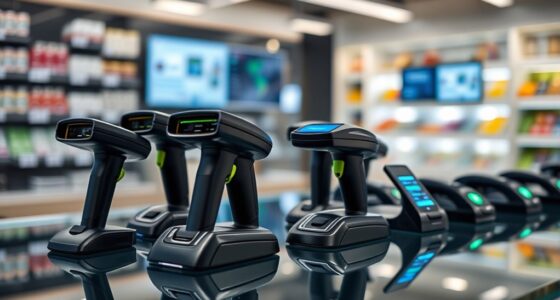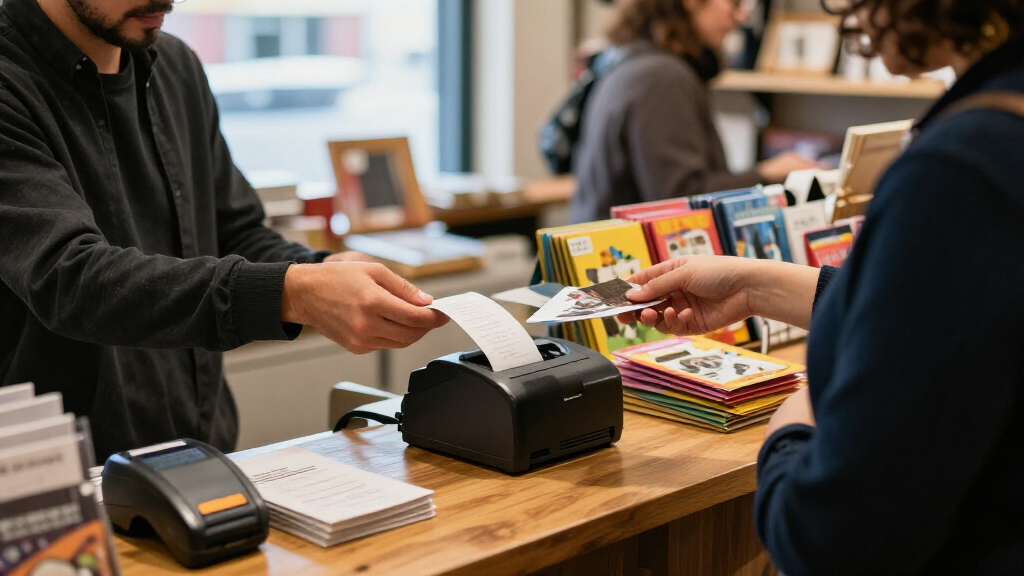
For small businesses comparing Black Friday receipt printers, the best overall fit in this roundup is the Epson TM-T20IV, thanks to its USB, Ethernet, and serial connections for established POS setups. The Rongta RP332 stands out for a wider 80mm format and an automatic cutter, while the MUNBYN P047 is a stronger match for businesses that want Bluetooth flexibility. The main tradeoff is between a dependable fixed counter setup and portable or wireless printing, which can bring extra compatibility checks. Paper width, POS software support, connection type, and counter space matter as much as print speed. Read on for the full comparison and advice on choosing a printer that fits your shop’s workflow.

Get business pricing on office and shipping supplies
- Business-only prices and quantity discounts
- Tax-exempt purchasing
- Multiple users, one account, clear invoices
Key Takeaways
- The Epson TM-T20IV is the most connection-flexible pick: USB, Ethernet, and serial give established POS systems more ways to connect than the simpler USB or Bluetooth models.
- Several Rongta 80mm options emphasize counter workflow: models with auto cutters suit frequent receipt output, but the repeated brand and similar descriptions make it important to verify the exact model and interface before ordering.
- Bluetooth and 58mm printers favor mobility over receipt width: MUNBYN and NETUM mini models can suit pop-ups or tight counters, but their narrower paper format may be limiting for itemized receipts.
- Compatibility is a bigger divider than brand name: a printer’s connection and supported POS environment determine whether it fits an existing checkout system; a listed interface alone does not confirm software support.
- The roundup’s range spans fixed and portable setups, not one universal winner: wired 80mm printers favor regular counter use, while compact wireless models make more sense when portability or space matters most.
| Rongta RP332 80mm Direct Thermal Receipt Printer with Auto Cutter |  | Best for Flexible Wired Setups | Model: RP332 | Print technology: Direct thermal | Paper width: 80mm / 58mm | VIEW LATEST PRICE | See Our Full Breakdown |
| NetumScan 80mm USB Thermal Receipt Printer with Auto Cutter |  | Best for Simple USB Checkout | Model: 8360 | Printer type: Thermal | Paper width: 80mm | VIEW LATEST PRICE | See Our Full Breakdown |
| Tatouhom P80E 80mm Thermal Receipt Printer |  | Best for Kitchen Workstations | Paper width: 80mm (3 1/8 in) | Connectivity: USB, Ethernet, RJ11 | Wireless connectivity: None | VIEW LATEST PRICE | See Our Full Breakdown |
| Rongta 80mm Thermal Receipt Printer with Auto Cutter |  | Best for High-Volume Wired Counters | Print technology: Thermal | Print speed: 300mm/sec | Resolution: 203 dpi | VIEW LATEST PRICE | See Our Full Breakdown |
| Rongta 80mm Thermal POS Receipt Printer with Auto Cutter |  | Best for Cash-Drawer Integration | Printer type: Direct thermal | Paper width: 80mm (3 1/8 in) | Print width: 72mm | VIEW LATEST PRICE | See Our Full Breakdown |
| MUNBYN P047 80 mm Bluetooth Thermal Receipt Printer |  | Best for Mixed-Device Setups | Printer type: Direct thermal | Paper width: 80 mm | Maximum print speed: 300 mm/s | VIEW LATEST PRICE | See Our Full Breakdown |
| Rongta 80mm Thermal Receipt Printer with Auto Cutter |  | Best for Wall-Mounted Counters | Model: RP326 | Paper width: 80 mm | Print speed: Up to 250 mm/sec | VIEW LATEST PRICE | See Our Full Breakdown |
| MUNBYN IMP001 58mm Mini Wireless POS Thermal Receipt Printer |  | Best for Lightweight Mobile Checkout | Printer type: Thermal | Paper width: 58 mm | Resolution: 203 × 203 DPI | VIEW LATEST PRICE | See Our Full Breakdown |
| NETUM Bluetooth Receipt Printer, Portable 58mm Mini Thermal POS Printer |  | Best for Battery Standby | Printer technology: Direct thermal | Paper width: 58 mm | Connectivity: Bluetooth 4.0, USB 2.0 | VIEW LATEST PRICE | See Our Full Breakdown |
| Rongta 80mm Thermal POS Receipt Printer with Auto Cutter |  | Best for a Wired, Space-Saving Counter | Printing method: Direct thermal | Paper width: 80 mm (3 1/8 in) | Print speed: Up to 250 mm/sec | VIEW LATEST PRICE | See Our Full Breakdown |
| NETUM Bluetooth Receipt Printer, 58mm Mini Thermal POS Printer |  | Best for Pocket-Sized Mobile Printing | Printer type: Thermal, monochrome | Paper size: 58 mm × 30 mm; roll diameter up to 40 mm | Connectivity: Bluetooth 4.0, USB | VIEW LATEST PRICE | See Our Full Breakdown |
| Epson TM-T20IV Thermal Receipt Printer with USB, Ethernet, and Serial |  | Best for Established Counter-Service Businesses | Model: C31CL47022 | Printer type: Thermal, monochrome | Print speed: Up to 310 mm/s | VIEW LATEST PRICE | See Our Full Breakdown |
| NETUM NT-861 Bluetooth Thermal Receipt Printer, 80 mm |  | Best for Flexible 80mm Connectivity | Model: NT-861 | Printer type and output: Thermal, monochrome | Maximum media size: 80 mm | VIEW LATEST PRICE | See Our Full Breakdown |
| Sunydog Portable 58mm Thermal Receipt Printer |  | Best Lightweight Entry-Level Portable Pick | Printer type: Thermal, monochrome | Print width: 58 mm | Resolution and speed: 203 dpi; up to 70 mm/s | VIEW LATEST PRICE | See Our Full Breakdown |
| MUNBYN P068 80mm Thermal Receipt Printer with USB, Ethernet, and Serial Ports |  | Best for Busy Kitchens and Order Queues | Model: MU-ITPP068-US | Printer type: Thermal receipt printer | Print speed: 300 mm/s; listed as 48 receipts per minute | VIEW LATEST PRICE | See Our Full Breakdown |
| Black Friday receipt printers for small businesse | Connectivity | Resolution | Paper width | Print speed |
|---|---|---|---|---|
| Rongta RP332 80mm Direct Therm | — | 203 × 203 DPI | 80mm / 58mm | 250mm/s |
| NetumScan 80mm USB Thermal Rec | USB | 300 × 300 | 80mm | Up to 300mm/s |
| Tatouhom P80E 80mm Thermal Rec | USB, Ethernet, RJ11 | — | 80mm (3 1/8 in) | 200mm/s |
| Rongta 80mm Thermal Receipt Pr | USB, Ethernet, Serial | 203 dpi | 80mm | 300mm/sec |
| Rongta 80mm Thermal POS Receip | USB, Ethernet, Serial | 203 dpi (8 dots/mm) | 80mm (3 1/8 in) | Listed as up to 300mm/sec and 250mm/sec |
| MUNBYN P047 80 mm Bluetooth Th | Bluetooth, USB, serial, Ethernet | 203 dpi | 80 mm | — |
| Rongta 80mm Thermal Receipt Pr | USB, Ethernet, serial | 203 dpi | 80 mm | Up to 250 mm/sec |
| MUNBYN IMP001 58mm Mini Wirele | Bluetooth, USB | 203 × 203 DPI | 58 mm | 1 page per minute |
| NETUM Bluetooth Receipt Printe | Bluetooth 4.0, USB 2.0 | 203 DPI | 58 mm | — |
| Rongta 80mm Thermal POS Receip | USB, serial, Ethernet | 203 dpi | 80 mm (3 1/8 in) | Up to 250 mm/sec |
| NETUM Bluetooth Receipt Printe | Bluetooth 4.0, USB | 203 DPI (8 dots/mm) | — | — |
| Epson TM-T20IV Thermal Receipt | USB, USB-A, Ethernet, RS-232 serial | 203 dpi | — | Up to 310 mm/s |
| NETUM NT-861 Bluetooth Thermal | Bluetooth, Ethernet, USB | — | — | Up to 260 mm/s |
| Sunydog Portable 58mm Thermal | Bluetooth, USB | — | — | — |
| MUNBYN P068 80mm Thermal Recei | USB, Ethernet, serial | 203 × 203 dpi | 80 mm | 300 mm/s; listed as 48 receipts per minute |
More Details on Our Top Picks
Rongta RP332 80mm Direct Thermal Receipt Printer with Auto Cutter
The Rongta RP332 is the most adaptable wired pick here for a small shop that needs to fit an existing POS setup. Unlike the USB-only NetumScan 8360, it adds Ethernet and Serial, giving you more options for connecting a fixed register or placing the printer on a network. Its 80mm and 58mm paper support also helps if you use different receipt formats, while the auto cutter and cash-drawer port suit a conventional checkout workflow.
The tradeoff is that this flexibility stays on the wired side: there is no Wi-Fi or Bluetooth, and the supplied compatibility information rules out mobile devices and named platforms such as Square, PayPal, and Clover. At 250 mm/s, it is also slower on paper than the 300 mm/s Rongta model in this group. I’d shortlist it when connection choices and paper-width flexibility matter more than mobile POS support.
Pros:- USB, Serial, and Ethernet support a range of wired register setups.
- Accepts both 80mm and 58mm paper.
- Auto cutter and cash-drawer port support a conventional checkout workflow.
- Wall-mounting holes can free counter space.
Cons:- No Wi-Fi or Bluetooth for cable-free placement.
- Not compatible with mobile devices or named platforms including Square, PayPal, and Clover.
- Its 250 mm/s listed speed is below the 300 mm/s Rongta and NetumScan options.
Best for: Small retailers or cafés using a Windows, Mac, or Linux POS who need Ethernet, Serial, and USB options, plus flexibility between 58mm and 80mm paper.
Not ideal for: Businesses running checkout from an iPhone, Android tablet, or an explicitly unsupported POS platform, or owners who need wireless placement.
- Model:RP332
- Print technology:Direct thermal
- Paper width:80mm / 58mm
- Print width:72mm / 48mm
- Print speed:250mm/s
- Resolution:203 × 203 DPI
- Interfaces:USB, Serial, Ethernet
- OS compatibility:Windows, Mac, Linux
- Additional features:Auto cutter, cash drawer port, wall-mount capability
Our verdict“Choose the RP332 if your small business needs flexible wired connections and two paper-width options, but skip it if your POS depends on mobile or unsupported software.”
NetumScan 80mm USB Thermal Receipt Printer with Auto Cutter
The NetumScan 8360 makes the most sense when a small business wants a straightforward USB connection and fast receipt output, not a printer with several ways to connect. Its stated speed of up to 300 mm/s is higher than the 250 mm/s listed for the Rongta RP332, and the automatic cutter helps keep each transaction moving without a manual tear. Thermal paper also means no ink or ribbon purchases.
That simplicity limits where it fits. Unlike the RP332 and the 300 mm/s Rongta model, the 8360 offers USB only, with no Ethernet or Serial for a networked or legacy register. The product data also warns against assuming compatibility with mobile devices or several POS platforms, so verify your exact system before choosing it. I’d favor this model for a fixed, computer-based checkout where USB is enough; businesses needing more installation flexibility should look at the wired multi-interface alternatives.
Pros:- Listed print speed reaches up to 300 mm/s.
- USB connection keeps setup direct for a nearby computer.
- Thermal printing uses paper without ink or ribbons.
- Auto cutter, overheating protection, and wall-mount option are included.
Cons:- USB is the only listed connection; there is no Ethernet, Serial, Wi-Fi, or Bluetooth.
- Not compatible with several POS platforms or iOS and Android devices.
- Its 80mm-only paper support offers less format flexibility than the Rongta RP332.
Best for: A small counter-service business using a compatible Windows, Mac, or Linux computer with a nearby USB port and a need for quick cut receipts.
Not ideal for: Businesses needing Ethernet, Serial, wireless placement, mobile-device printing, or a POS platform listed as incompatible.
- Model:8360
- Printer type:Thermal
- Paper width:80mm
- Print speed:Up to 300mm/s
- Resolution:300 × 300
- Connectivity:USB
- Compatible operating systems:Windows, Mac, Linux
- Weight:0.6kg
- Features:Automatic cutter, overheating protection, wall-mount option
Our verdict“Pick the NetumScan 8360 for a compatible computer-based till that needs fast USB printing, not for a mixed-device or networked checkout.”
Tatouhom P80E 80mm Thermal Receipt Printer
The Tatouhom P80E stands apart from the simpler register printers through its kitchen-oriented alerts and housing. Its RGB status lights, audible alerts, and jam and overheat sensors can help staff notice a printing problem in a busy or noisy work area. The grease-resistant ABS case and desktop or wall mounting also suit a kitchen station better than a basic USB-only option such as the NetumScan 8360.
It prints at 200 mm/s, slower than the 250 mm/s RP332 and the 300 mm/s NetumScan and Rongta models, so it is not the throughput leader. It does offer USB, Ethernet, and RJ11, along with stated Windows, macOS, Android, and iOS compatibility, but it has no Wi-Fi or Bluetooth and is listed as incompatible with several cloud POS platforms, Chromebooks, and Linux. I’d choose it for a compatible kitchen setup where alerts matter more than peak speed.
Pros:- RGB lights, audible alerts, and jam and overheat sensors support kitchen monitoring.
- Grease-resistant ABS housing is suited to a food-service work area.
- USB, Ethernet, and RJ11 provide multiple wired connection choices.
- Auto cutter and desktop or wall-mount installation options are included.
Cons:- At 200 mm/s, it is slower than the other listed printers in this batch.
- No Wi-Fi or Bluetooth connectivity.
- Listed incompatibilities include Linux, Chromebooks, and several cloud-based POS platforms.
Best for: Cafés and small restaurants with a compatible POS that want visible or audible printer alerts and a grease-resistant, wall-mountable workstation unit.
Not ideal for: Businesses using Linux, Chromebooks, unsupported cloud POS platforms, or a workflow that needs wireless printing or the highest listed speed.
- Paper width:80mm (3 1/8 in)
- Connectivity:USB, Ethernet, RJ11
- Wireless connectivity:None
- Compatibility:Windows, macOS, Android, iOS; listed as incompatible with Linux, Chromebooks, and several cloud POS platforms
- Print speed:200mm/s
- Print resolution:203 dpi
- Output:Monochrome receipts and barcodes
- Mounting and housing:Desktop or wall mount; grease-resistant ABS
- Dimensions and weight:6.7 × 4.8 × 4.8 in; 1.3 lb
Our verdict“Choose the P80E for a compatible kitchen station where alerts and grease-resistant construction matter more than fast output or wireless placement.”
Rongta 80mm Thermal Receipt Printer with Auto Cutter
For a small business that prints receipts steadily throughout the day, this Rongta 80mm model pairs a listed 300 mm/s speed with an auto cutter, USB, Ethernet, and Serial. That makes it a stronger fit for a busy fixed counter than the USB-only NetumScan 8360, while offering more connection choices than that printer. Thermal printing also avoids ink and ribbons, and its wall-mount option can help when counter space is tight.
The tradeoff is a wired, monochrome setup: there is no Wi-Fi or Bluetooth, and the product information flags incompatibility with platforms including Square, Grubhub, and DoorDash. It supports only 80mm paper, unlike the 58mm/80mm RP332. Its listed 2 kg weight and larger dimensions also make it less compact than the 0.6 kg NetumScan. I’d rank it for throughput and wired flexibility, provided your POS is confirmed compatible.
Pros:- Listed 300 mm/s speed suits a high-volume receipt queue.
- USB, Ethernet, and Serial offer flexible wired installation.
- Auto cutter and cash-drawer support serve standard POS workflows.
- Thermal printing avoids ink and ribbon supplies; wall mounting can save counter space.
Cons:- No Wi-Fi or Bluetooth for wireless or mobile placement.
- Product data lists incompatibility with platforms including Square, Grubhub, and DoorDash.
- Supports 80mm paper only and is larger and heavier than the NetumScan 8360.
Best for: Busy small retailers or hospitality counters using a compatible Windows, Mac, or Linux POS that need fast 80mm printing and Ethernet or Serial options.
Not ideal for: Mobile-first businesses, shops using Square or the other named unsupported services, or owners who need 58mm paper or a lightweight printer.
- Print technology:Thermal
- Print speed:300mm/sec
- Resolution:203 dpi
- Paper width:80mm
- Connectivity:USB, Ethernet, Serial
- Operating systems:Windows, Mac, Linux
- Weight:2kg
- Dimensions:7.87 × 7.8 × 6.7 in
- Features:Auto cutter, wall mountable, cash-drawer support
Our verdict“Choose this Rongta for fast, wired 80mm printing at a compatible busy counter, but not for wireless checkout or unsupported POS platforms.”
Rongta 80mm Thermal POS Receipt Printer with Auto Cutter
This Rongta is a practical match for a small business building a conventional wired checkout around a cash drawer. It combines a drawer output with USB, Ethernet, and Serial, plus wall-mount holes, so it can fit several fixed-counter arrangements. Compared with the NetumScan 8360, it gives you more wired connection choices and explicit cash-drawer support; like the faster Rongta model in this batch, it also includes an auto cutter and direct thermal printing without ink or ribbon.
There are two reasons to check the details before buying: the supplied data gives conflicting print speeds—250 and up to 300 mm/s—and conflicting weights, 1.02 and 2 kg. Its compatibility list also excludes Square, Clover, Chromebook, and several delivery platforms, while wireless connections are absent. I’d consider it when drawer integration is a priority, but prefer the other Rongta if a consistent 300 mm/s specification matters more.
Pros:- Cash-drawer output supports a standard till setup.
- USB, Ethernet, and Serial accommodate several wired POS arrangements.
- Auto cutter and wall-mount holes suit fixed counter or wall installations.
- Direct thermal printing does not require ink or ribbons.
Cons:- No Wi-Fi or Bluetooth.
- Listed incompatibilities include Square, Clover, Chromebook, Uber, Grubhub, and DoorDash.
- Product data gives conflicting print-speed and weight figures.
Best for: A small shop using a compatible Windows, Mac, or Linux register that needs a wired printer with cash-drawer output and wall-mount options.
Not ideal for: Businesses using Square, Clover, Chromebook, or the other listed unsupported systems, and buyers who need wireless connectivity or unambiguous speed and weight specifications.
- Printer type:Direct thermal
- Paper width:80mm (3 1/8 in)
- Print width:72mm
- Print speed:Listed as up to 300mm/sec and 250mm/sec
- Resolution:203 dpi (8 dots/mm)
- Connectivity:USB, Ethernet, Serial
- Cash-drawer output:DC 24 V / 1 A
- Power adapter:DC 24 V / 2.5 A
- Dimensions and weight:7.87 × 7.8 × 6.7 in; listed weight varies between 1.02 and 2 kg
Our verdict“Choose this model when cash-drawer output and wired installation options lead your checklist, but verify POS compatibility and specifications before purchase.”
MUNBYN P047 80 mm Bluetooth Thermal Receipt Printer
The MUNBYN P047 is the flexible pick for a small business that needs an 80 mm counter printer but may switch between Android, Windows, Mac, Linux, or ChromeOS systems. Its Bluetooth, USB, serial, and Ethernet options give it more connection paths than the USB, Ethernet, and serial-only Rongta RP326. A maximum speed of 300 mm/s also gives it a speed advantage over that Rongta model’s 250 mm/s rating, which can help keep receipt printing from slowing a busy checkout.
The tradeoff is platform coverage: the P047 does not support iOS, DoorDash, or Grubhub, so it is a poor fit for shops built around iPads or those delivery services. Some POS apps may also need a manual Bluetooth-name change during setup. I’d choose it for broad desktop and Android connectivity, not for the widest app compatibility.
Pros:- Supports Android, Windows, Mac, Linux, and ChromeOS.
- Offers Bluetooth, USB, serial, and Ethernet connectivity.
- Prints at up to 300 mm/s with 203 dpi resolution.
- ESC/POS support and a cash drawer connection suit standard counter setups.
Cons:- Does not support iOS devices, DoorDash, or Grubhub.
- Some POS apps may require a manual Bluetooth name change.
- At 1.68 kg, it is less suited to mobile checkout than the compact MUNBYN IMP001.
Best for: Small retailers or cafés using Android and a mix of desktop operating systems that want both wireless and wired connection options.
Not ideal for: Businesses running checkout on iPhones or iPads, or relying on DoorDash or Grubhub integrations.
- Printer type:Direct thermal
- Paper width:80 mm
- Maximum print speed:300 mm/s
- Resolution:203 dpi
- Connectivity:Bluetooth, USB, serial, Ethernet
- Compatible systems:Android, Windows, Mac, Linux, ChromeOS
- Cash drawer connection:Supported
- Dimensions:11.26 × 6.46 × 6.3 in
Our verdict“Choose the P047 if you need a fast 80 mm printer for Android and varied desktop systems, but skip it if your business depends on iOS or the named delivery platforms.”
Rongta 80mm Thermal Receipt Printer with Auto Cutter
The Rongta RP326 earns its place for shops that need a fixed receipt station and want the option to mount the printer on a wall rather than give it counter space. Its auto cutter, cash drawer support, and USB, Ethernet, and serial connections cover common wired checkout needs. At 250 mm/sec, it is slower on paper than the MUNBYN P047, but its smaller listed footprint and wall-mount option make placement a stronger reason to choose it than raw speed.
That fixed, wired approach is also the main limitation. There is no Wi-Fi or Bluetooth, and the compatibility list rules out several delivery, POS, and Chromebook platforms, including Square and Clover. I’d shortlist it for a compatible Windows, Mac, or Linux setup that values tidy installation; businesses needing mobile pairing or broad app support should look elsewhere.
Pros:- Can be installed on a desktop or wall to free up counter space.
- Auto cutter and cash drawer support suit a fixed checkout station.
- USB, Ethernet, and serial connections offer wired setup choices.
- Inkless thermal printing avoids ribbons and ink cartridges.
Cons:- No Wi-Fi or Bluetooth connectivity.
- Not compatible with several listed services and platforms, including Square, Clover, and Chromebook.
- Its 250 mm/sec maximum speed is below the MUNBYN P047’s 300 mm/s.
Best for: Small shops with a compatible Windows, Mac, or Linux POS that want a wall-mounted or desktop printer with a cutter and cash drawer support.
Not ideal for: Businesses using Square, Clover, Chromebook, named delivery platforms, or a wireless checkout workflow.
- Model:RP326
- Paper width:80 mm
- Print speed:Up to 250 mm/sec
- Resolution:203 dpi
- Connectivity:USB, Ethernet, serial
- Compatible operating systems:Windows, Mac, Linux
- Mounting:Desktop or wall-mounted
- Special features:Auto cutter, overheating protection, cash drawer support
Our verdict“Pick the RP326 for a compatible wired counter that benefits from wall mounting, not for wireless use or broad POS-platform support.”
MUNBYN IMP001 58mm Mini Wireless POS Thermal Receipt Printer
Unlike the full-width counter models in this batch, the MUNBYN IMP001 is designed to move with the seller. At 0.45 kg, with a belt clip and 58 mm paper, it suits staff taking orders or issuing compact receipts away from a fixed till. Its stated 5–6 days of standby can reduce how often it needs charging between shifts. The NETUM 58mm printer is lighter at 320 g and lists up to seven days of standby, so it has the portability edge on those figures; the IMP001’s standout is its belt-clip setup and supplied paper, cable, and adapter.
The small paper format and Android-only Bluetooth narrow its fit. USB is listed for Windows, but iOS devices and Mac are not supported, and Bluetooth range is limited to three meters. A stated speed of one page per minute also makes it a weak choice for a busy main checkout. I’d use it for roaming service or occasional receipts, not as a high-volume replacement for an 80 mm printer.
Pros:- Compact 0.45 kg body includes a belt clip for mobile use.
- Lists 5–6 days of standby time with auto-sleep and auto-wake.
- 203 × 203 DPI resolution is specified for legible receipts.
- Includes thermal paper, a USB cable, and a power adapter.
Cons:- 58 mm paper provides less receipt width than the 80 mm counter printers.
- Bluetooth is limited to Android and specific POS apps; iOS and Mac are not supported.
- The listed one-page-per-minute speed is unsuitable for a busy checkout line.
Best for: Restaurant staff, market sellers, or mobile service teams using Android who need a lightweight printer for occasional receipts away from the counter.
Not ideal for: High-volume checkout operators, iPhone or iPad users, and businesses that need full-width receipts or longer-range wireless printing.
- Printer type:Thermal
- Paper width:58 mm
- Resolution:203 × 203 DPI
- Connectivity:Bluetooth, USB
- Compatible devices:Android, Windows
- Weight:0.45 kg
- Battery standby:5–6 days
- Print speed:1 page per minute
Our verdict“Choose the IMP001 for light Android-based mobile receipt work, but use an 80 mm counter printer for faster or higher-volume sales.”
NETUM Bluetooth Receipt Printer, Portable 58mm Mini Thermal POS Printer
The NETUM 58mm mini printer is a compact option for Android or Windows sellers who need portable receipt printing and value long standby between uses. Its 2000mAh battery is listed for up to seven days of standby, a little longer than the MUNBYN IMP001’s stated five to six days. At 320 g, it is also lighter than that MUNBYN model, making it easier to carry for pop-ups, taxi billing, or occasional mobile orders.
Both printers use narrow 58 mm paper and have limited platform reach, but the NETUM’s listed compatibility excludes major services such as Square, Shopify, Mac, and Clover, and it does not support iOS. Its 90 pages-per-minute figure is supplied as written and should not be treated as directly comparable with the mm/s ratings of the 80 mm printers. I’d pick it for mobile use only after checking POS compatibility; a fixed counter operation is better served by the wired Rongta RP326.
Pros:- Lightweight 320 g design is suited to mobile checkout.
- 2000mAh battery is listed for up to seven days of standby.
- Bluetooth 4.0 and USB 2.0 provide wireless and wired connection options.
- Direct thermal printing needs no ink, ribbon, or cartridge.
Cons:- Does not support iOS and lists limited compatibility with major POS platforms.
- 58 mm paper is narrower than the 80 mm format used by the Rongta RP326 and MUNBYN P047.
- Battery insulating tape must be removed before first use.
Best for: Android or Windows operators who carry a lightweight printer for pop-up sales, taxi billing, or occasional mobile receipts and can verify their POS app works.
Not ideal for: Businesses using iOS, Square, Shopify, Clover, or Mac-based checkout, and sellers needing a full-width, high-volume counter printer.
- Printer technology:Direct thermal
- Paper width:58 mm
- Connectivity:Bluetooth 4.0, USB 2.0
- Battery capacity:2000 mAh
- Standby time:Up to 7 days
- Resolution:203 DPI
- Weight:320 g
- Compatibility:Android, Windows
Our verdict“Choose the NETUM for lightweight Android or Windows mobile printing and longer listed standby, provided your POS app is supported.”
Rongta 80mm Thermal POS Receipt Printer with Auto Cutter
This Rongta 80 mm POS printer is a practical fit for a small business that wants a fixed wired station, an auto cutter, and the option to mount the unit rather than dedicate more counter space. Its USB, serial, and Ethernet connections support several wired layouts, while direct thermal printing avoids ink and ribbon replacements. Compared with the MUNBYN P047, it gives up Bluetooth and the higher 300 mm/s speed, but its compact listed dimensions and wall-mount holes make it easier to place in a constrained checkout area.
The limitation is not subtle: there is no Wi-Fi or Bluetooth, and the product is listed as incompatible with DoorDash, Uber Eats, Square, and Grubhub. That rules it out for many app-led small businesses, regardless of its cutter or mounting flexibility. I’d consider it only after confirming that the POS software and operating system are supported; for wireless or delivery-heavy workflows, the P047 offers more connection flexibility, though it also has platform exclusions.
Pros:- Auto cutter supports quicker receipt handoff at a fixed till.
- USB, serial, and Ethernet accommodate different wired counter setups.
- Wall-mount holes and compact listed dimensions help with tight checkout spaces.
- Direct thermal printing avoids ink cartridges and ribbons.
Cons:- No Wi-Fi or Bluetooth connectivity.
- Not compatible with DoorDash, Uber Eats, Square, or Grubhub.
- Its 250 mm/sec maximum speed is below the MUNBYN P047’s 300 mm/s.
Best for: Small retailers with a compatible Windows, Linux, or Mac POS that need a wired 80 mm printer and want to mount it near the checkout.
Not ideal for: Businesses using DoorDash, Uber Eats, Square, or Grubhub, or operators who need wireless pairing.
- Printing method:Direct thermal
- Paper width:80 mm (3 1/8 in)
- Print speed:Up to 250 mm/sec
- Resolution:203 dpi
- Connectivity:USB, serial, Ethernet
- Compatibility:Windows, Linux, Mac
- Paper thickness:0.06–0.08 mm
- Dimensions:7.5 × 5.5 × 5.6 in
Our verdict“Choose this Rongta for a compact, mountable wired checkout using supported software, but skip it if wireless access or the named POS and delivery platforms matter.”
NETUM Bluetooth Receipt Printer, 58mm Mini Thermal POS Printer
For a small business that takes orders or payments away from a fixed counter, this NETUM’s 320 g body and Bluetooth connection are its clearest advantages. Its 58 mm paper keeps the printer compact, while the 2000 mAh battery and stated 5–6 days of standby support occasional mobile use without a nearby outlet. Compared with the Sunydog Portable 58mm, it lists a larger battery and ESC/POS/STAR command-set support; the Sunydog, however, is lighter by the listed weights and specifies Android and Windows compatibility more plainly. The tradeoff is narrow fit: this printer is not a substitute for an 80 mm counter unit such as the Epson TM-T20IV, and the supplied details warn of limited support for platforms including Square, Shopify, and DoorDash. Check app compatibility and paper format before buying.
Pros:- Lightweight 320 g design is suited to mobile transactions.
- 2000 mAh battery is listed with 5–6 days of standby time.
- Direct thermal printing requires no ink, toner, or ribbon.
- Bluetooth 4.0 and USB connectivity, with ESC/POS and STAR command-set support.
Cons:- Limited compatibility with major POS and delivery platforms is reported.
- Requires 58 mm thermal rolls, limiting paper choice compared with 80 mm models.
- Battery insulation tape must be removed before first use.
Best for: Market sellers, delivery operators, and service businesses using compatible Android devices that need lightweight receipt printing away from a checkout counter.
Not ideal for: Businesses committed to Square, Shopify, or DoorDash workflows, or shops that need wide receipts and a fixed-counter setup.
- Printer type:Thermal, monochrome
- Paper size:58 mm × 30 mm; roll diameter up to 40 mm
- Connectivity:Bluetooth 4.0, USB
- Resolution:203 DPI (8 dots/mm)
- Battery:2000 mAh lithium-ion
- Standby time:5–6 days
- Weight:320 g
- Compatibility and commands:Android 4.0+; iOS controller type listed; ESC/POS and STAR
Our verdict“Choose this NETUM for compatible mobile workflows where pocketable size matters more than wide receipts or broad POS-platform support.”
Epson TM-T20IV Thermal Receipt Printer with USB, Ethernet, and Serial
The Epson TM-T20IV is the most conventional fixed-counter choice in this group: 80 mm paper, an auto cutter, and USB, Ethernet, and serial connections make it a practical fit for a shop building around a stable POS station. At up to 310 mm/s, it is faster on paper than the NETUM NT-861, while its listed Windows, iOS, and Android support gives it a wider stated platform range than the MUNBYN P068, which excludes iOS. The three-year limited warranty and published cutter-life and MCBF figures also make its support and durability information more explicit than the portable mini printers here. Its compromise is flexibility of a different kind: it is a 1.7 kg monochrome thermal unit, not a battery-powered printer for pop-ups. Check that your POS software supports Epson ePOS before choosing it.
Pros:- Prints up to 310 mm/s on paper up to 80 mm wide.
- USB, Ethernet, and RS-232 serial connections support varied counter setups.
- Auto cutter is rated for 2 million cuts.
- Three-year limited warranty and stated Windows, iOS, and Android support.
Cons:- Monochrome thermal printing requires compatible thermal paper.
- At 1.7 kg, it is less suited to mobile service than the portable NETUM and Sunydog models.
- POS software compatibility still needs checking despite broad platform listings.
Best for: Small retailers and cafés setting up a permanent checkout who want an auto cutter, several wired connection options, and stated support across major device platforms.
Not ideal for: Mobile sellers who need battery-powered printing, or businesses whose POS software does not support the printer’s connection and ePOS options.
- Model:C31CL47022
- Printer type:Thermal, monochrome
- Print speed:Up to 310 mm/s
- Media width:Up to 80 mm
- Resolution:203 dpi
- Connectivity:USB, USB-A, Ethernet, RS-232 serial
- Dimensions and weight:7.83 × 5.51 × 5.75 in; 1.7 kg
- Installation and warranty:Countertop or wall-mounted; 3-year limited warranty
Our verdict“Pick the Epson for a fixed checkout that benefits from fast 80 mm printing, wired connectivity, and a clearly stated warranty.”
NETUM NT-861 Bluetooth Thermal Receipt Printer, 80 mm
The NT-861 makes the most sense for a small business that wants 80 mm receipts without being tied to a single connection method. Bluetooth can suit a tablet-led counter, while Ethernet and USB offer alternatives for a wired setup; that mix gives it more placement flexibility than the Epson TM-T20IV, whose listed connections are wired. Its 260 mm/s speed is also a step below the Epson’s 310 mm/s and the MUNBYN P068’s 300 mm/s, so I would rank it for connection choice rather than raw throughput. The supplied bundle includes a paper roll and paper separator, which can ease initial setup, but the listing does not provide a warranty or detailed POS-platform support. Like those other 80 mm units, it prints monochrome and is not a mobile battery printer.
Pros:- Bluetooth, Ethernet, and USB provide multiple ways to connect.
- Supports paper up to 80 mm wide for wider receipts than mini 58 mm printers.
- Includes an auto cutter and several setup accessories, including a paper roll and separator.
- Listed as compatible with PCs, laptops, tablets, and smartphones.
Cons:- 260 mm/s is slower than the Epson TM-T20IV and MUNBYN P068 listings.
- Monochrome printing and simplex operation limit output to one-sided receipts.
- POS-platform support and warranty details are not specified in the supplied data.
Best for: Small shops and cafés using a mix of computers, tablets, or smartphones that want an 80 mm printer with both wireless and wired connection options.
Not ideal for: High-volume counters prioritizing the fastest listed print speed, or buyers who need clearly documented POS app compatibility and warranty terms.
- Model:NT-861
- Printer type and output:Thermal, monochrome
- Maximum media size:80 mm
- Print speed:Up to 260 mm/s
- Connectivity:Bluetooth, Ethernet, USB
- Dimensions and weight:5.18 × 5.04 × 5.08 in; 1 kg
- Compatible devices:PCs, laptops, tablets, smartphones
- Included accessories:USB cable, power adapter, power cord, paper roll, driver CD, manual, paper separator
- Printing mode:Simplex
Our verdict“Choose the NT-861 when Bluetooth plus wired connectivity matters more than leading print speed or detailed software and warranty documentation.”
Sunydog Portable 58mm Thermal Receipt Printer
For a business that needs occasional receipts on the move, the Sunydog keeps the setup simple: it weighs 0.25 kg, has Bluetooth and USB, and prints without ink or ribbons. Its stated 70 mm/s speed is modest beside the NETUM Bluetooth 58mm’s listed 90 pages per minute, and the NETUM also lists a larger battery, so I would favor that model when standby endurance is the priority. Sunydog’s clearer Android and Windows device listing may appeal to buyers with a basic compatible setup, but phone printing requires an app and it is specifically not compatible with Square POS. The product data also says it is not supported for OS, which leaves a platform-compatibility gap to resolve before buying. Its 58 mm format suits compact jobs, not a busy 80 mm checkout like the Epson TM-T20IV.
Pros:- Very light listed weight of 0.25 kg suits mobile carrying.
- Bluetooth and USB provide wireless and wired connection choices.
- Rechargeable 1500 mAh battery supports printing away from an outlet.
- 203 dpi thermal printing needs no ink, toner, or ribbons.
Cons:- Not compatible with Square POS.
- Smartphone printing requires a compatible app, and the listing gives an unclear OS-support statement.
- Maximum speed of 70 mm/s is modest compared with the listed speeds of the 80 mm models.
Best for: Independent vendors and field-service operators using a compatible Android or Windows device who need a very light printer for occasional short receipts.
Not ideal for: Square POS users, iPhone- or iPad-based businesses, and high-volume counters that need faster printing or wide 80 mm receipts.
- Printer type:Thermal, monochrome
- Print width:58 mm
- Resolution and speed:203 dpi; up to 70 mm/s
- Connectivity:Bluetooth, USB
- Compatible devices:Android, Windows, USB-compatible devices
- Battery:1500 mAh rechargeable
- Dimensions and weight:1.77 × 4.02 × 1.77 in; 0.25 kg
- POS compatibility:Not compatible with Square POS
- Included items:USB cable, thermal paper roll, user manual
Our verdict“Consider the Sunydog for lightweight, occasional printing only after confirming that your device, app, and POS workflow are supported.”
MUNBYN P068 80mm Thermal Receipt Printer with USB, Ethernet, and Serial Ports
The P068 is the lineup’s most kitchen-oriented choice: its sound and light order reminders, splash-proof cover, and wall-mount option address the practical problem of spotting tickets in a busy service area. It also prints at 300 mm/s and includes an auto cutter, putting it close to the Epson TM-T20IV’s 310 mm/s while adding reminders the Epson’s supplied description does not list. Compared with the NETUM NT-861, the P068 has a slightly higher stated speed and a more explicit kitchen-focused feature set; the NT-861, by contrast, lists Bluetooth, while the P068 offers USB, Ethernet, and serial only. The major limitation is software fit: it is not compatible with iOS, iPad, or iPhone, and the provided data excludes Square, DoorDash, and UberEats. Confirm your order system before choosing it.
Pros:- 300 mm/s listed speed and automatic cutter support a steady ticket flow.
- Sound and light reminders can help staff notice incoming orders in a noisy or crowded service area.
- Splash-proof cover and wall-mount capability suit kitchen and counter installations.
- USB, Ethernet, and serial connections support several wired setups.
Cons:- Not compatible with iOS devices, iPad, or iPhone.
- The supplied data excludes Square, DoorDash, and UberEats support.
- No Bluetooth connection is listed, limiting wireless placement options.
Best for: Busy kitchens and retail counters using supported PC or Android workflows that need visible and audible order alerts, fast 80 mm printing, and wall mounting.
Not ideal for: Businesses using iPads or iPhones, or merchants whose orders run through Square, DoorDash, or UberEats.
- Model:MU-ITPP068-US
- Printer type:Thermal receipt printer
- Print speed:300 mm/s; listed as 48 receipts per minute
- Resolution:203 × 203 dpi
- Paper width:80 mm
- Connectivity:USB, Ethernet, serial
- Dimensions:5.8 × 7.8 × 5.4 in
- Features:Auto cutter, sound/light reminder, wall mount, splash-proof cover
- Compatible devices:Laptops, PC, Android
Our verdict“Choose the P068 for a supported PC- or Android-based kitchen workflow where order alerts and splash-conscious placement matter more than iOS or delivery-platform support.”
How We Picked
I compared the listed printers through the needs of a small business preparing for busy sales periods: whether the connection options fit common checkout setups, whether the paper format suits the receipts a shop needs, and whether features such as an auto cutter reduce routine handling. I also weighed portability, counter footprint, and the practical difference between a dedicated wired station and a mobile printer. Claims about compatibility should be checked against the seller’s specifications and the POS provider’s supported-device list; a connector by itself is not proof that the printer will work with a particular app.
The ranking favors models with a clearer fit for everyday checkout, useful connection choices, or a distinct small-business advantage. The Epson TM-T20IV leads for its range of wired interfaces, while the Rongta RP332 earns a strong place for its 80mm format and cutter. Bluetooth and mini printers rank higher for mobile or space-limited use, but lower for shops that need a fixed, high-volume counter setup. Similar or repeated model descriptions are treated cautiously: buyers should confirm the exact model number, included cables, and supported operating systems before choosing.
| Black Friday receipt printers for small businesse | Printer type |
|---|---|
| Rongta RP332 80mm Direct Therm | — |
| NetumScan 80mm USB Thermal Rec | Thermal |
| Tatouhom P80E 80mm Thermal Rec | — |
| Rongta 80mm Thermal Receipt Pr | — |
| Rongta 80mm Thermal POS Receip | Direct thermal |
| MUNBYN P047 80 mm Bluetooth Th | Direct thermal |
| Rongta 80mm Thermal Receipt Pr | — |
| MUNBYN IMP001 58mm Mini Wirele | Thermal |
| NETUM Bluetooth Receipt Printe | — |
| Rongta 80mm Thermal POS Receip | — |
| NETUM Bluetooth Receipt Printe | Thermal, monochrome |
| Epson TM-T20IV Thermal Receipt | Thermal, monochrome |
| NETUM NT-861 Bluetooth Thermal | — |
| Sunydog Portable 58mm Thermal | Thermal, monochrome |
| MUNBYN P068 80mm Thermal Recei | Thermal receipt printer |
Factors to Consider When Choosing Black Friday Receipt Printers For Small Businesses
Before choosing a printer, I would start with the checkout system and the work it needs to handle, not with a feature list. These decisions can prevent a printer from becoming a spare device that does not connect or produces receipts too narrow for your business.
Match the printer to your POS software
Start by checking the POS provider’s supported printer list and the operating systems used at checkout. USB, Ethernet, serial, and Bluetooth describe how a printer connects; they do not confirm that a POS app can send it jobs. Ask whether the app requires a specific driver, printing protocol, or device configuration before ordering. For a shop with a fixed register, a wired model can reduce pairing steps and avoid depending on a wireless connection. A mobile checkout workflow may need Bluetooth support on both the printer and the device running the POS app. I would confirm the exact model number rather than relying on a product family name.
Choose receipt width based on what customers need to read
Paper width affects more than the amount of paper on a roll: it changes how much item detail can fit on each line and how long a receipt may become. An 80mm printer is often a better fit for itemized transactions, longer descriptions, or receipts with extra business information. A 58mm model can be easier to place in a small checkout area, but the narrower layout may wrap text or omit detail depending on the POS settings. Check which roll width your current receipts use before switching, especially if staff or customers are accustomed to a particular format. Also verify that the software lets you adjust receipt templates for the selected width. Do not assume every receipt roll marketed for a printer will suit its holder or paper path.
Treat portability as a workflow choice
A portable Bluetooth printer is useful when checkout moves around a market stall, food truck, service desk, or event floor. It is less appealing if the printer will stay beside one register all day and staff would rather avoid pairing or charging routines. Before choosing wireless, check how the printer is powered and whether its battery is included or sold separately. Think about how often staff will move it, where it will be stored, and how they will reload paper away from the counter. A compact body can free up space, but small printers may require more frequent roll changes depending on the paper capacity. Choose mobility because the work needs it, not simply because a wireless feature is available.
Decide whether an auto cutter earns its place
An auto cutter separates receipts after printing, which can make checkout smoother when transactions happen in quick succession. It may be less valuable for a business printing only occasional receipts or handing out short slips that staff can tear manually. A cutter also adds a moving part, so buyers should check the model’s maintenance guidance and whether the cutting mechanism suits their expected daily use. Consider how receipts are handled at your counter: a clean cut can help staff, while a tear bar may be sufficient for a slower workflow. For a Black Friday rush, reducing small manual steps can matter, but only if the printer is compatible and ready before the event. Test the complete POS workflow well ahead of a busy trading day.
Look beyond the advertised connection list
A printer may list several ports, but the useful question is which one your register can use and how it will be configured. Ethernet can be helpful for a fixed networked checkout, while USB is often straightforward for a nearby computer; serial may suit older or specialized equipment. Multiple interfaces can provide flexibility, but they do not automatically mean simultaneous connections or simple setup. Check whether cables are included, whether a driver is required, and if your device has the right port or adapter. For Bluetooth, confirm the pairing process and operating-system support with your POS provider. These checks are more valuable than choosing a model based only on the number of connection types listed.
Plan for paper, setup, and downtime
A printer is only ready for a sales rush if you can keep it supplied and restore it quickly when a problem occurs. Confirm roll dimensions, loading direction, and paper availability before settling on a model, then keep spare rolls near the checkout. Ask who will handle setup and whether the business has access to the required drivers or configuration instructions. A second printer can be useful where a single point of failure would halt sales, but only if the POS system can switch to it without a lengthy setup. Do not wait until Black Friday week to pair devices, configure receipt templates, or test the cutter. A short test with real items, taxes, and return details can expose workflow issues before they affect customers.
Frequently Asked Questions
Should I choose an 80mm printer or a 58mm mini printer for my shop?
Choose based on the receipts your customers and staff need, not just the printer’s footprint. An 80mm model gives a wider layout for itemized orders and longer descriptions, while 58mm printers can suit short receipts and compact mobile setups. Review your current receipt template and ask whether it needs to show item details, return terms, or other business information. If you are moving from one width to another, check that your POS system can reformat the receipt rather than simply printing a cramped version. For a fixed counter with regular transactions, 80mm is often the more flexible format; for mobile use, compact size may matter more.
Will a Bluetooth receipt printer work with my POS app?
Not necessarily: the printer and POS app must support a compatible connection and printing method. Check the POS provider’s supported-device list for the exact printer model, operating system, and device you plan to use. Confirm whether Bluetooth printing is supported directly or requires a separate driver or setup step. Also check how the printer pairs after a device restarts and whether staff can reconnect it without technical help. If the checkout is fixed and reliability is the priority, a supported wired connection may be simpler than adding wireless pairing to the workflow.
Is an auto cutter worth it for a small business?
An auto cutter can save repeated tearing steps when receipts print throughout the day, particularly at a busy checkout. For occasional transactions, a tear bar may be perfectly workable and can keep the setup simpler. Think about transaction volume, staff pace, and whether a cleanly separated receipt helps your handoff process. Since a cutter is a mechanical part, review maintenance instructions and confirm that the exact model includes one rather than assuming it from a similar listing. Whatever you choose, test it with your POS system before a peak sales period.
Can I replace my current receipt printer without changing POS software?
Sometimes, but the answer depends on whether the replacement is supported by your POS software and uses a compatible driver or printing protocol. Matching the old printer’s connection type can help, but it does not guarantee that the new model will work. Check the exact model with your POS provider and confirm whether receipt templates or printer settings need changes. If the old printer uses a specialized port or setup, ask about adapters and configuration before removing it. Keep the existing printer available until the replacement has completed a full test transaction.
What should I verify before ordering a printer for a Black Friday rush?
Confirm POS compatibility, paper width, connection method, and the exact model number before placing an order. Check whether required cables, power supplies, drivers, and paper rolls are included or need to be sourced separately. Once it arrives, configure the printer and test a real receipt that includes the details your business prints, such as taxes or return information. Test Bluetooth pairing or network setup if your workflow depends on it, and check cutter operation on models that include one. Leave time to resolve setup issues and keep enough compatible paper on hand for the sales period.
Conclusion
For most fixed checkout counters, I would start with the Epson TM-T20IV as the best overall pick because its USB, Ethernet, and serial connections give established POS setups more options. The Rongta RP332 is my value-oriented choice for a business seeking an 80mm printer with an auto cutter, provided its exact interface and POS compatibility match the setup. For a premium-style wired setup with multiple ports, consider the MUNBYN P068, but verify the software support and included accessories before choosing it over the Epson. The Rongta 80mm USB model is the more approachable beginner option when the business needs a straightforward counter printer and has confirmed its POS support. For pop-ups or tight counters, the MUNBYN IMP001 or a NETUM 58mm mini model makes more sense; for Bluetooth with a wider 80mm format, look at the MUNBYN P047 or NETUM NT-861. I would choose by checkout workflow first, then confirm compatibility and paper format before committing.
Evergreen bestsellers Picks

KitchenAid Artisan 5-Qt Tilt-Head Stand Mixer – Almond Cream (KSM150PS)

De'Longhi Classic Signature Espresso Machine with Adjustable Milk Frother

Dyson Ball Allergy Upright Vacuum
As an affiliate, we earn on qualifying purchases.