
TL;DR

Get business pricing on office and shipping supplies
- Business-only prices and quantity discounts
- Tax-exempt purchasing
- Multiple users, one account, clear invoices
In 2026, the cost gap between building and buying an AI workstation has narrowed or even flipped, thanks to component shortages and bulk buying. Your choice depends on how much you value plug-and-play convenience, thermal tuning, and support versus customization and control.
Imagine this: you’re ready to jump into AI research or deployment. You need a powerful machine. But should you piece it together yourself, or buy a ready-made system? This isn’t the same old story anymore. The cost and complexity of building your own AI workstation have shifted dramatically in 2026. The boom in AI hardware demand has driven up prices for GPUs, RAM, and SSDs. Meanwhile, prebuilt vendors are buying in bulk, offering machines at prices that often beat DIY. So, which route saves you time, money, and headaches? That’s what we’re about to find out.
In this guide, you’ll learn how the game has changed, what to consider when choosing between build and buy, and which option suits different workloads and budgets. Let’s cut through the noise and get real about making your AI workstation work for you.
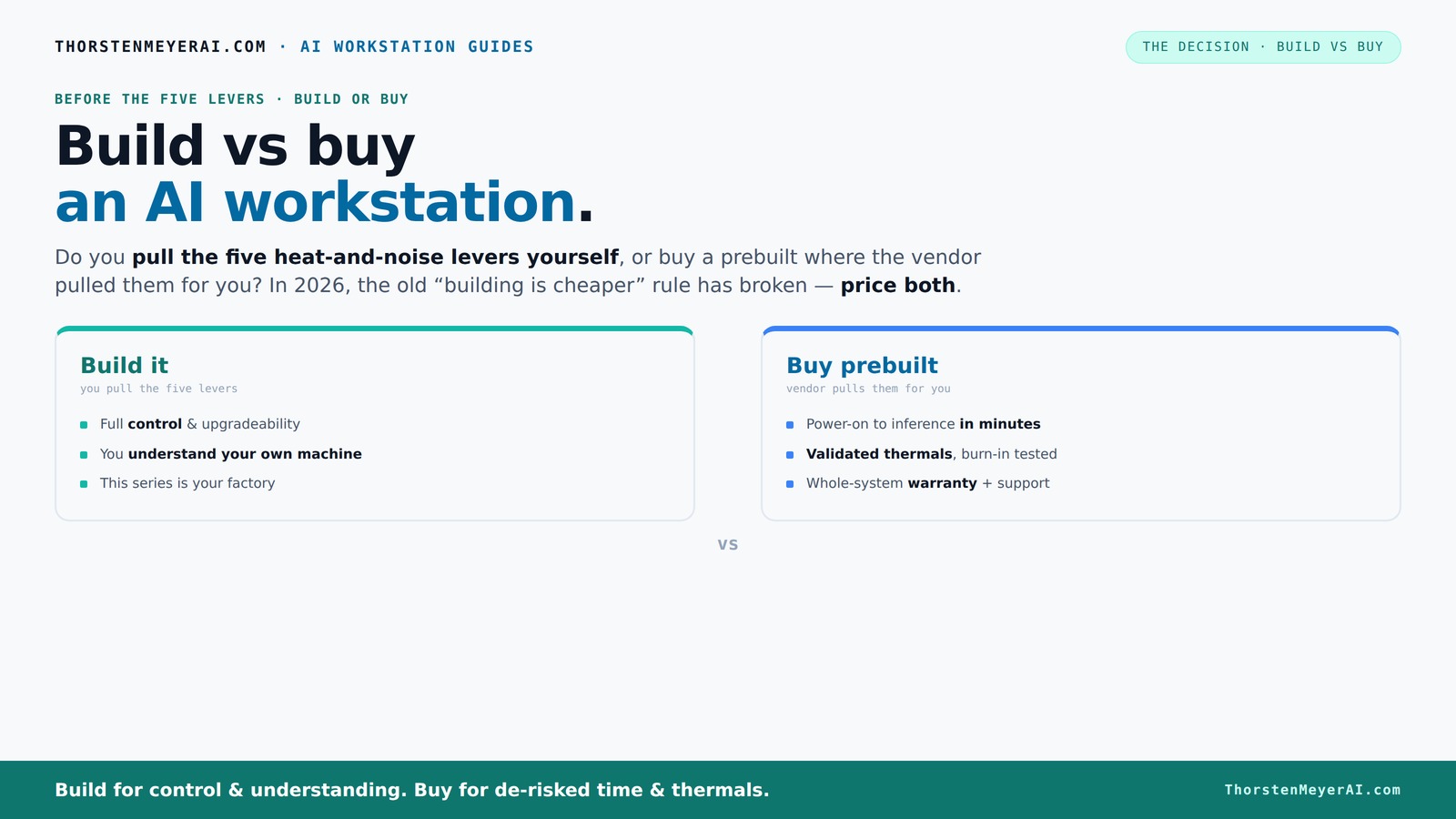
Build vs buy
an AI workstation.
The real question behind this whole series: do you pull the five heat-and-noise levers yourself, or buy a prebuilt where the vendor pulled them for you? And in 2026, the old “building is cheaper” rule has broken. Match your situation in Part 3.
Key Takeaways
- Component shortages in 2026 mean prebuilt systems are often as affordable or cheaper than DIY builds for AI workstations.
- Prebuilts offer validated thermals, quieter operation, and support, reducing risk and setup time.
- DIY provides full control over parts, upgrade paths, and noise levels, but requires thermal expertise and troubleshooting skills.
- Support and warranty are critical for long-term reliability, especially with multi-GPU setups.
- Future-proofing depends on careful component selection—DIY systems generally offer more flexibility.
As an affiliate, we earn on qualifying purchases.
Why the Cost Gap Between Building and Buying Has Vanished
Building your own AI workstation used to be cheaper by a wide margin. Now? Not so much. The reason is simple: component shortages and price spikes. DDR5 RAM, high-end GPUs, and fast SSDs have all surged in cost—often by 20-30% since 2024. A typical DIY build that once cost $1,000 now easily hits $1,250+ before you even add an OS.
Meanwhile, big vendors like Dell, Puget, and Lambda have bought components in bulk before prices soared. They’ve passed the savings onto you, often offering systems at or below what it costs to assemble parts yourself today. This shift means that the once-clear financial advantage of building your own system is now blurred. It’s no longer just about raw component costs but also about the time, effort, and troubleshooting involved in DIY. For many, the added convenience and support of prebuilt systems can outweigh the minor cost differences, especially when factoring in the value of time saved and reduced risk of assembly errors.
The implications are significant: in 2026, you need to do a detailed price comparison for your specific configuration rather than relying on past assumptions. The tradeoffs include not only cost but also reliability, warranty support, and the potential for future upgrades, which can influence long-term value.
As an affiliate, we earn on qualifying purchases.
The Heat and Noise Dilemma — Who Tunes Your AI Machine?
Heat and noise are the silent killers of high-power AI workstations. They turn long training hours into a drudgery of whines and whirs. If you want to learn more about optimizing system cooling, check out this guide on thermal management. When you buy a prebuilt, the vendor has already pulled the five levers: undervolting the GPU, matching cooling, optimizing airflow, and tuning fan curves. Systems from Lambda or BIZON often run 30% cooler and quieter out of the box, thanks to factory validation, as noted in [2]. This means you get a system that’s optimized for stability and longevity, reducing thermal stress on components, which can extend their lifespan and maintain consistent performance over time. For more on prebuilt systems, visit Daily Coin Feed.
If you build your own, you’re in the driver’s seat. You select quiet GPUs, like the RTX 4090 or A100, and tune everything yourself — from case airflow to fan speed profiles. This level of control allows you to tailor your system precisely to your environment and noise preferences, potentially creating a near-silent setup that minimizes thermal throttling. However, it requires a solid understanding of thermal management principles and the time to fine-tune settings. Poor tuning can lead to overheating, reduced performance, or noisy operation that defeats the purpose of a quiet workspace.
Think of it as a trade: buy and get peace of mind with factory-tuned systems, or build and gain full control over your thermal profile—potentially achieving a quieter, more efficient setup—but at the cost of extra effort and expertise. The choice hinges on your comfort level with thermal management and your priority for noise reduction versus customization.
As an affiliate, we earn on qualifying purchases.
Performance: Are Prebuilts Tuned for AI or Just Good Enough?
Performance for AI workloads hinges on GPU power, VRAM, CPU, and cooling. Prebuilts are often optimized for out-of-the-box performance, with factory tuning, validated thermal profiles, and pre-installed AI software stacks. To compare options, see build vs buy guides. Vendors like Lambda validate their systems with 24–48 hours of stress testing, ensuring no thermal throttling occurs—so you can train models without surprises [2]. This rigorous validation process means that prebuilts are designed to deliver consistent, reliable performance right from the start, reducing the guesswork and setup time for complex AI tasks.
Building your own gives you the flexibility to select the absolute best parts—like choosing a GPU with 80GB VRAM or a CPU with higher core counts—tailored to your specific workload. Learn more about custom PC building at this resource. But it also means you need to tune the system yourself, which can be tricky without experience. This tuning involves balancing cooling, power delivery, and BIOS settings to squeeze maximum performance without risking overheating. For straightforward AI tasks, prebuilts often provide sufficient performance with minimal setup, but for highly specialized or demanding workloads, DIY can push performance further through targeted optimization.
The key is understanding the tradeoff: prebuilts offer a ready-to-run, stable baseline, ideal for most users, while DIY allows for custom tuning that can extract every ounce of performance—if you have the expertise and time to invest. The implications are clear: your workload complexity and your willingness to fine-tune will determine which approach is best.
As an affiliate, we earn on qualifying purchases.
Support, Warranty, and Longevity — Why It Matters
When your AI training runs for days, the last thing you want is hardware failure. Prebuilts shine here. Reputable vendors do extensive testing, offer warranties up to 5 years, and handle RMA processes as part of the package. For more on reliable hardware, visit All Finances Sites. If something breaks, you call support, and they fix or replace quickly [4]. This level of support can be crucial for mission-critical AI workloads, where downtime translates into significant delays or financial loss. Reliable support and warranty coverage reduce the stress of troubleshooting and ensure your system remains operational during intensive training cycles, ultimately saving you time and money.
Building your own means juggling multiple warranties—motherboard, GPU, RAM—and diagnosing issues that may be intertwined. You become the support team. This can be empowering if you have the skills, but it can also lead to long troubleshooting sessions and unexpected downtime if you’re not prepared. The risk is especially high in complex multi-GPU setups, where compatibility and stability issues can arise unexpectedly.
Support and warranty can add $200–$500 to your system’s overall cost but provide peace of mind that your investment is protected. For critical workflows, this added expense is often justified by the reduced downtime and lower stress, especially if your organization relies heavily on consistent performance and quick issue resolution.
In essence, buying prebuilt reduces risk and simplifies support, especially for complex, multi-GPU setups, and can be a strategic choice for organizations that prioritize uptime and reliability over initial customization.
Upgradeability and Future-Proofing: Can Your System Grow With You?
Future-proofing is about how easily you can upgrade. Prebuilts often use proprietary motherboards or limited PSU capacity, making upgrades tricky. Some vendors, like Lambda, design their systems with expansion in mind, offering space for larger GPUs or more RAM [4]. However, many prebuilt systems are optimized for current configurations, which may limit future expansion unless explicitly advertised. This can lead to additional costs or complete system replacements sooner than expected.
DIY builds shine here. You pick a full-sized ATX case, a motherboard with multiple PCIe slots, and a robust PSU—creating a platform that can accommodate new GPUs, additional memory, or other peripherals as your needs evolve. This approach offers maximum flexibility, allowing you to swap out components gradually, thus extending the lifespan of your investment. However, true future-proofing depends on careful component selection during initial build—choosing a motherboard with ample expansion options and a power supply capable of supporting future upgrades.
The tradeoff is complexity: more planning and initial investment are required, but the long-term benefits include greater control over your system’s evolution. If you anticipate needing to scale up or modify your AI workstation over several years, a DIY approach generally offers more promise for sustained growth.
When to Opt for a Prebuilt and When DIY Makes Sense
If speed, simplicity, and support top your list, a prebuilt is the way to go. You turn it on — it works, with minimal setup. Vendors validate the hardware under sustained load, reducing thermal surprises [2]. This is especially valuable for teams that need immediate deployment or lack the expertise to fine-tune hardware for optimal thermal and performance conditions. The convenience reduces setup time and troubleshooting, allowing you to focus on your AI projects rather than hardware issues.
If customization, control, and long-term cost savings are your priorities, building your own gives you the edge. You select each component—GPU, CPU, cooling—and tune everything to your workload. This approach demands a learning curve but rewards you with a system precisely tailored to your needs, potentially outperforming prebuilt setups in specialized tasks. Additionally, building allows you to choose parts with longer upgrade paths or better future compatibility, which can be more economical over time.
Hybrid approaches can also be effective: start with a prebuilt for quick deployment, then upgrade or customize as your needs evolve. The best choice depends on your workload complexity, technical skill, and project timeline. For those new to high-performance AI systems, prebuilts offer peace of mind; for experienced builders, DIY provides unmatched flexibility.
Frequently Asked Questions
Is it cheaper to build or buy an AI workstation in 2026?
Thanks to component shortages and bulk buying, prebuilt AI workstations are often as affordable or even cheaper than building your own today. Always compare prices for your specific configuration, as the landscape shifts quickly.Will a prebuilt workstation perform as well as a custom build?
Prebuilts are often tuned for optimal thermal performance and stability, making them reliable for AI workloads. Custom builds can push performance further if you select high-end parts and tune carefully, but they require expertise.What parts matter most for AI workstations?
GPU choice and VRAM are critical, along with CPU, RAM, and cooling. For example, a system with an RTX 4090 and 80GB VRAM will outperform a lower-tier GPU in most AI tasks. Cooling and power delivery are equally vital for sustained workloads.Are prebuilts reliable, or do they use cheaper components?
Reputable vendors validate their systems through extensive testing and use quality components. However, some cheaper prebuilts might cut corners on PSUs or cooling, so it’s essential to review specs and reviews before buying.How upgradeable are prebuilt AI workstations?
Upgradeability varies. High-end vendors often design for future expansion with spacious cases and robust PSUs, while some prebuilt models use proprietary parts. Building your own usually offers the most flexibility.Conclusion
Choosing between build and buy a prebuilt AI workstation in 2026 isn’t just about price anymore. It’s about what you value most: immediate performance and support, or control and customization. Both paths can serve high-powered AI workloads, but the right choice depends on your skills, timeline, and future plans.
Remember, the heat, noise, and upgradeability questions are just as vital as raw specs. Your ideal system is the one you understand, trust, and can grow with. So, weigh your options carefully — your AI projects depend on it.
Halloween Picks
halloween
As an affiliate, we earn on qualifying purchases.