
🔍 Read the full analysis: Compare The UGREEN NAS DXP4800 Pro With Other AI Storage Options on ThorstenMeyerAI.com

Get business pricing on office and shipping supplies
- Business-only prices and quantity discounts
- Tax-exempt purchasing
- Multiple users, one account, clear invoices
TL;DR
The UGREEN NAS DXP4800 Pro is a four-bay network-attached storage device with an Intel Core i3-1315U, expandable DDR5 memory, 10GbE and 2.5GbE networking, and on-device AI photo organization. Its hardware suits users who plan to run services or move large files, while simpler two-bay models may better suit basic backups. The stated 144TB capacity depends on separately supplied drives, and faster transfers require compatible network equipment.
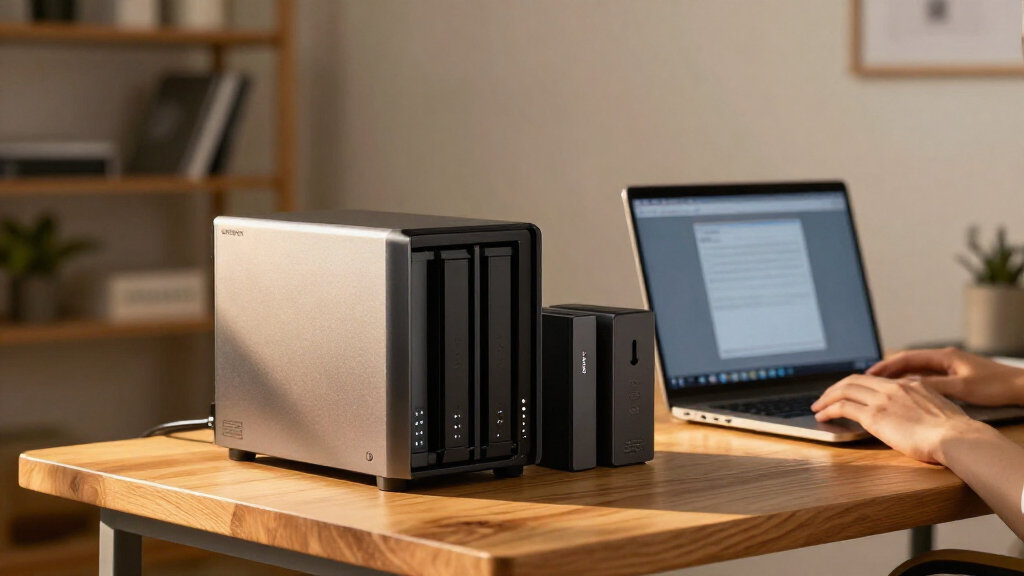
The UGREEN NAS DXP4800 Pro combines four drive bays, an Intel Core i3-1315U, expandable memory and 10GbE networking in a home-focused storage device aimed at users who may also run self-hosted services, as explored in the original analysis. A product comparison says its hardware is more capable than many basic backup setups need, and points to two-bay NAS models such as the Synology DS223 and DS223j as simpler alternatives.
The DXP4800 Pro includes 8GB of DDR5 memory, expandable to 96GB, and supports Docker and virtual machines, according to the supplied product information. That combination could suit home-lab users who want one device to store files and run additional services. For users who only need automatic backups or shared folders, the extra processing and memory capacity may go unused.
Its connections include 10GbE and 2.5GbE, with a stated maximum transfer speed of 1.25GB/s. That figure is not a guarantee of real-world speed: computers, switches, cabling, drives and the workload must all support the faster connection. On a standard gigabit network, the 10GbE port cannot deliver its full potential.
The enclosure has four 3.5-inch drive bays and two PCIe 4.0 M.2 slots. The listed maximum capacity is 144TB across hard drives and M.2 SSDs, but the source does not say drives are included. The device also supports several RAID arrangements; RAID can help preserve access after some drive failures, but it is not a replacement for a separate backup. UGOS Pro includes media, photo and cloud-sync features, including on-device AI photo organization.

UGREEN NAS DXP4800 Pro 4-Bay Network Attached Storage
- ✔ Processor: Intel Core i3-1315U, 6 cores, 8 threads, up to 4.5GHz
- ✔ Memory: 8GB DDR5, expandable to 96GB
- ✔ Graphics: 13th Gen Intel UHD Graphics
The 1 picks
- 1
 UGREEN NAS DXP4800 Pro 4-Bay Desktop NAS with Intel Core i3-1315U, 8GB DDR5,…View on Amazon →
Matching NAS Hardware to the Workload
The comparison highlights a practical choice for buyers: pay for a more expandable home server or choose a simpler NAS for routine storage. Four bays provide more room to add drives and configure storage than a two-bay starting point, while the processor, memory expansion and networking leave more capacity for multiple users and self-hosted applications.
Those benefits depend on the rest of the setup. Buyers seeking faster file transfers may also need compatible network cards, a suitable switch and cabling, as well as drives that can keep up. The NAS’s listed capacity also requires purchasing and installing storage separately if drives are not supplied. The comparison therefore frames the DXP4800 Pro as most relevant to users with a clear need for its flexibility, rather than as a universal upgrade for every household.
How It Compares With Two-Bay NAS
The source compares the DXP4800 Pro with the Synology DS223 and DS223j, describing those models as more sensible choices for compact backup and shared-folder use. It does not provide prices, benchmark results or a feature-by-feature software comparison, so the material supports a comparison of the listed hardware and intended use, not a claim that one device is better in every respect.
NAS devices store files on a local network and can support functions such as media serving and synchronization. The DXP4800 Pro’s four drive bays, M.2 slots and service support place it beyond a basic network folder in the source’s account. Its tool-free drive trays may simplify installation, but buyers still have to select drives, configure storage and learn the software before relying on it for everyday access.
““worth buying for buyers who will use its speed and flexibility””
— The supplied product comparison
Costs, Speed and Reliability Questions
The source does not give a price, drive bundle or tested transfer results, so it is not possible to compare total setup costs or verify how the listed maximum speed translates into typical use. It also does not establish noise levels, long-term reliability or how the software’s AI photo features perform in practice. The listed 144TB ceiling depends on the installed drives, and the source does not specify the exact drive configuration behind that maximum.
Performance will vary with the network, storage configuration and workload. The material also does not provide a detailed software comparison with Synology’s models or independent testing of the DXP4800 Pro. Buyers should treat the stated specifications and product features as specifications, not as proof of particular real-world results.
What Buyers Should Check Before Purchase
Before buying, users should check whether the listing includes drives, calculate the cost of the storage they need and confirm that their network equipment supports the desired connection speed. They should also decide whether Docker, virtual machines, AI photo organization or future drive expansion are features they will use. Those choices determine whether the DXP4800 Pro’s additional hardware is useful or unnecessary.
The source describes a product comparison, not a newly announced launch, test result or scheduled update. No next release or review milestone is specified. For now, the key comparison remains between the DXP4800 Pro’s expandable platform and simpler two-bay NAS options for basic file storage.
Key Questions
Does the UGREEN DXP4800 Pro include hard drives?
The supplied product information does not state that drives are included. Buyers should check the specific listing and budget for drives if needed.
Can the DXP4800 Pro reach its stated 1.25GB/s transfer speed?
That is the stated maximum, not a guaranteed everyday speed. The NAS, client device, network equipment, cabling, drives and workload all affect actual transfer rates.
How does it compare with the Synology DS223 and DS223j?
The source describes the UGREEN as having four bays and a more expandable hardware platform, while presenting the two-bay Synology models as alternatives for basic backups and shared folders. It does not provide prices or benchmark comparisons.
Is RAID a substitute for backing up files?
No. The source notes that RAID can help maintain access after some drive failures, but it does not replace a separate backup.
Who is the DXP4800 Pro best suited to?
Based on the supplied comparison, it is most relevant to buyers who plan to use its drive capacity, faster networking, memory expansion or support for Docker and virtual machines. People who only need straightforward backups may prefer a simpler two-bay NAS.
Source: ThorstenMeyerAI.com